Hello! Today, we’re going to dive deep into the invisible hero responsible for the stability of Backstage operations: Deterministic Installs in Yarn Monorepos. 🚀
When operating a Backstage project, multiple developers often work simultaneously, or builds are performed in CI/CD pipelines. Understand the core mechanism that prevents situations like “It works on my machine, but why not on the server?” perfectly! 💡
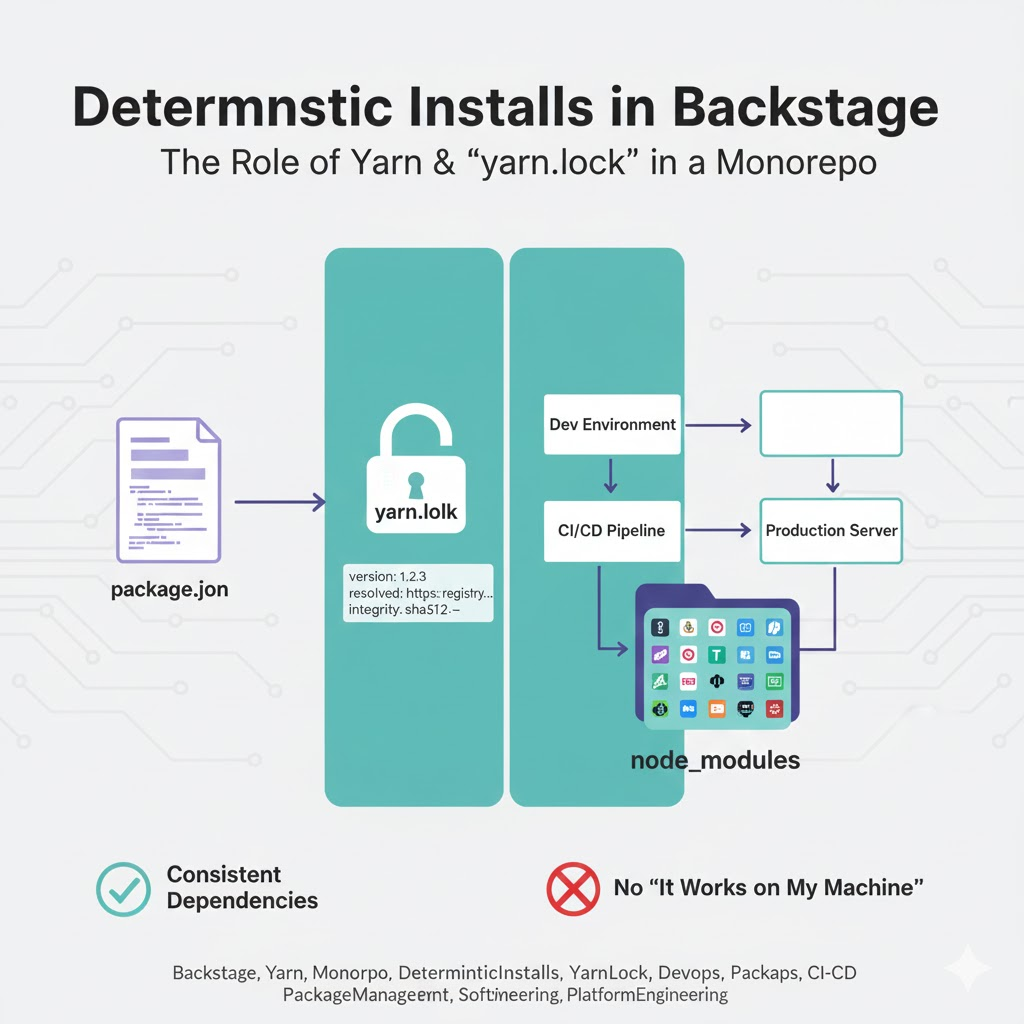
🏗️ What are Deterministic Installs?
Deterministic Installs mean ensuring that when installing project dependencies, ‘the exact same package structure and versions are always installed, regardless of when, where, or by whom the installation is performed.’
In a massive monorepo environment like Backstage, hundreds of packages are intertwined. If this determinism breaks, the entire system risks collapse due to subtle version differences. 😱
🌟 The Main Contributor to Ensuring Deterministic Installs: The yarn.lock File
In a Backstage project managed by Yarn, the most crucial element ensuring installation consistency is the yarn.lock file.
1. Guardian of Version Pinning 🔒
package.json typically specifies version ranges (e.g., ^1.0.0). However, the yarn.lock file precisely records the exact versions actually installed and the tree structure of their sub-dependencies.
2. Checksum Verification 🛡️
yarn.lock stores the hash value (Checksum) of each package to ensure that the package’s source code has not been tampered with. This verifies that the downloaded package is identical to what was previously installed.
3. Unification of Dependency Tree 🌳
When multiple packages within a monorepo require the same library at different versions, Yarn records how it resolved these conflicts (Resolution) via yarn.lock. This ensures that the same dependency graph is generated across all environments.
🔍 Yarn’s Role in the Backstage Monorepo
Backstage doesn’t just use Yarn; it manages its monorepo through Yarn Workspaces functionality.
- Hoisting: Pulls duplicate dependencies up to the root node_modules to reduce size and unify versions.
- Selective Version Resolutions: Allows forcing specific package versions via the `resolutions` field in package.json, and this result is also reflected in yarn.lock.
🛠️ Practical Guide: How to Maintain Deterministic Installs
✅ 1. Always commit yarn.lock!
This file is not an automatically generated byproduct; it is the blueprint of the project. It must be included in the Git repository and shared by all team members.
✅ 2. In CI environments, use yarn install –frozen-lockfile
This option forces the server not to create a new lock file during build. If package.json and yarn.lock do not match, the build will fail, preventing unintended changes. 🚫
✅ 3. Always use yarn add when adding packages
Use CLI tools instead of manually editing files to ensure yarn.lock is updated safely and accurately.
💡 Why is this particularly important in Backstage?
Backstage is composed of numerous @backstage/plugin-* packages. These packages are closely interconnected, making it easy for type errors or runtime bugs to occur if even one version is out of sync. Deterministic installs via yarn.lock are the only way to stably maintain this complex ecosystem. 🏎️
🏁 Conclusion: The Start of Reliable Builds
Ensuring deterministic installs in a Backstage monorepo ultimately begins with strictly managing the yarn.lock file. Build an environment that guarantees “always the same results” and enjoy peaceful, version-conflict-free development portal operations! 🚀
Leave a Reply