Hello! Today, we’re going to dive deep into one of the most crucial pieces of metadata underpinning Backstage’s software catalog: the backstage.io/source-location annotation. 🚀
When using Backstage, you’ll often encounter this setting when clicking the “View Source” button on a service’s detail page or when linking documentation. Let’s fully understand what magic this single line of configuration performs and why it’s so important! 💡
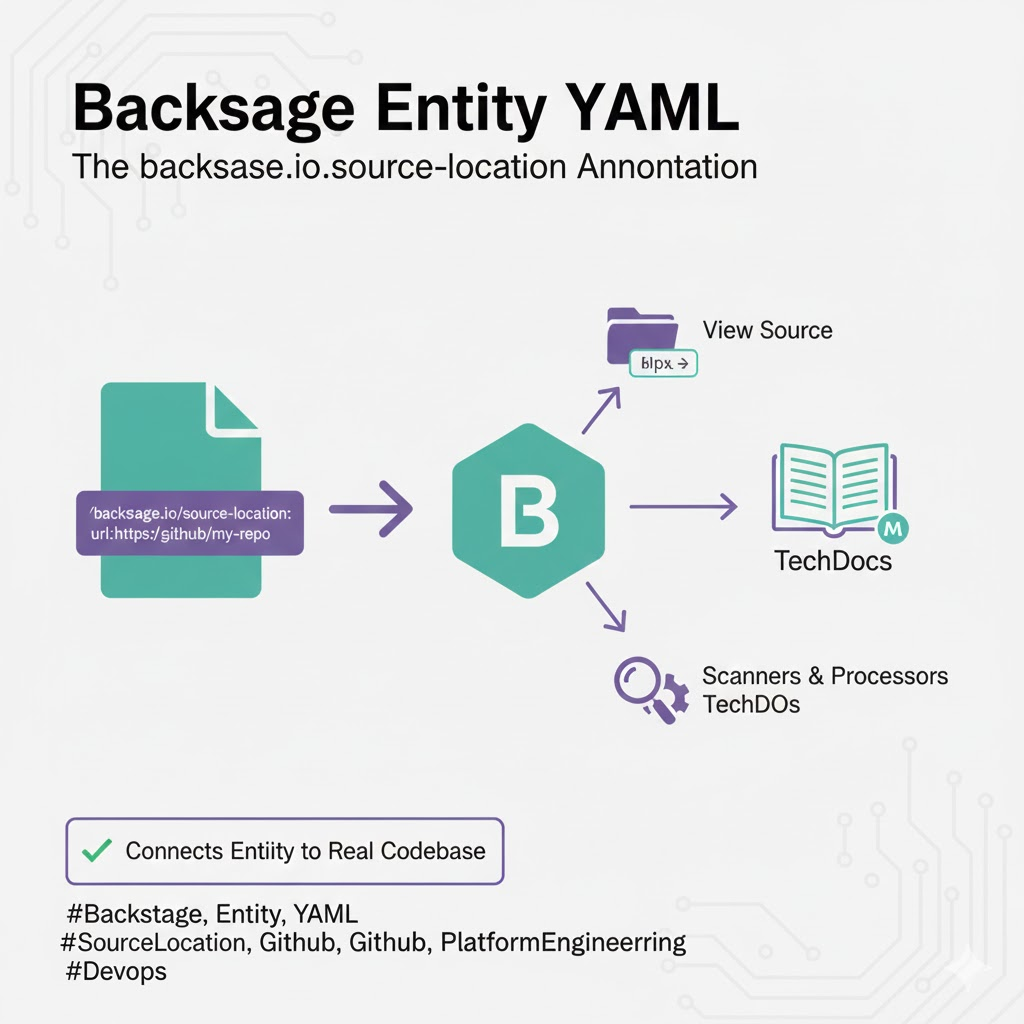
🏗️ What is backstage.io/source-location?
All resources managed in Backstage (components, APIs, resources, etc.) are defined as YAML files called Entities. The backstage.io/source-location annotation acts as a landmark, pointing to the physical location where the actual source code of that entity is stored.
Simply put, it tells Backstage, “The true identity (source code) of this service is in this folder of that GitHub repository!” 📍
🌟 Why is this annotation critical?
It holds more meaning than just a simple address record. For the following core Backstage features to work correctly, this annotation must be set up properly.
1. Direct Link to Source Code (View Source) 🔗
When a user clicks the “View Source” button on the Backstage screen, it allows them to instantly navigate to the corresponding repository page on GitHub or GitLab. This is the fastest way for developers to find their way to the actual code when they want to modify it after viewing the catalog.
2. Foundation for TechDocs (Documentation) 📖
Backstage’s proud TechDocs reads Markdown files stored alongside the source code and displays them on the web. In this context, source-location serves as the reference point, telling the TechDocs build engine where to fetch the Markdown files from.
3. Guide for Scanners and Processors 🕵️♂️
The Backstage backend periodically checks source locations to scan for changes or new configurations. Without this annotation, the system would struggle to distinguish whether an entity is ‘live code’ or just a simple record.
🛠️ Practical Use: How to write it?
Annotations are usually located in the metadata section of an entity’s YAML.
📝 Basic Format Example
YAML
apiVersion: backstage.io/v1alpha1
kind: Component
metadata:
  name: my-awesome-service
  annotations:
    # Specifies the location of the source code.
    backstage.io/source-location: url:https://github.com/my-org/my-repo/tree/main/
spec:
  type: service
  owner: guest
  lifecycle: production
🔍 Configuration Rules (Prefix)
- url: prefix: This is the most commonly used method, where you enter a URL accessible via the web.
- Relative vs. Absolute Paths: Typically, an absolute address of a remote repository is used, but in a monorepo environment, it’s recommended to specify the exact subfolder where the service is located.
⚠️ Points to Watch Out For (Common Mistakes)
- Branch Specification: Branch names like main or master must be included in the URL to accurately track the location. 🚩
- Missing Prefix: Simply writing https://… is not enough. You must include the url: prefix for Backstage to recognize it as location information.
- Permission Issues: The Backstage server must have the necessary tokens or permissions to access the specified location (e.g., GitHub) to fully utilize its features. 🔐
🏁 Conclusion: The Link Between Entities and the Real World
The backstage.io/source-location is the most powerful link connecting Backstage, the virtual catalog, with the actual code that developers interact with daily. Meticulously managing this setting can significantly reduce team members’ search time.
Go ahead and assign accurate location information to your entity files right now! 🚀
Leave a Reply