Amazon ECS security checks can mostly be summarized as: “How much can a container infringe on host privileges?”, “Is it directly exposed to the external internet?”, and “Are sensitive information and logs handled securely?”. In particular, the ECS Task Definition is a critical security point that includes container execution methods, permissions, file systems, environment variables, and log settings.
AWS also recommends using the awsvpc network mode unless there’s a specific reason not to, and for Fargate tasks, the awsvpc network mode is mandatory.
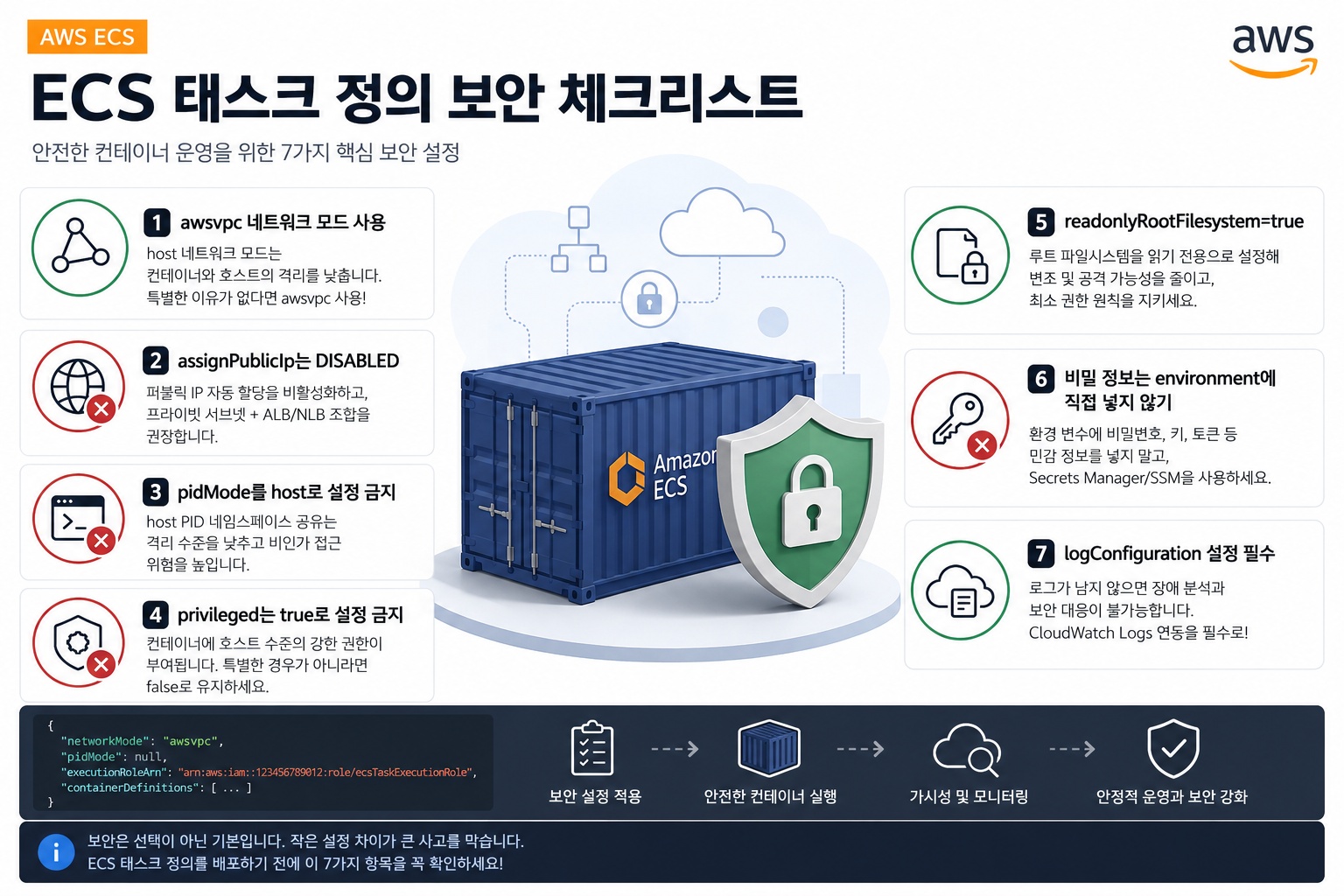
1. Avoid using host network mode
If networkMode is set to host in an ECS task definition, the container bypasses Docker’s virtual network and directly uses the EC2 host’s network namespace. In this case, container ports are directly mapped to the host ENI, and a restriction arises where multiple tasks cannot use the same port simultaneously.
From a security perspective, it’s even more critical. Host network mode lowers the level of isolation between the container and the host. For typical web applications, API servers, and backend services, using awsvpc mode is safer than host mode.
The recommended setting is as follows:
{
  "networkMode": "awsvpc"
}
##
2. assignPublicIp for ECS services should be set to DISABLED
If assignPublicIp is ENABLED in an ECS service, a public IP is automatically assigned to the task’s ENI. AWS Security Hub’s ECS security control also considers it a failure if AssignPublicIP is ENABLED and a pass if DISABLED.
In a typical architecture, it’s best to place ECS tasks in private subnets and receive external access through an ALB or NLB. If Fargate services are also placed in private subnets and do not use public IPs, outbound traffic can be configured to go through a NAT Gateway.
An example service configuration is as follows:
{
  "networkConfiguration": {
    "awsvpcConfiguration": {
      "subnets": [
        "subnet-private-a",
        "subnet-private-b"
      ],
      "securityGroups": [
        "sg-ecs-service"
      ],
      "assignPublicIp": "DISABLED"
    }
  }
}
3. pidMode should not be set to host
Setting pidMode to host causes the container to share the host’s process namespace. In this scenario, processes on the host can be seen from within the container, and depending on the situation, they can affect host processes.
AWS Security Hub’s ECS.3 control checks if an ECS task definition shares the host’s process namespace and explains that sharing the host PID namespace reduces isolation and increases the risk of unauthorized access.
The recommended setting is simple: in most cases, either do not specify pidMode at all, or at least do not set it to host.
{
  "pidMode": null
}
In actual task definition JSON, omitting the pidMode entry is common practice.
4. privileged should not be set to true
privileged: true grants strong, host-level privileges to the container. AWS Security Hub’s ECS.4 control considers it a failure if privileged is true in a container definition within an ECS task definition, explaining that this setting grants elevated privileges to the container instance.
From a security standpoint, it’s better to explicitly set it to false as follows:
{
  "name": "app",
  "image": "nginx:latest",
  "privileged": false
}
Especially in an ECS on EC2 environment, a privileged container is a dangerous setting that can lead to host compromise. Unless absolutely necessary for cases like Docker-in-Docker, security agents, or special system tools, it should not be used.
5. readonlyRootFilesystem should be set to true
readonlyRootFilesystem: true sets the container’s root filesystem to read-only. AWS Security Hub’s ECS.5 control considers it a failure if this value is false or missing from the container definition. AWS explains that this setting reduces attack vectors where the container instance’s root filesystem could be tampered with or written to, and it aligns with the principle of least privilege.
The recommended setting is as follows:
{
  "name": "app",
  "image": "nginx:latest",
  "readonlyRootFilesystem": true
}
However, if the application needs to perform write operations to /tmp, cache directories, upload directories, etc., a separate volume or temporary storage path must be clearly designed. Instead of making the entire root filesystem writable, it’s better to make only the necessary paths writable in a restricted manner.
6. Sensitive information should not be directly placed in environment variables
It is dangerous to directly put values like passwords, access keys, or tokens into the environment section of an ECS task definition. AWS documentation also states that environment variables specified in a task definition can be read by users and roles with DescribeTaskDefinition permissions for that task definition.
AWS Security Hub’s ECS.8 control checks for sensitive keys like AWS_ACCESS_KEY_ID, AWS_SECRET_ACCESS_KEY, and ECS_ENGINE_AUTH_DATA in environment variables and recommends using Parameter Store or Secrets Manager for sensitive information.
A bad example is as follows:
{
  "environment": [
    {
      "name": "DB_PASSWORD",
      "value": "plain-text-password"
    }
  ]
}
The recommended approach is to use secrets.
{
  "secrets": [
    {
      "name": "DB_PASSWORD",
      "valueFrom": "arn:aws:secretsmanager:ap-northeast-2:123456789012:secret:prod/db/password"
    }
  ]
}
If sensitive options are needed in log configurations, secretOptions can also be used, and these values can be stored in and referenced from Secrets Manager or Systems Manager Parameter Store.
7. logConfiguration must be set
Without container logs, incident analysis, intrusion investigation, and audit response become very difficult. AWS Security Hub’s ECS.9 control considers it a failure if the latest active ECS task definition lacks logConfiguration or if the logDriver value in the container definition is null. AWS explains that logging helps maintain ECS reliability, availability, and performance, and is necessary for finding the root cause of errors.
A typical CloudWatch Logs configuration example is as follows:
{
  "logConfiguration": {
    "logDriver": "awslogs",
    "options": {
      "awslogs-group": "/ecs/prod-app",
      "awslogs-region": "ap-northeast-2",
      "awslogs-stream-prefix": "ecs"
    }
  }
}
Example ECS Task Definition Reflecting Security Standards
Below is a representative example of an ECS task definition for Fargate that incorporates the above standards.
{
  "family": "secure-ecs-task",
  "networkMode": "awsvpc",
  "requiresCompatibilities": ["FARGATE"],
  "cpu": "512",
  "memory": "1024",
  "executionRoleArn": "arn:aws:iam::123456789012:role/ecsTaskExecutionRole",
  "taskRoleArn": "arn:aws:iam::123456789012:role/ecsAppTaskRole",
  "containerDefinitions": [
    {
      "name": "app",
      "image": "123456789012.dkr.ecr.ap-northeast-2.amazonaws.com/app:latest",
      "essential": true,
      "user": "1000",
      "privileged": false,
      "readonlyRootFilesystem": true,
      "portMappings": [
        {
          "containerPort": 8080,
          "protocol": "tcp"
        }
      ],
      "environment": [
        {
          "name": "APP_ENV",
          "value": "production"
        }
      ],
      "secrets": [
        {
          "name": "DB_PASSWORD",
          "valueFrom": "arn:aws:secretsmanager:ap-northeast-2:123456789012:secret:prod/db/password"
        }
      ],
      "logConfiguration": {
        "logDriver": "awslogs",
        "options": {
          "awslogs-group": "/ecs/secure-ecs-task",
          "awslogs-region": "ap-northeast-2",
          "awslogs-stream-prefix": "ecs"
        }
      }
    }
  ]
}
Quick Check Checklist
| Check Item | Recommended Value |
| networkMode | awsvpc |
| assignPublicIp | DISABLED |
| pidMode | Avoid host |
| privileged | false |
| readonlyRootFilesystem | true |
| Sensitive Information | Do not directly input into environment, use secrets |
| Log Configuration | Set logConfiguration |
## Conclusion
ECS security may seem complex, but the core is simple: ensure containers do not overshare with the host, are not directly exposed to the external internet, and handle sensitive information and logs correctly.
Especially in production environments, items like host network mode, pidMode: host, privileged: true, plaintext environment variables, and missing log configurations should be prioritized for removal. These settings are not just recommendations but are frequently exploited points by attackers attempting container escape, credential theft, or log evasion during actual security incidents.
Leave a Reply