Hello everyone! Today, we’re going to dive deep into the core processors of OpenTelemetry Collector that can solve problems anyone might have encountered while monitoring and tracing systems in a Kubernetes environment.
Have you ever had an experience like this? 🤔
“Application logs and trace data are pouring in… but I can’t tell which Pod or Namespace they’re coming from! Debugging is so hard… 😭”
The heroes that will solve such frustrating situations in one go are the processors we’ll be exploring today. In particular, focusing on k8sattributes, which is the answer to the question, I’ll explain what roles other processors play and how to use them together!
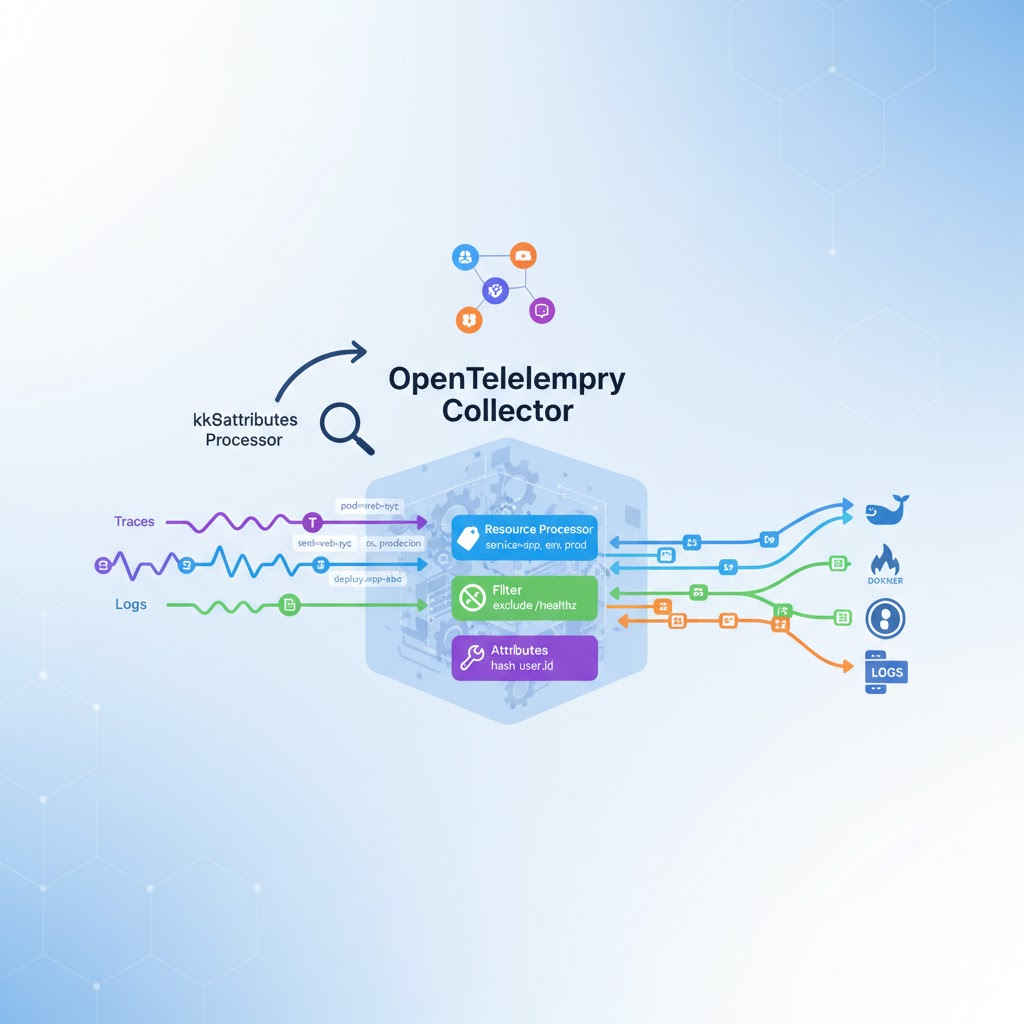
⭐ Today’s Main Character: Kubernetes Attributes Processor (k8sattributes)
The k8sattributes processor, which was the answer to the question, is, as its name suggests, a dedicated processor for Kubernetes environments. Its role is very clear and powerful.
- Role: It automatically and richly adds Kubernetes metadata to telemetry data (Traces, Metrics, Logs) flowing into the OTel Collector.
- How it works: The Collector communicates with the Kubernetes API server in the environment where it’s running. Based on the IP address where the data originated, it queries the API server to find out which Pod that IP belongs to. Then, it retrieves the Pod’s name, namespace, labels, annotations, deployment information, etc., and attaches them to the data like a ‘tag’. 🕵️♂️
After passing through this processor, our data will have wonderful attributes like the following:
- k8s.pod.name
- k8s.pod.uid
- k8s.pod.ip
- k8s.namespace.name
- k8s.node.name
- k8s.deployment.name
- k8s.replicaset.name
- … and so on!
Thanks to this information, we can perform powerful filtering and grouping in tools like Grafana and Jaeger, such as “viewing only error logs from a specific Namespace” or “measuring the average response time of Pods belonging to a specific Deployment.”
📝 Configuration Example (otel-collector-config.yaml)
processors:
  k8sattributes:
    # Setting passthrough mode to false allows the Collector to communicate directly with the K8s API to
    # discover metadata based on IP addresses.
    passthrough: false
    # You can define metadata rules to fetch from the API server.
    extract:
      metadata:
        - k8s.pod.name
        - k8s.pod.uid
        - k8s.deployment.name
        - k8s.namespace.name
        - k8s.node.name

service:
  pipelines:
    traces:
      receivers: [otlp]
      # Add the k8sattributes processor to the pipeline.
      processors: [k8sattributes, batch]
      exporters: [logging]
🎛️ Shall we look at other candidates? (Resource, Filter, Attributes)
Now that we know why k8sattributes is the answer, to be a true expert, we should also understand what roles other processors play, right?
1. Resource Processor (resource) 🏷️
This processor is responsible for adding static resource attributes to all incoming data. Unlike k8sattributes, which dynamically discovers information, this processor attaches pre-defined values from the configuration file uniformly.
- Usage Example:
- service.name: my-awesome-app (Our service name)
- service.version: 1.2.3 (Current deployment version)
- environment: production (Whether it’s a production or development environment)
If k8sattributes tells you “where the data came from,” you can think of the resource processor as telling you “the identity of the system processing the data.”
📝 Configuration Example
processors:
  resource:
    attributes:
      - key: service.version
        value: "1.2.3"
        action: insert
      - key: environment
        value: "production"
        action: insert
2. Filter Processor (filter) 🚫
As the name suggests, this processor is responsible for filtering data. It can include or exclude data that meets specific conditions.
- Usage Example:
- When you want to exclude health check traces like /healthz that are coming in too frequently.
- When you want to avoid collecting test data coming from a specific IP range.
It acts as a ‘gatekeeper,’ discarding data that is unnecessary for debugging or only incurs storage costs early on.
📝 Configuration Example
processors:
  filter:
    # Filtering rules for traces data
    traces:
      # Exclude spans with the name /healthz
      span:
        - 'name == "/healthz"'
      action: exclude
3. Attributes Processor (attributes) 🔧
This processor is a versatile tool for manipulating existing attributes in the data. It can perform various operations such as adding, modifying, or deleting specific attributes.
- Usage Example:
- When the user.id attribute value needs to be protected for privacy, hashing it and replacing it with a new attribute called user.id_hashed.
- When combining multiple attributes to create a new one.
- When deleting (delete) no longer needed attributes to reduce data size.
While k8sattributes specializes in ‘adding’ Kubernetes metadata, the attributes processor is more focused on ‘processing’ existing attributes.
📝 Configuration Example
processors:
  attributes:
    actions:
      # Rename http.url attribute to http.full_url
      - key: http.url
        action: update
        new_key: http.full_url
      # Delete user.email attribute as it is sensitive
      - key: user.email
        action: delete
🔗 Pipeline: Using Processors Together
In a real environment, these processors are chained together in a pipeline and used sequentially.
Data Reception (Receiver) -> k8sattributes -> filter -> attributes -> Data Transmission (Exporter)
- k8sattributes: First, it richly adds Kubernetes metadata,
- filter: Then, based on the added metadata, it performs more precise filtering, such as “exclude health check data from Namespace A,”
- attributes: After organizing and processing the necessary attributes,
- Exporter: Finally, it sends the data to its ultimate destination.
✨ Conclusion
Now, do you understand why the k8sattributes processor is essential in a Kubernetes environment and how it collaborates with other processors to make our data even more valuable?
- Kubernetes Attributes Processor: Responsible for automatic metadata addition in Kubernetes environments.
- Resource Processor: Responsible for adding static information like service version, environment.
- Filter Processor: Responsible for excluding unnecessary data.
- Attributes Processor: Responsible for editing and processing existing attributes.
By effectively utilizing these processors, you can clarify the origin of data even in complex microservice environments, efficiently collect only the desired data, and dramatically improve your problem-solving capabilities. Now you are also an OTel Collector expert!
Leave a Reply