Hello! This is the eighth session of the Kyverno Master Series, the wizard of Kubernetes operations. 🧙♂️
While we learned about the shield (Validation) that “blocks” incorrect requests last time, today we will delve deeply into the magic wand that “refines” user requests more perfectly: mutate rules.
If you’ve ever thought, “It’s annoying to manually add security labels to every Pod; I wish they were added automatically,” or “Can’t we automatically inject a sidecar container that a developer forgot?”, then today’s post is the answer. Let’s savor the essence of Resource Mutation for 15 minutes! 🚀
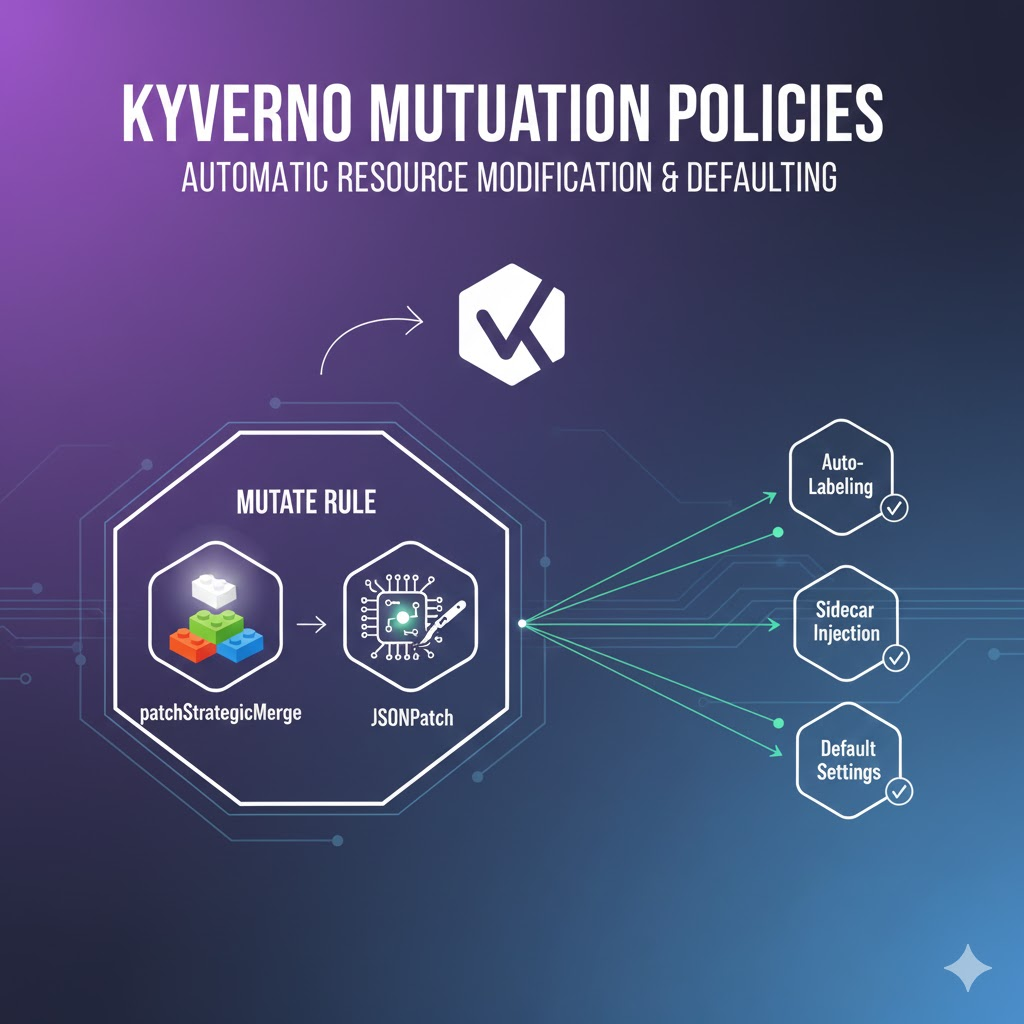
🏗️ 1. What are mutate rules?
Mutate rules automatically modify or add data to Kubernetes resources just before they are stored in the API server.
- Set default values: Automatically fills in essential settings when they are missing.
- Enhance security: Forces the injection of recommended security settings.
- Automation: Automates repetitive tasks such as sidecar injection and labeling.
🛠️ 2. Two Techniques for Modifying Resources: Strategic Merge vs JSONPatch
There are two main ways to mutate resources in Kyverno. Choosing the right tool for the situation is the secret of an expert.
① patchStrategicMerge (Intuitive Method) 🧩
This method follows the structure of Kubernetes resources to overwrite or add values. It is the most commonly used and very easy to read.
- Features: You can simply copy and paste the YAML structure. For lists, merging is based on a specific key (e.g., name).
- Analogy: It’s like adding new blocks on top of existing Lego blocks.
② patchesJson6902 (Precise Method) 📍
Commonly referred to as JSONPatch, this method specifies a particular path to issue modify, delete, or add commands.
- Features: Allows for very detailed operations, such as inserting values at a specific index in an array or deleting fields.
- Analogy: It’s like a surgeon using a scalpel to precisely operate on a specific area.
💻 3. Practice 1: Injecting Default Labels with patchStrategicMerge
Let’s make sure that every Pod automatically gets the label `managed-by: kyverno` when it’s created.
YAML
apiVersion: kyverno.io/v1
kind: ClusterPolicy
metadata:
  name: add-default-labels
spec:
  rules:
  - name: add-labels
    match:
      any:
      - resources:
          kinds:
          - Pod
    mutate:
      patchStrategicMerge:
        metadata:
          labels:
            managed-by: kyverno
            env: "{{request.namespace}}" # Variables can also be used!
Analysis: This policy intercepts user requests and injects the specified values into `metadata.labels`, even if the user doesn’t provide them.
📍 4. Practice 2: Precisely Modifying Container Settings with JSONPatch
This time, let’s try something a bit more challenging: we’ll force the `imagePullPolicy` of the first container to always be `Always`.
YAML
apiVersion: kyverno.io/v1
kind: ClusterPolicy
metadata:
  name: force-image-pull-policy
spec:
  rules:
  - name: set-always
    match:
      any:
      - resources:
          kinds:
          - Pod
    mutate:
      patchesJson6902: |-
        - op: replace
          path: "/spec/containers/0/imagePullPolicy"
          value: "Always"
Analysis: The `op: replace` command forcibly changes the value at the `/spec/containers/0/` path. Be careful, as an error may occur if there is no value at that path.
📊 5. Differences at a Glance
| Category | patchStrategicMerge | patchesJson6902 (JSONPatch) |
| — | — | — |
| Readability | Very high (same as YAML structure) | Low (path-based notation) |
| Complexity | Suitable for simple additions/modifications | Suitable for precise operations like deletion, specific index modification |
| Operating Principle | Map-based merging | Executes RFC 6902 standard commands |
| Primary Use Cases | Adding labels, injecting annotations | Modifying specific elements in a container list |
—
🚀 6. Practical Tips for Operators (Best Practices)
- Prefer Strategic Merge: It’s much easier to maintain. Use JSONPatch only when absolutely necessary (e.g., when you need to insert a value in the middle of a specific list).
- Mutate then Validate Chaining: Kyverno mutates resources and then re-validates whether the result passes other security policies. Therefore, mutation policies should be designed not to compromise security.
- Protect Existing Values: You can decide whether to overwrite existing values in a resource. Using the `+(field)` syntax in Strategic Merge can preserve existing values.
- Idempotency: The policy should produce the same result even if applied multiple times. Especially when adding items to a list, testing is required to ensure no duplicates are introduced.
🌟 Conclusion
Today, we learned about mutate rules, which automatically correct user errors and align cluster standards.
- You’ve learned how to quickly and easily fill in default values with Strategic Merge, and
- how to precisely process resources with JSONPatch. 🛠️
This mutate feature is a very powerful tool, especially for Platform Engineering teams to improve developer experience (DevX). Instead of being an administrator who just says “no,” become a smart administrator who says, “I’ll fill in what’s missing!” 💪
Next time, we will cover an example of utilizing mutate to its fullest in a real-world scenario, with the topic of “Automatic Sidecar Container Injection and Common Label Assignment.” Please leave any questions in the comments! 😊
Leave a Reply