Hello everyone preparing for Kubernetes certifications! 🙌 Today, I’d like to talk about a topic many of you might be curious about: the changes in the CKA, CKAD, and CKS exam environments.
Have any of you been surprised recently when accessing Killer.sh, the official CKA/CKAD/CKS simulator? This is because a virtual desktop environment, much like connecting to a remote desktop, has started to be provided, replacing the existing web-based terminal environment. Many are wondering if this change also applies to the actual exam environment.
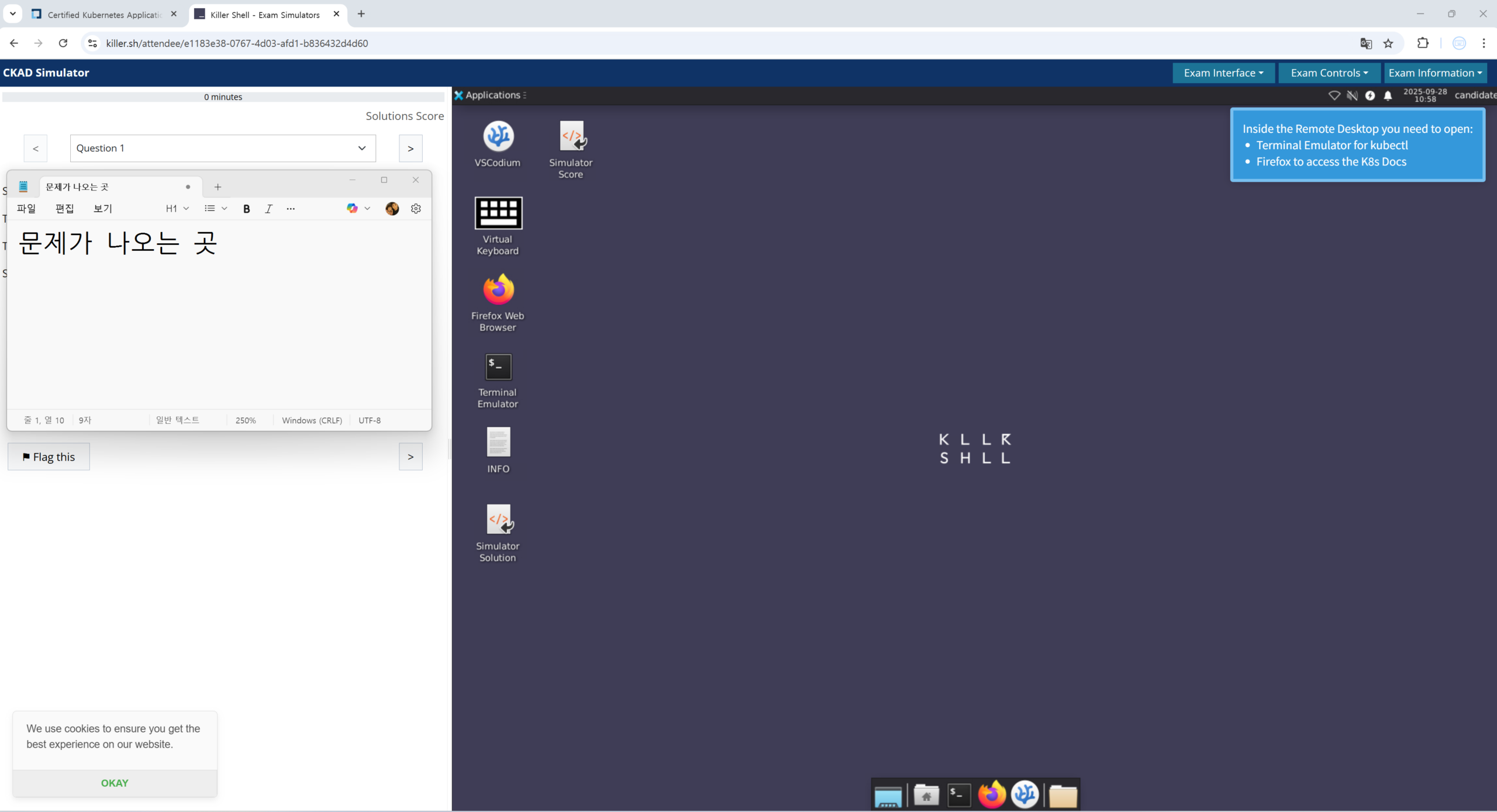
Killer.sh simulator access screen
I was also very curious about this, so I looked into it and organized the information myself. Shall we dive in and learn more?
To get straight to the point, yes, it has changed! ✅
To give you the straightforward answer, yes, the actual CKA, CKAD, and CKS exam environments have been changed to a virtual desktop (VDI) environment, identical to Killer.sh. 🎉
Now, instead of simply taking the exam within a web browser’s terminal, you will connect to a remote desktop and use applications such as terminals and web browsers provided within that environment to take the exam.
What exactly has changed? 🤔
The previous exam environment involved connecting via a secure browser called PSI Bridge, using a split screen with a terminal and exam question window. However, now you will connect to a virtual desktop environment via Remote Desktop.
Key features of this new environment are as follows:
- Operating System: The virtual desktop is a VNC-based Linux distribution using the XFCE desktop environment. (XFCE is known for being a lightweight and fast desktop environment! 🐧)
- Provided Applications:
- Terminal: You can freely open and use multiple terminal windows. Using terminal multiplexers like tmux or screen is also possible.
- Web Browser (Firefox): A web browser is built-in to allow you to refer to the official Kubernetes documentation (
- File Manager: You can check and manage files through a GUI-based file explorer.
- Screen Layout Flexibility: Previously, you could only adjust the screen within a fixed frame, but now you can freely arrange the size and position of terminal and browser windows as you wish. This is especially good news for those using wide monitors! 🖥️
What are the actual exam reviews like? 📝
Summarizing the reviews from actual test-takers regarding these changes, there are generally many positive responses.
- “Even better!” – Improved Convenience 👍
- Many test-takers report that being able to freely open multiple terminal windows and arrange them alongside documentation windows has significantly increased work efficiency. There are many opinions that even those unfamiliar with tmux no longer experience inconvenience using multiple terminals.
- Reviews also highlight that copy/paste is much more intuitive and easier than in the previous environment. While there were often shortcut conflicts or inconveniences before, now you can work smoothly using Ctrl+Shift+C/V (terminal) or Ctrl+C/V (general) just like in a typical desktop environment.
- “A few things to note…” – Some Precautions ⚠️
- Since it’s a virtual desktop environment, there are occasional reports of experiencing slight delays or sluggishness. This can vary depending on individual network conditions, so it’s important to take the exam in a stable internet environment.
- Some experiences mentioned issues with smooth Korean/English key switching or problems with specific key inputs. It is recommended to thoroughly test keyboard input in a notepad or similar application before starting the exam.
- Depending on the resolution settings of the virtual desktop and your local computer, the screen might be cut off or scrolling might occur. It’s advisable to carefully check this aspect during the exam environment setup.
In Conclusion
While the new virtual desktop exam environment might feel unfamiliar at first, I believe it’s a positive change that, once accustomed to, allows for taking the exam more efficiently in a broader and freer environment.
The most important thing is to fully adapt to and practice with the new environment through Killer.sh. Since Killer.sh provides an environment almost 100% identical to the actual exam, please take ample time there to practice arranging terminal and browser windows in the way most comfortable for you, and get accustomed to basic operations like copy/paste.
I hope this article has been helpful to everyone preparing for Kubernetes certifications. I wish you all success in passing! 💪
Leave a Reply