Hello! 👋 This is the final session of our OWASP Top 10 2021 Conquest Series. The much-anticipated 10th spot is A10:2021-SSRF (Server-Side Request Forgery), a very powerful and dangerous attack that newly entered the ranking through a community survey.
“What if you manipulated a trusted internal employee to steal secret documents from the boss’s office?” 🕵️♂️ SSRF is precisely an attack where an attacker manipulates a trusted server like a puppet to make the server send malicious requests to other locations on its behalf. From now on, let’s delve into the terrifying scenario of how our server can become a hacker’s spy!
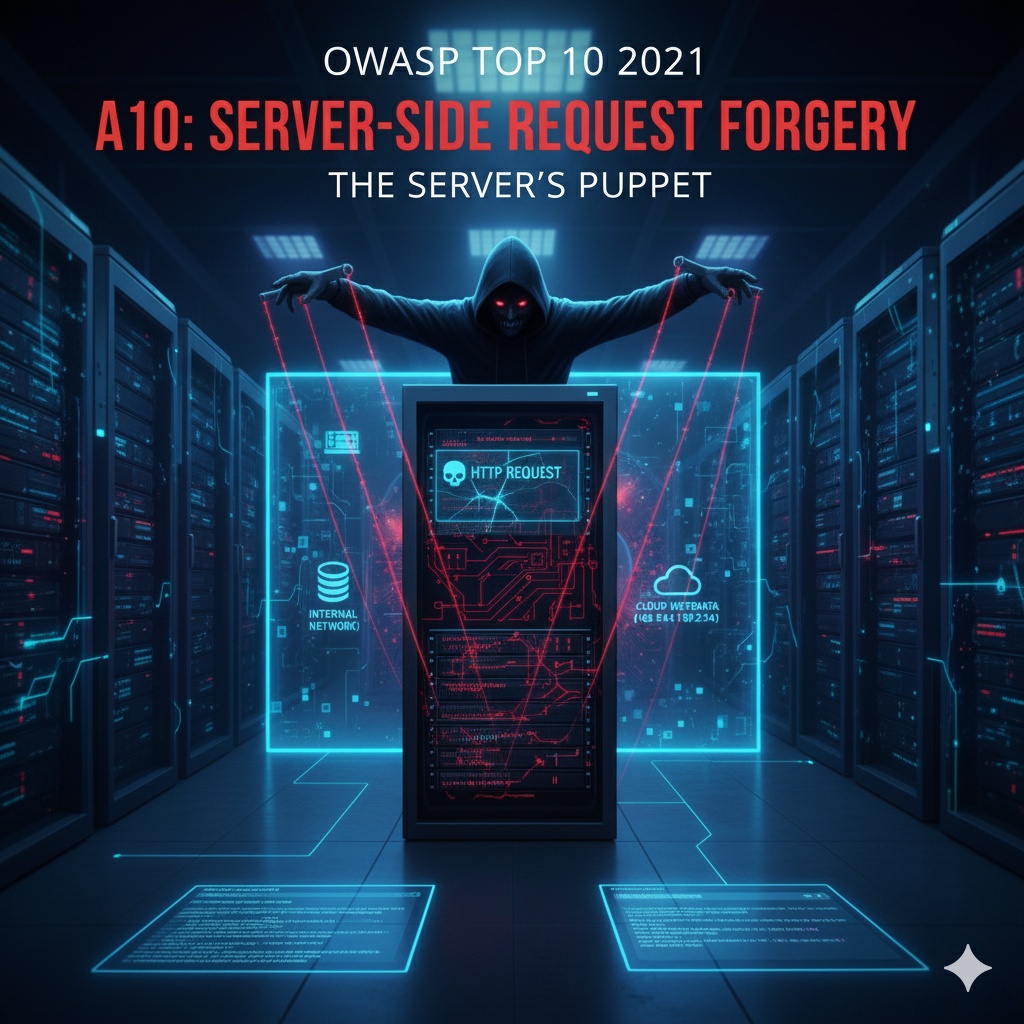
🤔 SSRF? What exactly is it?
SSRF (Server-Side Request Forgery) is an attack technique where an attacker exploits a vulnerability in a web application to force the server itself to send HTTP requests to arbitrary addresses desired by the attacker.
It can be confusing due to its similar name to CSRF (Client-Side Request Forgery), but the subject of the attack is completely different.
- CSRF (Client-Side): An attacker tricks the user’s web browser into sending unwanted requests. (Victim: User 👤)
- SSRF (Server-Side): An attacker tricks the web server itself into sending requests directly to other systems. (Victim: Server and internal network 🏠)
Servers are usually located inside a firewall and can freely communicate with internal systems that are not directly accessible from the outside. SSRF attacks are extremely dangerous because they exploit the server’s trust as an ‘insider’.
🕵️♂️ Why is an SSRF attack so dangerous?
If a server performs commands on behalf of an attacker, damage beyond imagination can occur.
1. Internal Network Scanning and Information Leakage 🔥🧱
Attackers can use the server as a proxy to scan internal networks hidden behind a firewall.
- Attack Scenario: An attacker manipulates the server to send requests to internal IP addresses and port numbers such as 192.168.1.1:8080, 10.0.0.5:3306. By observing the server’s response time or error messages, they can identify which ports are open and which services (databases, admin pages, etc.) are running, thereby mapping out the internal systems.
2. Internal Service Attack 💣
Internal services, believed to be safe because they are not exposed externally, can be directly attacked.
- Attack Scenario: The server can be made to access an administrator page (http://localhost/admin) that is only accessible internally, execute administrator functions, or call internal APIs to leak data or manipulate the system.
3. Cloud Metadata Theft ☁️🔑 (Most Critical!)
In a cloud environment, SSRF can cause disaster.
- Attack Scenario: Servers (instances) in cloud environments like AWS, GCP, and Azure can access their metadata (roles, temporary credentials, etc.) via special internal IP addresses such as http://169.254.169.254. If an attacker manipulates the server to send a request to this address, they can steal sensitive credential information such as temporary access keys and secret keys. An attacker who obtains these keys can freely control all resources in that cloud account.
4. Local File Reading 📄
Local files on the server can also be read using the file:/// protocol.
- Attack Scenario: If an attacker enters paths like file:///etc/passwd or file:///c:/windows/win.ini, the server can read the file at that path and deliver its content to the attacker.
🧰 Where do SSRF vulnerabilities occur?
SSRF primarily occurs in functions where the server directly accesses a URL address input by the user to perform some operation.
- URL-based image/content fetching: A function where the server fetches and displays an image from a URL entered by the user.
- Webhook: A function that sends notifications to a user-specified URL when a specific event occurs.
- PDF/Document Converter: A function that receives a web page URL and converts that page to PDF.
- Link preview generation: A function where the server accesses a URL when a link is pasted in a messenger or social media to fetch the title, description, and thumbnail.
🛡️ How can we prevent it? (Defense Methods)
The core of defending against SSRF is “strictly controlling the destination of requests sent by the server.”
- Whitelist (Allow List) based access control ✅ (Most Important!) Blacklist methods (blocking localhost, 127.0.0.1, etc.) are easy to bypass. You must create a list of allowed domains, IP addresses, ports, and protocols (whitelist) that the server can access, and block all requests not on this list. The principle is “deny all except what is explicitly allowed.”
- Input validation and parsing 🧐: Do not use URLs entered by users as-is. Parse the URL to separate the host, port, path, etc., and thoroughly verify that each part complies with the whitelist policy. Dangerous protocols like file:///, ftp:/// should, of course, be prohibited.
- Disable Redirection ↪️➡️❌: Attackers can enter a safe URL and then induce a redirection to a dangerous internal address. Therefore, the server’s HTTP client should be configured not to follow redirections.
- Network Isolation and Firewall Configuration 🧱: Servers handling external requests should be placed in a separate, isolated network, and network policies should be strengthened through firewalls to prevent access to internal systems other than those absolutely necessary for that server. (Defense in Depth)
✨ Conclusion
While SSRF may be relatively low in frequency, once it occurs, it is an attack with tremendous destructive power, capable of neutralizing firewalls and endangering the entire internal system. You should never be complacent and think, “The server sends requests externally? Why is that dangerous?”
If your service has a function where the server directly visits a user-entered address, let’s re-examine right now whether we are perfectly controlling its destination. We must prevent our trusted server from becoming a hacker’s spy!
Tags: OWASP, A10, SSRF, Server-Side Request Forgery, Security, Web Vulnerability, Cloud Security
Leave a Reply