When discussing cloud-native or Microservices Architecture (MSA) these days, one name invariably comes up: Envoy Proxy. If you thought, “Isn’t it just a proxy?”, then through this article, you’ll discover Envoy’s hidden potential to solve complex communication problems in an MSA environment. Let’s delve into the core secrets of why Envoy has become the ‘standard’ for cloud-native, going beyond being a mere proxy.
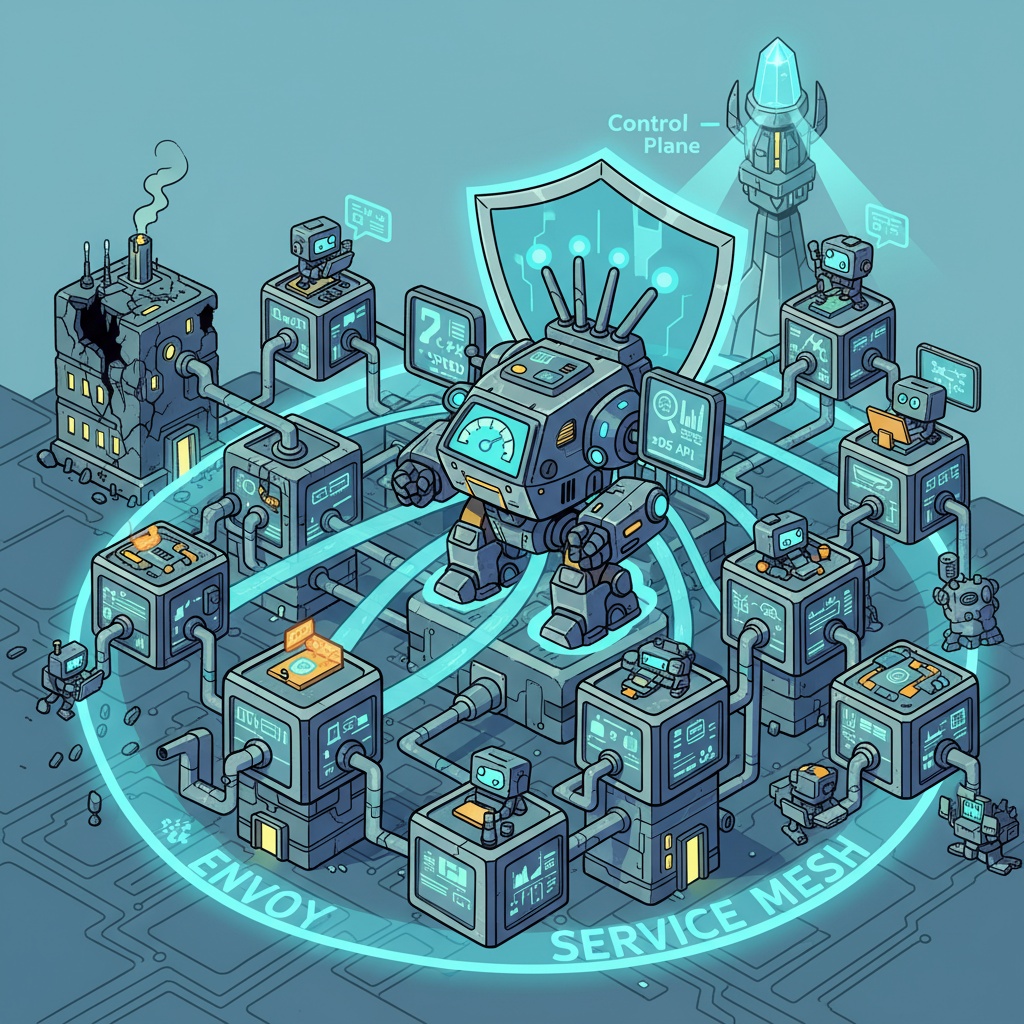
🤯 Why Did We Need a New Proxy?
In the past, applications were built as a single, massive block (Monolithic). However, in an MSA environment, functionalities are broken down into dozens or hundreds of small services that communicate with each other. While this structure is flexible and scalable, the network becomes incredibly complex, like a spiderweb.
- How does Service A find Service B? (Service Discovery)
- What if one instance of Service B suddenly dies? (Resilience)
- Is communication between services secure? (Security)
- How do we know where bottlenecks are occurring? (Observability)
What if every development team had to implement these issues in their own service code? Terrible duplication and inefficiency would arise. This is precisely where Envoy comes in.
1. Unparalleled Speed and Efficiency: C++ and Asynchronous Processing 🚀
Envoy’s greatest weapon is its performance.
- C++ Based: Written in C++, it’s extremely fast, allowing maximum hardware utilization at the system level.
- Asynchronous Event-Driven Architecture: Efficiently handles numerous concurrent connections with a small number of threads. This means high throughput is guaranteed with minimal memory and CPU resources.
Unlike traditional proxies that allocated one thread per connection, consuming significant resources, Envoy is optimized for handling the numerous small and frequent communications between services in an MSA environment. Short latency and low resource usage directly translate to cost savings.
2. Configuration Changes Without Service Restart: Dynamic Configuration (xDS API) 🔄
The biggest pain point with traditional proxies (Nginx, HAProxy, etc.) was configuration changes. Even to change a single routing rule, you had to modify the configuration file and restart the service. This was critical in service environments where even a brief downtime could be disastrous.
Envoy solves this problem with an innovative approach called the xDS API. ‘x’ refers to Listener (LDS), Route (RDS), Cluster (CDS), Endpoint (EDS), etc. Through these APIs, Envoy dynamically receives configurations from a central management system (Control Plane).
🤔 Why is this important?
In a containerized environment, service IPs and counts change frequently. New versions of services are deployed, or services automatically scale up and down based on traffic (Auto-scaling). Envoy receives these changes in real-time via APIs and can instantly adjust its behavior. Service restart? Downtime? Absolutely not needed.
A Glimpse into xDS Operation
Let’s look at a simple scenario to see how Envoy dynamically receives configurations.
- When Envoy starts, it asks the Control Plane which Listener (port) it should open. (LDS request)
- The Control Plane responds, “Open port 80, and process incoming traffic according to the ‘my-service-routes’ rule.”
✅ Control Plane’s Response to Envoy (LDS Example)
# Data generated by Control Plane and delivered to Envoy
resources:
- "@type": type.googleapis.com/envoy.config.listener.v3.Listener
  name: listener_0
  address:
    socket_address:
      address: 0.0.0.0
      port_value: 80
  filter_chains:
  - filters:
    - name: envoy.filters.network.http_connection_manager
      typed_config:
        "@type": type.googleapis.com/envoy.extensions.filters.network.http_connection_manager.v3.HttpConnectionManager
        stat_prefix: ingress_http
        # Dynamically fetch routing rules by referencing 'my-service-routes'! (RDS)
        rds:
          route_config_name: my-service-routes
          config_source:
            api_config_source:
              api_type: GRPC
              grpc_services:
                - envoy_grpc:
                    cluster_name: xds_cluster
        http_filters:
        - name: envoy.filters.http.router
The above configuration instructs Envoy to “open port 80 and query for detailed routing rules under the name ‘my-service-routes’ (RDS).” In this way, Envoy sequentially receives necessary configurations to configure itself. The era of static configuration files is over.
3. The Heart of the Service Mesh: Data Plane 🕸️
Have you heard of service meshes like Istio, AWS App Mesh? Envoy is the core component (Data Plane) responsible for the actual communication in these service meshes.
A service mesh deploys an Envoy proxy as a sidecar alongside each microservice container. This means all network traffic entering and leaving the service automatically passes through this Envoy, without any modification to the application code.
By intercepting all communication, Envoy, under the direction of the service mesh’s central control system (Control Plane), provides magical functionalities such as:
- Advanced Traffic Management: Implement canary deployments (releasing new versions to a subset of users), A/B testing, and fault injection (intentionally introducing failures to test system stability) without a single line of code.
- Robust Security: Automatically encrypt all inter-service communication (mTLS) and apply fine-grained authentication/authorization policies, such as allowing communication only for specific services.
4. The God of Problem Tracking: Overwhelming Observability 📊
In an environment with hundreds of intertwined services, finding the cause of a failure is like finding a needle in a haystack. Envoy is designed to fully support the three pillars of Observability.
- Metrics 📈: Provides detailed statistical data for all traffic, such as request counts, success/failure rates, and response times, in numerical form. By integrating with monitoring tools like Prometheus, you can grasp the system’s status at a glance.
- Tracing 🕵️: Tracks the entire journey of a single user request as it passes through multiple microservices. Integrated with Jaeger and Zipkin, you can visually identify where bottlenecks or errors occurred in which service.
- Logging 📝: Leaves detailed access logs for all requests/responses, providing crucial clues for debugging.
Application developers can simply focus on business logic. Envoy handles all the troublesome network observability.
5. Infinite Extensibility: Filter Chains and WASM 🧩
Envoy has a flexible structure called a Filter Chain. When a network request comes in, it’s processed by passing through multiple filters in sequence, much like a conveyor belt.
[Authentication Filter] -> [Rate Limit Filter] -> [Routing Filter]
Thanks to this structure, we can easily insert required functionalities as filters. For example, we can add a filter to integrate with our own authentication system or a custom filter to transform data.
Recently, with support for WebAssembly (WASM), it has become possible to develop extension filters in languages other than C++, such as Go and Rust, further enhancing its extensibility.
6. Freedom from Dependency: Platform Independence 🌍
Envoy is not dependent on any specific cloud provider or technology. This is evidenced by the fact that it is a Graduated project of the CNCF (Cloud Native Computing Foundation), which manages Kubernetes. This signifies official recognition of its technical maturity and active community, serving as a reason why countless companies worldwide confidently adopt Envoy.
✨ Conclusion: Envoy is More Than Just a Proxy
In summary, Envoy is not just a fast proxy. It is closer to a ‘network automation platform’ born to solve complex network problems in dynamically changing cloud-native environments.
Its powerful features—high performance, dynamic configuration, observability, and extensibility—are organically combined, making it the core engine of today’s service meshes and the de facto standard in MSA environments. If you are exploring the world of cloud-native, Envoy is an essential technology you must know.
Leave a Reply