While operating Kubernetes, you might encounter moments where you think, “Huh? Why is this appearing here?” The most common misconception is the belief that “Pods will be evenly distributed (Round-Robin) across nodes.”
Today, through a ‘Pod concentration phenomenon’ that I personally experienced, I will delve into the invisible logic of how the Kubernetes scheduler actually scores and selects nodes. 🚀
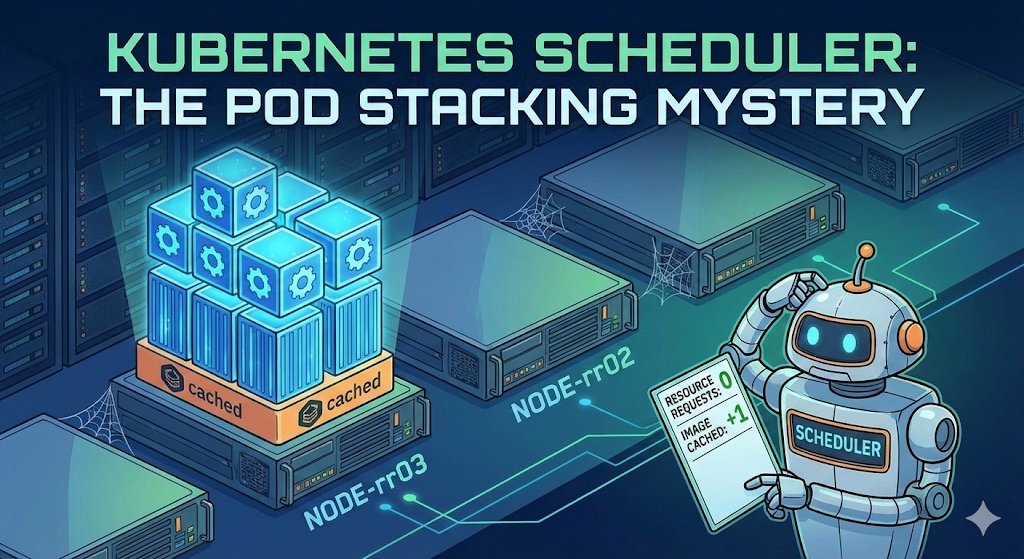
0. The Problem: “There are clearly multiple nodes…”
For testing, I created MySQL, Nginx, and httpd pods in sequence. Our expectation was naturally, “Node 1, Node 2, Node 3… they’ll be nicely divided like this, right?”
But reality was different.
$ kubectl get pod -o wideNAME READY STATUS RESTARTS AGE IP NODE NOMINATED NODEmysql 1/1 Running 0 66m 10.16.2.12 gke-cluster-1-default-pool-rr03 nx 1/1 Running 0 16m 10.16.2.13 gke-cluster-1-default-pool-rr03 nx1 1/1 Running 0 6s 10.16.2.14 gke-cluster-1-default-pool-rr03 httpd 1/1 Running 0 4s 10.16.2.15 gke-cluster-1-default-pool-rr03 As you can see, mysql, nx, and even httpd (a different image) were all continuously created only on a single node named rr03. While other nodes were completely empty! 😱
What could be the reason? Is the scheduler broken?
1. Clearing up Misconceptions: The Scheduler Doesn’t Know ABC Order ❌
Many people think that because the scheduler uses a ‘Round-Robin’ method, it will distribute pods according to node name order (A->B->C). However, the Kubernetes scheduler operates strictly based on ‘scores.’
- Filtering: Nodes that don’t meet conditions are eliminated
- Scoring: Assign scores to remaining nodes (0-100 points)
- Ranking: Select the top-scoring node
In other words, rr03 node was continuously selected not because of its order, but because rr03 continuously appeared as the “top candidate” in the scheduler’s eyes.
2. Culprit Analysis: Why did the full node become the top choice? 🤔
The reason why a node with 3 pods already on it became the top choice, leaving empty nodes untouched, is a combination of two settings.
① Resource Requests Not Set = Treated as “Invisible”
I did not set `resources.requests` (CPU/Memory request amount) when creating the pods.
- Scheduler’s perspective: “This pod uses 0 CPU, 0 memory?”
- Judgment: Whether there are 100 or 1000 pods on rr03 node, if only pods without Requests are present, from the scheduler’s perspective, the node’s utilization is still ‘0%’.
- Result: “An empty node or rr03, both are equally spacious anyway? (Resource score tie)”
② The Decisive Blow: Image Locality & Layer Sharing
Here, a question arises: “If scores are tied, it should go randomly, so why specifically rr03?”
The culprit is the ImageLocality bonus score.
- When deploying Nginx: It’s faster to go to the node where the image was downloaded because of mysql, so rr03 is chosen (understandable).
- When deploying Httpd: “Huh? This is a new image?”
- However, Docker images have a layer structure.
- mysql, nginx, and httpd are different, but they are highly likely to share underlying Base Images (like Debian, Alpine, etc.) or common library layers.
- Final Verdict:
- Empty node: “Have to download all base layers from scratch” -> No bonus points
- rr03 node: “Oh? The base layers used by the neighbors are already here? What a gain!” -> Bonus points awarded (+)
Ultimately, the resource scores were tied (0-point impact), but rr03 slightly pulled ahead in image caching scores, becoming a black hole that continuously sucked in pods. 🕳️
3. Solution: How to disperse pods? 🛠️
How can we prevent this phenomenon and distribute pods evenly across the entire cluster?
✅ Method 1: Specify Resource Requests (Recommended)
Give your pod a name tag saying, “I’m this big!”
resources: requests: cpu: "200m" # Request 0.2 coresThis way, the scheduler will correctly determine, “Ah, rr03 is already full. I should send it to an empty node!” and the load balancing (Least Allocated) logic will operate.
✅ Method 2: Configure Anti-Affinity
This method forces the setting, “I don’t want to be where there’s someone like me!”
podAntiAffinity: requiredDuringSchedulingIgnoredDuringExecution: - labelSelector: ...Using this option, pods will be placed without overlapping, regardless of score calculation.
4. Conclusion 📝
- The Kubernetes scheduler does not deploy in ABC order.
- If requests are not set, the scheduler considers the pod’s size as ‘0’.
- In this case, a node with even a small amount of remaining image layers can receive bonus points, causing pods to concentrate in one place.
- For stable operation, setting Resource Requests is not an option, but a necessity!
That concludes today’s struggle! I hope this helped you understand the mind of the high-nosed scheduler. 👋
Leave a Reply