When talking about performance and capacity planning, similar questions always arise.
- “What should the TPS be set to?”
- “How many CPUs will be needed?”
- “How much Memory should there be?”
- “How do I calculate IOPS?”
- “How many servers are needed to handle 500 concurrent users?”
But when you work in practice, you start to think:
Isn’t it wrong anyway, even if you calculate it?
That’s right. Most of the time, it’s wrong.
Especially when the service hasn’t even been built yet, or when the actual user behavior patterns are unknown, the calculated TPS, CPU, Memory, IOPS, and Network figures are almost never accurate.
So, in the cloud, do we not need to do these calculations?
- “Since the cloud has Auto Scaling, shouldn’t we just make it scalable?”
- “If the calculation is going to be wrong anyway, shouldn’t we just not worry about it too much from the start?”
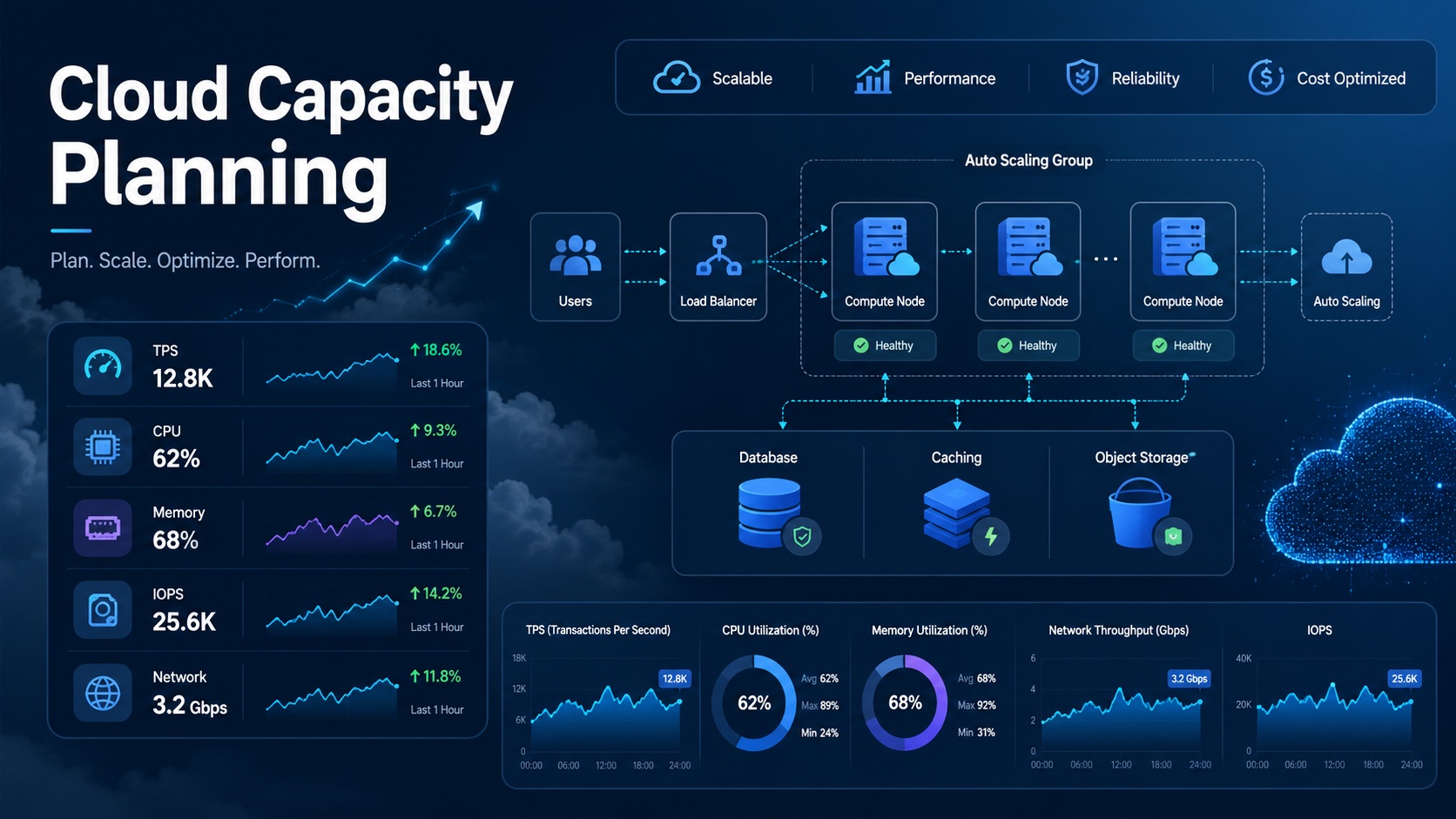
My thoughts on these questions are as follows:
Accurate capacity planning is almost impossible.
However, capacity planning itself is not meaningless.
Capacity planning is not about getting the right answer, but a process of expressing assumptions numerically and creating a verifiable initial design.
1. Why is capacity planning often wrong?
The biggest reason why capacity planning is wrong is not a lack of calculation formulas.
It’s because the input values are inaccurate.
For example, let’s say we have the following requirements:
전체 사용자 3,000명
동시 접속자 500명
이 사용자를 처리할 수 있는 아키텍처 설계
On the surface, it looks quite clear.
However, this information alone cannot calculate TPS.
This is because what “500 concurrent users” actually means is unclear.
It could be 500 users who are just logged in and viewing the screen.
It could be 500 users pressing a button once every 30 seconds.
It could be 500 users sending an API request once every second.
One user’s business request might internally call 1 API, or it might call 5 APIs.
In other words, the number of concurrent users alone cannot tell us the actual load.
| Condition | Actual Load |
| 500 users only maintaining login | Very low TPS |
| 500 users requesting once every 30 seconds | Approx. 16.7 TPS |
| 500 users requesting once every 10 seconds | Approx. 50 TPS |
| 500 users requesting once every 1 second | Approx. 500 TPS |
| 1 business task calls 5 internal APIs | Max 2,500 RPS possible based on API |
Therefore, the first step in capacity planning is not choosing server specifications.
It is to transform requirements into a more accurate load model.
2. Concurrent Users and TPS are Different
The most common misconception in performance estimation is this:
500 concurrent users = 500 TPS
This is not how you should look at it.
- Concurrent users are the number of users connected to the system at a specific point in time.
- TPS is the number of business transactions processed per second.
- RPS is the number of API requests per second.
These three are different.
전체 사용자 수: 서비스를 사용할 수 있는 전체 사용자 규모
동시 접속자 수: 특정 시점에 접속 중인 사용자 수
TPS: 초당 처리되는 업무 트랜잭션 수
RPS: 초당 API 요청 수
In performance modeling, Little’s Law is often referenced to explain the relationship between concurrency, throughput, and dwell time. Little’s Law states that the average number of tasks in a system L is the product of the arrival rate λ and the average dwell time W. That is, it is expressed as L = λW.
In practice, this can be simplified as follows:
업무 TPS ≒ 동시 사용자 수 / (평균 응답시간 + Think Time)

API RPS ≒ 업무 TPS × 업무 1건당 API 호출 수

DB QPS ≒ 업무 TPS × 업무 1건당 DB 쿼리 수
Here, Think Time is the time a user waits before taking the next action.
For example, the time it takes for a user to view a list, read content, and then click the next button is Think Time.
Ignoring this value will result in a much higher TPS calculation than actual.
3. In the cloud, should we just make it scalable without calculating?
Half true, half false.
In a cloud environment, the importance of capacity planning, such as precisely how many servers to purchase, has decreased compared to the past.
Utilizing services like Auto Scaling, Managed Database, Load Balancer, CDN, Queue, and Serverless allows for much more flexible responses to demand changes.
However, that doesn’t mean calculations are unnecessary.
The reasons why calculations are still needed are as follows:
초기 인프라 규모를 정하기 위해
Auto Scaling의 최소/최대 용량을 정하기 위해
비용 범위를 예측하기 위해
DB, Storage, Network 병목을 미리 찾기 위해
부하테스트 기준을 만들기 위해
요구사항을 검증 가능한 숫자로 바꾸기 위해
From the perspective of performance efficiency in AWS Well-Architected, efficiently using cloud resources to meet performance requirements and maintaining that efficiency is also treated as an important principle.
Furthermore, AWS describes cloud load testing as the process of measuring expected user load under realistic conditions and analyzing metrics in a production-like environment. This means that it’s not enough to just calculate; you must apply load and verify in an environment similar to production.
Therefore, capacity planning in the cloud should be viewed as follows:
정확한 예측: 거의 불가능
대략적인 초기 산정: 필요
확장 가능한 설계: 필수
부하테스트 검증: 필수
운영 지표 기반 보정: 필수
4. 3,000 Users and 500 Concurrent Users Example
Now let’s look at an example.
The requirements are as follows:
전체 사용자: 3,000명
피크 동시 접속자: 500명
We add the following assumptions:
사용자 1명은 평균 10초에 한 번 주요 업무 요청을 수행
업무 1건은 내부 API 4개를 호출
업무 1건당 DB read 3회
업무 1건당 DB write 1회
평균 응답 크기 50KB
평균 요청 크기 5KB
피크 여유 계수 2배
Then, the business TPS can be calculated as follows:
업무 TPS = 500명 / 10초 = 50 TPSIf one business task internally calls 4 APIs, the API RPS is as follows:
API RPS = 50 TPS × 4 = 200 RPSReflecting a peak factor of 2x, it is as follows:
피크 API RPS = 200 × 2 = 400 RPSThe DB request volume can be calculated as follows:
DB read/sec = 50 TPS × 3 × 2 = 300 read/sec
DB write/sec = 50 TPS × 1 × 2 = 100 write/sec
Network Out can be calculated as follows:
Network Out = 400 RPS × 50KB
            = 20,000KB/s
            ≒ 20MB/s
            ≒ 160Mbps
This value is not the correct answer.
However, it is sufficiently meaningful as a starting point for design.
Now, instead of vaguely saying “Please make it capable of 500 concurrent users,” we can say the following:
피크 기준 약 400 API RPS를 처리할 수 있어야 한다.
DB는 초당 read 300회, write 100회 수준을 초기 기준으로 본다.
응답 트래픽은 약 160Mbps 이상을 예상한다.
이 값은 부하테스트를 통해 검증하고 보정한다.
Changing it this way is the core of capacity planning.
5. How to estimate CPU?
CPU estimation is difficult to get exactly right with just formulas.
It varies greatly depending on the application language, framework, query method, cache usage, JSON serialization cost, encryption, and whether external APIs are called.
Therefore, CPU is usually estimated in the following way:
1. 기준 인스턴스 또는 컨테이너를 정한다.
2. 부하테스트를 통해 해당 단위가 처리 가능한 RPS를 측정한다.
3. 목표 RPS를 단위 처리량으로 나눈다.
4. 장애, 배포, 피크 여유를 반영한다.
For example, let’s assume the following test results:
2 vCPU / 4GB 컨테이너 1개
CPU 사용률 60~70%
p95 응답시간 300ms 이하
에러율 1% 이하
처리량 100 RPS
If the peak API RPS calculated earlier was 400 RPS, a simple calculation is as follows:
필요 컨테이너 수 = 400 RPS / 100 RPS = 4개However, in practice, it’s not precisely 4.
Allowance is made for failure situations, reduced capacity during deployment, specific AZ failures, and traffic surges.
평상시 최소 용량: 2~3개
피크 예상 용량: 4~6개
Auto Scaling 최대 용량: 8~10개
Designing in this way is more realistic.
6. How to estimate Memory?
Memory varies greatly depending on the application structure.
The approximate calculation formula is as follows:
필요 Memory =
OS/Runtime 기본 사용량
+ 애플리케이션 Heap
+ 커넥션/세션당 메모리
+ 내부 캐시
+ 버퍼 20~30%
However, in cloud architecture, there is a more important principle:
Application servers should be designed to be as Stateless as possible.
Storing sessions in server memory makes it difficult to increase the number of servers.
This is because a specific user’s session is tied to a specific server.
Therefore, it is good practice to separate session information in the following ways:
JWT
Redis / ElastiCache
Database Session Store
외부 인증 서비스
This allows API servers to be scaled up and down at any time.
To create a scalable structure in the cloud, you should first check the state management method before estimating Memory.
7. How to estimate IOPS?
IOPS estimation requires particular caution.
The number of DB queries and disk IOPS do not correspond 1:1.
One SELECT operation does not always mean one disk read.
If data is in the cache, the disk may not be read, or conversely, more I/O may occur due to joins, sorting, temporary tables, and index access.
The same applies to writes.
One INSERT or UPDATE does not simply result in one IOPS.
It is affected by transaction logs, index updates, replication, checkpoints, and storage layer operations.
Therefore, it is advisable to approach initial IOPS estimation at the following level:
DB read/sec = 업무 TPS × 업무당 read 쿼리 수 × 피크 계수
DB write/sec = 업무 TPS × 업무당 write 쿼리 수 × 피크 계수
예상 IOPS = read/write 요청량 × 보정계수
For example, in the previous example:
업무 TPS: 50
피크 계수: 2
업무당 read: 3
업무당 write: 1

read 요청 = 50 × 2 × 3 = 300/sec
write 요청 = 50 × 2 × 1 = 100/sec
This value is an initial criterion for choosing DB instances and storage.
The final decision must be made through DB monitoring and load testing.
The metrics to check are as follows:
DB CPU 사용률
DB Connection 수
Read IOPS / Write IOPS
Disk Queue Depth
Buffer Cache Hit Ratio
Slow Query
Lock Wait
Replication Lag
p95 / p99 Query Latency
Databases are not an area that can be scaled infinitely easily like application servers.
Therefore, DB bottlenecks must be handled separately in cloud design.
8. How to estimate Network?
Network calculation is relatively simple.
Network Out = RPS × 평균 응답 크기
Network In = RPS × 평균 요청 크기
For example, let’s say the following:
피크 API RPS: 400
평균 응답 크기: 50KB
평균 요청 크기: 5KB
Then it can be calculated as follows:
Network Out = 400 × 50KB = 20,000KB/s ≒ 160Mbps
Network In = 400 × 5KB = 2,000KB/s ≒ 16Mbps
However, there are points to note here.
If static files, images, videos, and attached file downloads go through the API server, the Network estimation changes significantly.
Therefore, in a typical cloud architecture, static resources are separated as follows:
정적 파일: S3 또는 Object Storage
전송 최적화: CloudFront / CDN
동적 요청: API Server
This allows the API server to focus on business logic processing, while large-volume traffic is handled by CDN and Object Storage.
9. Auto Scaling Does Not Replace Calculation
One might think that calculations are unnecessary because of Auto Scaling.
However, Auto Scaling also requires criteria.
AWS EC2 Auto Scaling’s Target Tracking policy adjusts capacity based on target metrics such as CPU utilization, network, ALB Request Count per Target, and custom CloudWatch Metrics. AWS documentation explains that Target Tracking automatically adjusts the capacity of an Auto Scaling Group based on the target metric value.
In other words, to set up Auto Scaling, you need to answer these questions:
CPU 60%를 목표로 할 것인가?
ALB RequestCountPerTarget 100을 목표로 할 것인가?
p95 응답시간을 Custom Metric으로 쓸 것인가?
최소 인스턴스 수는 몇 개인가?
최대 인스턴스 수는 몇 개인가?
Scale-out은 얼마나 빠르게 할 것인가?
Scale-in은 얼마나 보수적으로 할 것인가?
Ultimately, Auto Scaling also requires the results of capacity planning.
However, there is a difference.
Old-style capacity planning was closer to “How many servers are enough?”
Cloud-style capacity planning is closer to “Based on what criteria do we scale, and at what point do bottlenecks occur?”
10. Recommended Architecture based on 3,000 Users / 500 Concurrent Users
If the requirement is “3,000 users, 500 concurrent users,” the following structure can be proposed as a basic architecture:
사용자
  ↓
Route 53 / DNS
  ↓
CloudFront + WAF
  ↓
Application Load Balancer
  ↓
ECS / EKS / Auto Scaling Group
  ↓
Stateless API Server
  ↓
Redis / ElastiCache
  ↓
RDS / Aurora Multi-AZ
  ↓
S3 / Object Storage
If asynchronous processing is required, add the following configuration:
API Server
  ↓
SQS / EventBridge / Kafka
  ↓
Worker Auto Scaling
  ↓
Database / External API
The key is not to push all requests through synchronous processing.
For example, the following tasks are candidates for asynchronous processing:
이메일 발송
문자 발송
대용량 리포트 생성
이미지 처리
외부 API 연동
결제 후 후속 처리
로그 분석
AI 추론 작업
Separating these tasks based on a Queue can reduce the response time perceived by users and absorb sudden traffic more stably.
The Google Cloud Well-Architected Framework also provides recommendations for designing and operating cloud topologies from the perspectives of security, efficiency, resilience, high performance, cost optimization, and sustainability. Ultimately, cloud architecture must consider not only performance but also cost, operations, and stability.
11. How should it be handled?
If you receive a request to lecture on the topic “Design an architecture to handle 3,000 users and 500 concurrent users by calculating TPS, CPU, Memory, IOPS, and Network,” going with simple calculation formulas is risky.
In practice, the following flow is good:
1. 사용자 수와 동시 접속자의 차이
2. 동시 접속자를 TPS/RPS로 변환하는 방법
3. 업무 시나리오 정의
4. API 호출 수, DB 쿼리 수, 응답 크기 추정
5. CPU, Memory, IOPS, Network 초기 산정
6. 확장 가능한 클라우드 아키텍처 설계
7. Auto Scaling 정책 설계
8. 부하테스트 수행
9. 병목 분석
10. 비용과 안정성 균형 조정
The message that must be emphasized is this:
Capacity planning is not about finding the right answer.
It is a process of setting assumptions, expressing them numerically, verifying them with load tests, and correcting them with operational metrics.
In particular, the requirement “500 concurrent users” should be broken down into the following questions:
500명은 로그인 세션 기준인가, 활성 사용자 기준인가?
사용자는 몇 초마다 요청하는가?
업무 1건은 API 몇 개를 호출하는가?
API 1건은 DB 쿼리를 몇 번 발생시키는가?
평균 응답 크기는 얼마인가?
p95 응답시간 목표는 얼마인가?
장애 상황에서도 500명을 처리해야 하는가?
피크는 5분인가, 1시간인가, 하루 종일인가?
정적 파일 트래픽은 API 서버가 처리하는가, CDN이 처리하는가?
If you calculate CPU, Memory, and IOPS without answering these questions, most of the numbers will be meaningless.
12. Simple Capacity Planning Code
In lectures or practical sessions, it’s good to create and demonstrate a simple calculator like the one below:
import math

def estimate_capacity(
    concurrent_users: int,
    think_time_sec: float,
    avg_response_time_sec: float,
    api_calls_per_business_tx: int,
    peak_factor: float,
    avg_response_kb: float,
    avg_request_kb: float,
    db_reads_per_tx: int,
    db_writes_per_tx: int,
    rps_per_app_instance_at_target: int,
    ha_buffer: float = 1.25,
):
    # Calculate business TPS
    # Includes the time a user waits before the next request
    business_tps = concurrent_users / (think_time_sec + avg_response_time_sec)

    # Calculate API RPS
    api_rps = business_tps * api_calls_per_business_tx

    # Apply peak factor
    peak_api_rps = api_rps * peak_factor

    # Calculate DB request volume
    db_read_per_sec = business_tps * db_reads_per_tx * peak_factor
    db_write_per_sec = business_tps * db_writes_per_tx * peak_factor

    # Calculate network bandwidth
    network_out_mbps = peak_api_rps * avg_response_kb * 8 / 1024
    network_in_mbps = peak_api_rps * avg_request_kb * 8 / 1024

    # Calculate number of app instances
    required_instances = math.ceil(
        (peak_api_rps / rps_per_app_instance_at_target) * ha_buffer
    )

    return {
        "business_tps": round(business_tps, 2),
        "api_rps": round(api_rps, 2),
        "peak_api_rps": round(peak_api_rps, 2),
        "db_read_per_sec": round(db_read_per_sec, 2),
        "db_write_per_sec": round(db_write_per_sec, 2),
        "network_out_mbps": round(network_out_mbps, 2),
        "network_in_mbps": round(network_in_mbps, 2),
        "required_app_instances": required_instances,
    }

result = estimate_capacity(
    concurrent_users=500,
    think_time_sec=10,
    avg_response_time_sec=0.5,
    api_calls_per_business_tx=4,
    peak_factor=2,
    avg_response_kb=50,
    avg_request_kb=5,
    db_reads_per_tx=3,
    db_writes_per_tx=1,
    rps_per_app_instance_at_target=100,
)

for key, value in result.items():
    print(f"{key}: {value}")
The expected results are similar to the following:
business_tps: 47.62
api_rps: 190.48
peak_api_rps: 380.95
db_read_per_sec: 285.71
db_write_per_sec: 95.24
network_out_mbps: 148.81
network_in_mbps: 14.88
required_app_instances: 5
You should not conclude from these results that “5 servers are definitely enough.”
This value is a starting point based on initial assumptions.
In an actual lecture, it would be good to proceed by performing load tests based on these values and observing the following metrics:
CPUUtilization
MemoryUtilization
RequestCount
TargetResponseTime
HTTPCode_ELB_5XX
HTTPCode_Target_5XX
DB CPU
DB Connections
ReadIOPS / WriteIOPS
p95 / p99 Latency
Queue Depth
Conclusion: Calculations are wrong. Still, you must calculate.
Performance and capacity planning are mostly wrong.
Especially values calculated without knowing actual user behavior, data size, query patterns, and code performance cannot be the correct answer.
However, that doesn’t mean capacity planning is useless.
Capacity planning in the cloud era is not about precisely matching the number of servers.
It is a process of expressing assumptions numerically, creating a baseline for architectural design, and verifying it with load tests and operational metrics.
To summarize:
계산만 믿으면 위험하다.
계산 없이 설계하면 더 위험하다.
클라우드에서는 확장 가능하게 설계해야 한다.
하지만 확장 기준을 만들기 위해 초기 산정은 반드시 필요하다.
최종 답은 계산식이 아니라 부하테스트와 운영 데이터가 준다.
Therefore, when designing an “architecture to handle 3,000 users and 500 concurrent users,” this approach is the most realistic:
1. 동시 접속자를 TPS/RPS로 변환한다.
2. 업무 시나리오와 API 호출 구조를 정의한다.
3. CPU, Memory, IOPS, Network를 초기 산정한다.
4. Stateless, CDN, Cache, Queue, Auto Scaling 기반으로 설계한다.
5. 부하테스트로 검증한다.
6. 운영 지표를 보고 보정한다.
The goal is not to get it exactly right.
The goal is to create a structure that can be quickly verified and safely scaled, assuming it will be wrong.
Leave a Reply