Hello, platform engineers! 🚀 Have you ever wondered how the catalog-info.yaml file magically appears on the screen when using Backstage?
The Backstage catalog doesn’t just query a DB; it operates like a massive “data pipeline”. Today, we’ll delve into the first stage of that pipeline: Ingestion!
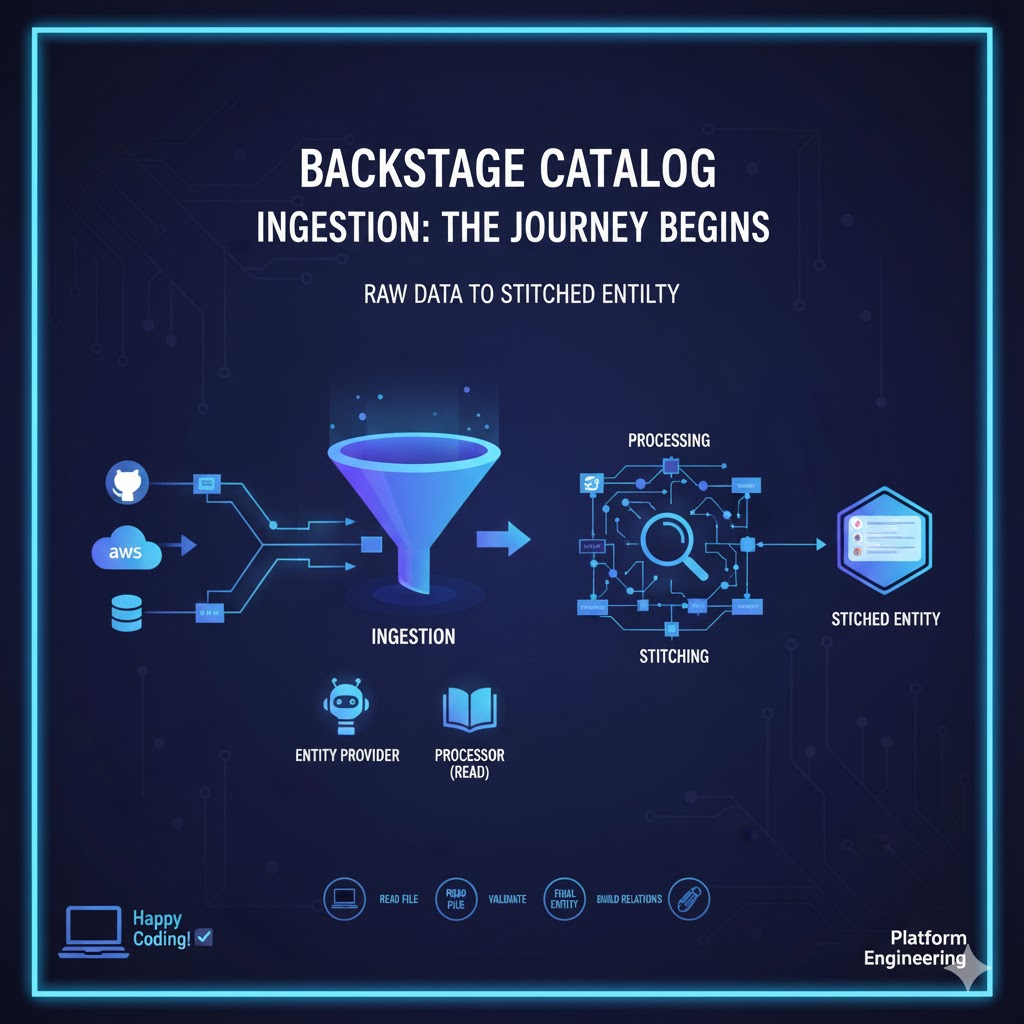
1. Understanding the Overall Catalog Backend Flow 🌊
Before diving into the detailed steps, let’s first get the big picture. Catalog data goes through three main stages.
- Ingestion: The stage of bringing external data (GitHub, YAML, etc.) into the system (Today’s main topic!)
- Processing: The stage of validating the imported data and analyzing its relationships
- Stitching: The stage of assembling fragmented data pieces to complete the final ‘Entity’ object
2. The First Gateway: Ingestion 📥
This is the very first step where “Raw Data” from outside the system enters the world of the catalog. The goal of this stage is to “read data from somewhere and put it into the catalog DB’s temporary storage (Shadow Table)”.
There are two main ways to perform this role.
① Entity Providers 🤖
This is the recommended approach in the latest Backstage architecture. It’s used when periodically scanning external systems (e.g., AWS, GitHub organizations, LDAP) to push a large amount of data at once.
- Advantages: Efficiently retrieves large volumes of data and is optimized for synchronizing changes in external systems.
② Processors (Reading Stage) 📖
This is a traditional method that ‘reads’ data via a specific URL (e.g., a YAML file path on GitHub).
- Operation: Uses the UrlReader interface to read the content of a file at a specified path as text.
3. Why is this stage important? ✨
The Processing and Stitching stages are about “cooking” already imported data. However, the Ingestion stage is like “buying ingredients”.
- Diversity of Data Sources: Not just GitHub, but databases, APIs, Excel files, etc. – anything can be registered in Backstage if the ‘ingestion’ stage is implemented.
- Performance Baseline: How efficiently data is scraped here determines the update speed of the entire catalog. ⚡
4. What happens after Raw Data is ingested? 🔄
Once data enters the system, it is not yet ‘Stitched’.
- Validation: Checks if the imported YAML conforms to the specification.
- Relation Parsing: Upon seeing “owner: team-a”, it starts looking for the connection between this service and the team.
- Final Stitching: After all checks are complete, the wonderful entity card we see on the screen is finally created!
5. Summary: The Core is ‘Entity Provider’ and ‘Reader’ 📝
In the Backstage catalog backend flow, the stage of bringing raw, external data into the system before processing and stitching it is Ingestion.
As a developer, if you want to integrate a new data source into Backstage, you’ll start by writing a custom Entity Provider for this Ingestion stage.
🏁 Concluding Remarks
Backstage is not just a simple website but a powerful data integration engine. The process of fueling that engine is the Ingestion stage we learned about today. Understanding this process will help you troubleshoot situations like “Why isn’t my service appearing in the catalog?” without panicking and find the root cause!
Leave a Reply