Hello! Today, we will delve into a core topic that allows you to achieve both security and flexibility when operating Backstage: ‘Recommended Practices for Overriding Defaults and Managing Secrets.’ 🛡️
As Backstage is a large-scale developer portal, there’s a high probability that sensitive API keys or tokens might be included in configuration files. We’ll outline the optimal methods for securely managing these and applying different configurations per environment! 💡
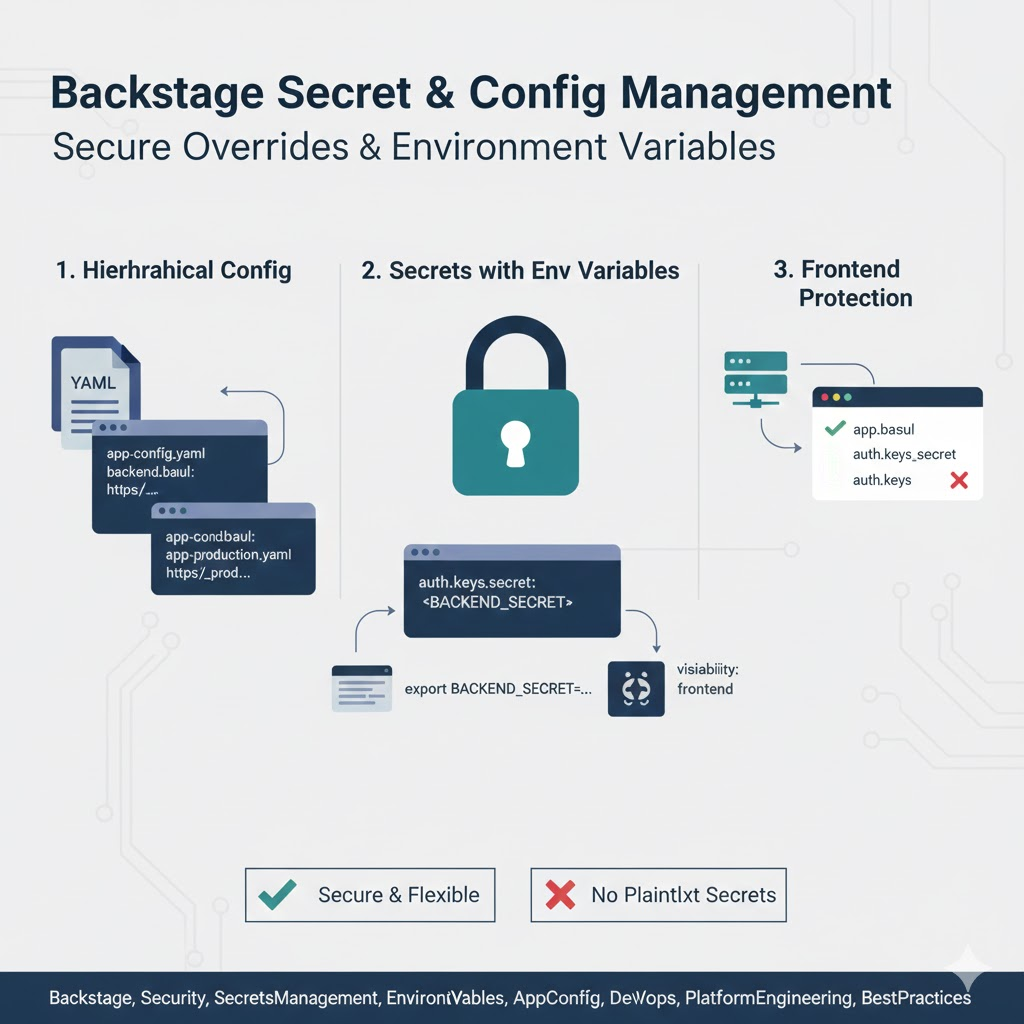
🏗️ Backstage Configuration System Structure: app-config.yaml
All Backstage configurations are primarily managed in the app-config.yaml file. However, configurations must vary depending on the operating environment (Production), staging, and local development environments. Most importantly, data requiring security should never be stored in plain text in this file. 🚫
🌟 Step 1: Environment-Specific Configuration Overrides
Backstage supports a Hierarchical Configuration method, which involves layering multiple configuration files.
✅ Separating Files by Environment
The recommended approach is to keep common settings in app-config.yaml and write environment-specific changes in separate files.
- app-config.yaml: Base configuration shared across all environments 🏠
- app-config.production.yaml: Override settings applied only on production servers 🚀
- app-config.local.yaml: Developer’s personal local environment settings (Git ignore recommended) 💻
🔐 Step 2: The Standard for Secret Management: Environment Variables
The most recommended way to manage sensitive information like passwords, tokens, and API keys in Backstage is by using environment variables.
📝 Referencing Environment Variables in YAML Files
Instead of directly writing secret information in YAML files, use the ${ } syntax to reference system environment variables.
YAML
backend:
  auth:
    keys:
      - secret: ${BACKEND_SECRET} # Read from environment variables 🔑
  database:
    connection:
      password: ${POSTGRES_PASSWORD}
💡 Why Environment Variables?
- Security: Secret information is not exposed in source code (Git).
- Flexibility: Even with the same deployed code, different values can be injected based on infrastructure settings (Kubernetes Secrets, AWS Secrets Manager, etc.).
- Standard: This is the most widely used security compliance method in cloud-native environments. ☁️
🛡️ Step 3: Runtime Environment Variable Injection Strategy
The level of security varies depending on how environment variables are actually injected.
1. Local Development Environment
You can use a .env file or directly export variables in the shell. However, the .env file must be added to .gitignore! ⚠️
2. Kubernetes Environment
Create Secret resources and map them as environment variables to containers.
3. Cloud-Specific Security Services
Using specialized tools like AWS Secrets Manager, HashiCorp Vault, or Azure Key Vault to dynamically inject environment variables during the deployment pipeline (CI/CD) is the most robust security model. 🔒
🔍 Step 4: Frontend Protection via Visibility Settings
Some Backstage configurations are passed to the frontend (browser). Care must be taken to prevent sensitive information from being leaked.
- Default: Most backend settings are not exposed to the frontend.
- Exposure Control: Only settings explicitly marked with visibility: frontend can be read by the browser. Never use this setting for fields containing secret information! 🙅♂️
💡 Summary: Security Checklist
- No Plaintext Storage: Have you avoided directly writing API keys in app-config.yaml? ❌
- Utilize Environment Variables: Are you actively using the ${VAR_NAME} syntax? ✅
- Git Management: Have you configured Git to ignore .local.yaml or .env files containing sensitive information? 🛡️
- Least Privilege: Have you assigned tokens with only the minimum necessary permissions to each environment variable? 🔑
🏁 Conclusion: Flexible and Secure Backstage Operations
The core principle of recommended configuration management in Backstage is: “Share defaults via files, override differences with files, and hide secrets with environment variables.”
By establishing this system, you can operate your platform stably without worrying about security incidents, even as your service scales. Review your app-config.yaml right now! 🚀
Leave a Reply