Hello! Today, we’ll delve into one of the most crucial topics when operating Backstage in a containerized environment (Docker, Kubernetes, etc.): ‘Environment-specific Configuration Injection Methods.’ 🚀
When deploying a service from a development environment to a production environment, have you ever wanted to keep the source code as is, but completely change only the database address or API keys? Here, we’ve compiled smart ways to achieve this in Backstage containers! 💡
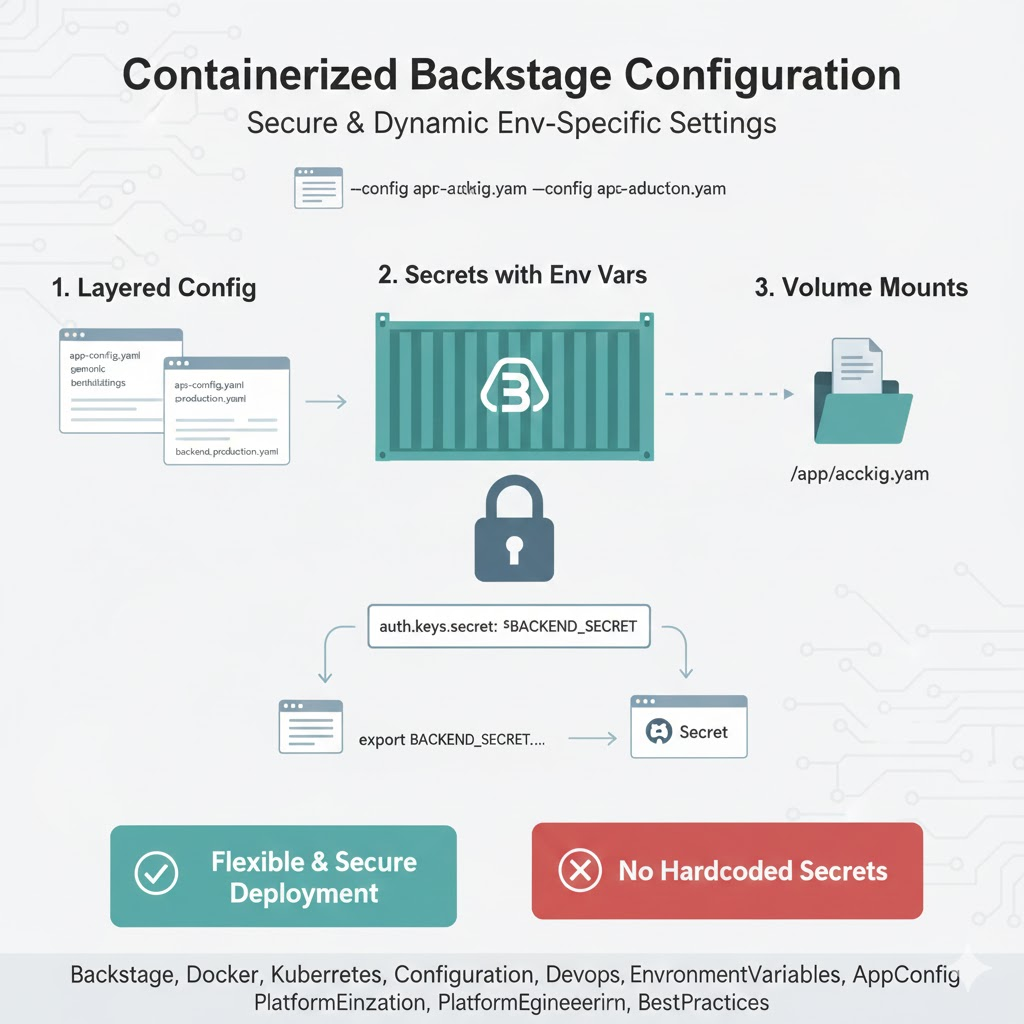
🏗️ Core Principles of Backstage Configuration
Backstage has a Hierarchical Configuration structure that reads multiple configuration files at runtime. It’s easy to understand this as the process of dressing a container in the right ‘clothes’ for a specific environment when it starts up.
🌟 1. Utilizing Multiple Configuration Files (–config Flag)
This method involves directly specifying which configuration files to use when running the container.
- How it works: Use the –config argument in the backstage-cli command or the container’s Entrypoint.
- Practical Example:
`
Overwrite default settings with production environment settings
node packages/backend –config app-config.yaml –config app-config.production.yaml
`
- Advantages: Management is intuitive as you can use clearly separated files for each environment.
🔐 2. Using Environment Variables (Highly Recommended!)
This is the most standard and recommended approach in container environments. Instead of directly writing secret values in app-config.yaml, you write variable names, and inject the actual values when the container runs.
- YAML
YAML Syntax: Use the ${ } syntax.
`
backend:
baseUrl: ${BACKEND_URL}
database:
connection:
password: ${POSTGRES_PASSWORD}
`
- Container Injection:
- Docker: Use the -e flag (docker run -e BACKEND_URL=…)
- Kubernetes: Inject via the env section or ConfigMap, Secret
📁 3. Configuration File Mount (Volume Mount)
Instead of baking configuration files into the image, this method involves injecting external files into the container at runtime.
- Method: Create a Kubernetes ConfigMap and mount it to the /app/app-config.production.yaml path within the container.
- Usage: Useful when completely different and complex configurations need to be applied for each environment.
🔍 4. Utilizing the APPCONFIG_ Environment Variable Prefix
Backstage offers a clever feature that automatically recognizes environment variables with a specific pattern as configuration values.
- Rule: If you create an environment variable starting with APPCONFIG_, Backstage will find the path by replacing hyphens (-) with underscores (_) and inject the value.
- Example: An environment variable like APPCONFIG_app_baseUrl=https://backstage.example.com automatically becomes the app.baseUrl configuration value.
💡 Which method should I choose?
| Method | Recommended Situation | Characteristics |
|---|---|---|
| Environment Variable Injection | Sensitive information like API keys, passwords | Safest and most standard method |
| File Override | When environments themselves (e.g., dev/prod) are different | Favorable for structural configuration changes |
| Volume Mount | When infrastructure teams manage configurations | Configurations can be swapped without modifying the image |
—
🏁 Conclusion: The First Step Towards Flexible Deployment
The core principle of operating Backstage in a containerized environment is: “Build the image once, and determine the configuration at runtime.” The combination of using the –config flag to establish the framework and environment variables to fill in the details (like secret information) is the most ideal. 🚀
Apply these methods to your pipeline now to build a robust Backstage system that is resilient to environmental changes! ✨
Leave a Reply