Hello! Have you ever used Argo CD and wondered, “Why aren’t my resources automatically deleted?” or “Is there a way to deploy in a specific order?” All the answers lie in the spec.syncPolicy section of your application manifest.
Today, we will delve into various synchronization options and policies that complete the sophistication of deployment. 🛠️
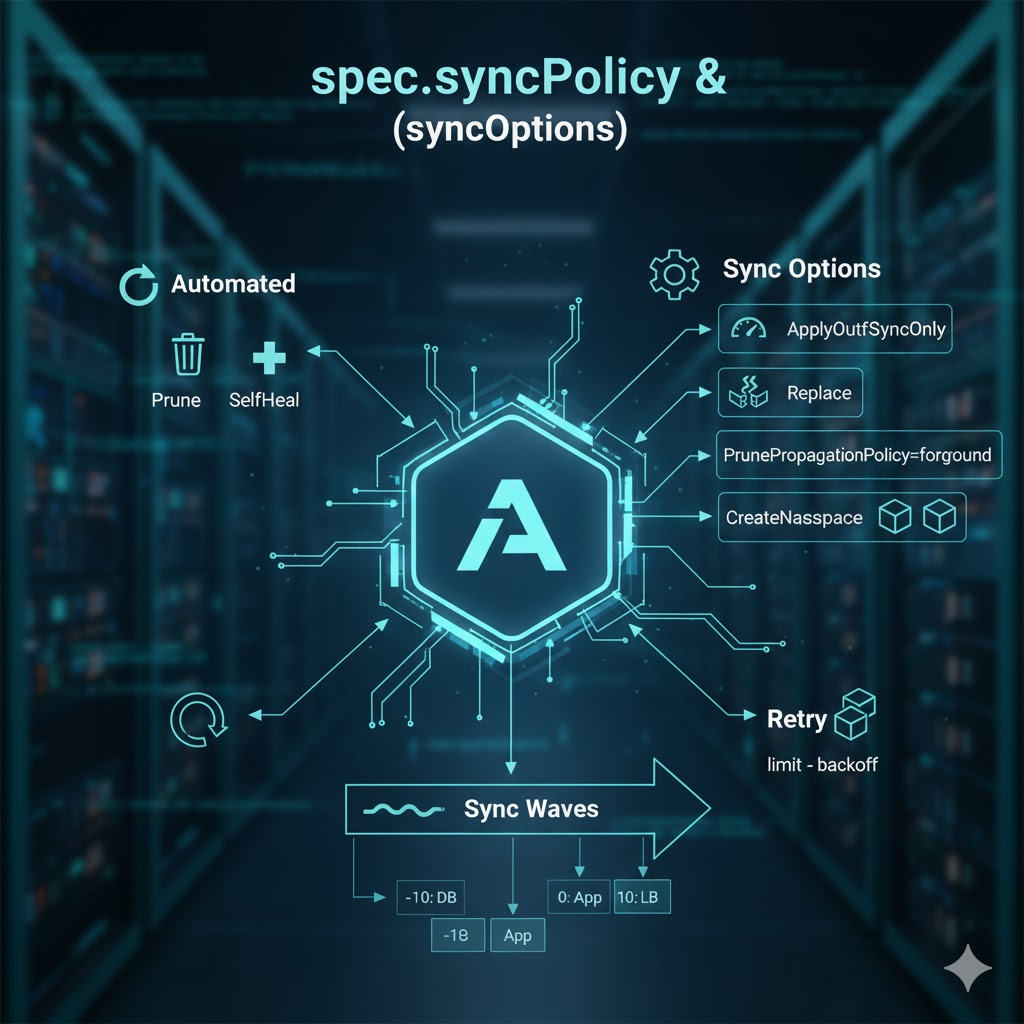
1. 🔍 Key Attributes of spec.syncPolicy
syncPolicy defines the top-level policy for how Argo CD aligns the ‘desired state’ in Git with the ‘current state’ in the cluster.
① automated (Automatic Synchronization)
Detects changes in Git and automatically applies them to the cluster.
- prune: Whether to delete resources from the cluster that have been deleted from Git (default: false). 🗑️
- selfHeal: Whether to revert cluster resources to the Git state if they are manually modified (default: false). 🏥
② retry (Retry Strategy)
Sets the number of retries and intervals in case of synchronization failure.
- limit: Maximum number of retries.
- backoff: Retry interval (supports exponential backoff). 🔁
2. ⚡ Detailed Guide to Core syncOptions
syncOptions provide specific technical options to be used during the synchronization process in a list format.
✅ ApplyOutOfSyncOnly=true (Performance Optimization)
By default, Argo CD re-applies all resources of an application during synchronization. However, if there are many resources, this is a significant waste.
- Role: Performs updates only on resources whose state is OutOfSync (not synchronized).
- Advantage: Reduces API server load and dramatically increases synchronization speed. ⚡
✅ Replace=true (Forced Update Strategy)
Certain Kubernetes resources cannot be modified via kubectl apply (e.g., changing Immutable fields).
- Role: Forces resource renewal by using replace or delete then create methods instead of apply.
- Caution: Resources may be temporarily deleted, so be mindful of service interruptions. 🛠️
✅ PrunePropagationPolicy=foreground (Safe Deletion)
Determines how child resources (e.g., Pods) are handled when a resource is deleted.
- Foreground: Ensures child resources are thoroughly cleaned up before deleting the parent (e.g., Deployment). This is the safest method. 🛡️
- Background (Default): Deletes the parent first, and child resources are handled later by the garbage collector.
✅ CreateNamespace=true
If the target namespace does not exist in the cluster, Argo CD automatically creates it. 🏗️
3. 🌊 The Magic of Deployment Order: Sync Waves
When deploying applications, you might need a specific order, such as “the DB must start before the WAS.” This is configured via Annotations on individual resources, not syncOptions.
- How it works: Resources are deployed in order from lower numbers (e.g., -5) to higher numbers (e.g., 10).
- Benefit: Ensures deployment stability in complex microservice environments with dependencies. 🌊
4. 💻 Practical Code: Full Configuration Example
This is an Argo CD Application manifest combining all the above content. Reconfirm the meaning of each setting through the comments.
YAML
apiVersion: argoproj.io/v1alpha1
kind: Application
metadata:
  name: master-ops-app
  namespace: argocd
spec:
  project: default
  source:
    repoURL: 'https://github.com/my-org/manifests.git'
    targetRevision: main
    path: apps/my-service
  destination:
    server: 'https://kubernetes.default.svc'
    namespace: production

  # 1. Configure Synchronization Policy 🔄
  syncPolicy:
    automated:
      prune: true      # Automatic deletion reflection
      selfHeal: true   # Manual modification recovery

    # 2. Detailed Synchronization Options List ⚙️
    syncOptions:
      - ApplyOutOfSyncOnly=true        # Update only changed resources
      - Replace=true                   # Recreate unmodifiable resources
      - PrunePropagationPolicy=foreground # Delete child resources sequentially
      - CreateNamespace=true           # Automatic namespace creation
      - ServerSideApply=true           # Optimize large manifest processing
      - FailOnSharedResource=true      # Prevent duplicate resource management 🚫

    # 3. Retry strategy on failure 🔁
    retry:
      limit: 5
      backoff:
        duration: 5s
        factor: 2
        maxDuration: 3m

---
# 4. Example of using Sync Wave in individual resources (e.g., ConfigMap)
apiVersion: v1
kind: ConfigMap
metadata:
  name: app-config
  annotations:
    # Set to deploy first (lower number means faster) 🌊
    argocd.argoproj.io/sync-wave: "-10"
data:
  config: "setting"
5. 💡 Additional Useful syncOptions
- Validate=false: Skips resource schema validation, similar to kubectl apply –validate=false.
- SkipDryRunOnMissingResource=true: Prevents Dry-run errors that occur when deploying custom resources while their CRD is not yet installed.
- RespectIgnoreDifferences=true: Strictly applies the spec.ignoreDifferences setting as a criterion for synchronization.
📝 Summary Table
| Attribute / Option | Main Role | Analogy |
| — | — | — |
| prune | Delete cluster resources when deleted from Git | Minimalism (tidying up unused items) |
| selfHeal | Automatically restore manual modifications | Maintaining homeostasis (reverting to original state) |
| ApplyOutOfSyncOnly | Update only changed parts | Repairing only what’s needed |
| Replace | Recreate resource | Buying new if it can’t be fixed |
| Sync Waves | Control resource deployment order | Setting up in order like dominoes |
—
💡 Conclusion
Argo CD’s syncPolicy goes beyond mere ‘automation’ to provide answers to ‘how to deploy more safely and quickly.’ Especially in large-scale environments, options like ApplyOutOfSyncOnly and Sync Waves are not just choices but necessities. 🎯
We hope today’s guide will be of great help in your stable infrastructure operations!
Leave a Reply