Reliably operating complex batch jobs, CI/CD pipelines, and data processing workflows in a Kubernetes environment is no easy feat. Especially crucial are handling unexpected failures, managing reusable templates, and controlling the number of concurrently executing tasks.
Today, we will delve deeply and thoroughly into Argo Workflows’ core advanced features: Retry Strategy, WorkflowTemplateRef, and Semaphore. Through this article, make your workflows one step more ‘robust, efficient, and manageable’! 🚀
Hello! Argo Workflows is a powerful tool that enables container-based workflows to run on Kubernetes. However, in real-world operational environments, it’s necessary to build workflows that go beyond simple task execution to be ‘failure-resilient’, ‘reusable’, and ‘resource-efficient’.
For the next 10 minutes, we will explore the key Argo Workflows features that can help you achieve these three goals.
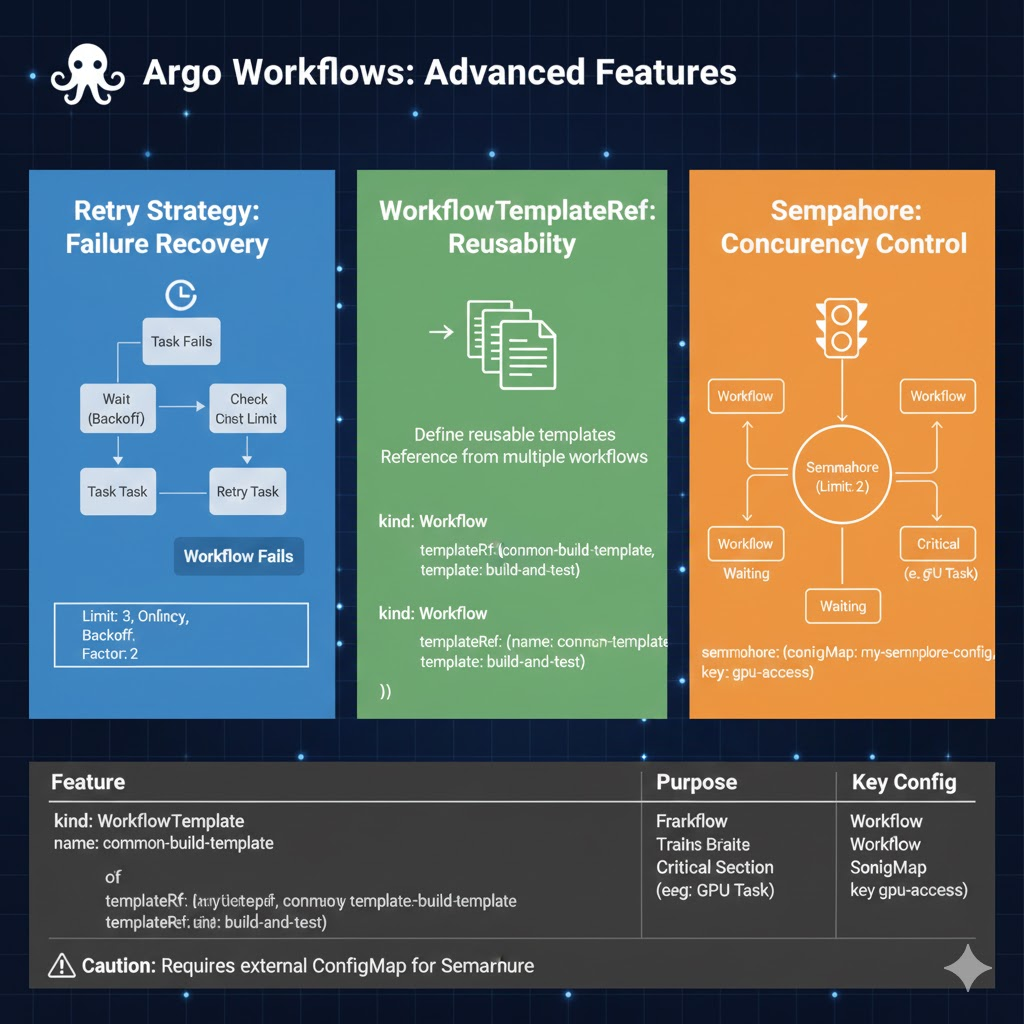
1. Retry Strategy: Building Failure-Resilient Workflows 💪
When a task fails due to unexpected reasons like network instability or temporary external service errors, restarting the entire workflow indiscriminately is inefficient. retryStrategy automatically retries tasks under specific conditions, enhancing the robustness of your workflows.
✅ Key Options
- limit: Maximum number of retries.
- retryPolicy: Always (always retry), OnError (on container error), OnFailure (on pod failure).
- backoff: Retry interval.
duration(initial wait time),factor(multiplier for increasing wait time on subsequent retries),maxDuration(maximum wait time).
📝 Code Example and Explanation
YAML
apiVersion: argoproj.io/v1alpha1
kind: Workflow
metadata:
  generateName: retry-example-
spec:
  entrypoint: main
  templates:
  - name: main
    steps:
    - - name: flaky-task # Assume a task that sometimes fails
        template: unstable-operation

  - name: unstable-operation
    retryStrategy:
      limit: 3 # Retry up to 3 times
      retryPolicy: OnError # Retry if the container returns a non-zero error code
      backoff:
        duration: "5s" # Wait 5 seconds before the first retry
        factor: 2 # Next wait time increases from 5s -> 10s -> 20s
        maxDuration: "1m" # Wait up to 1 minute (after 20s, wait up to 1 minute)
    container:
      image: alpine:latest
      command: [sh, -c]
      args:
        # Script that fails 50% of the time
        - "echo 'Attempting operation...'; R=$((RANDOM % 2)); if [ $R -eq 0 ]; then echo 'Success!'; exit 0; else echo 'Failure!'; exit 1; fi"
2. WorkflowTemplateRef: Reusable Workflow Library 📚
If you have repetitive workflow patterns or commonly used task groups, you can define them as a WorkflowTemplate and reference them from other workflows. This increases code reusability and reduces management complexity.
✅ Key Features
- Single Definition, Multiple Uses: A template defined once can be called like a function from multiple workflows.
- Parameter Passing: Define parameters in the template to dynamically pass values during invocation.
- Namespace-scoped or Cluster-scoped: Templates can be configured for use only within a specific namespace or across the entire cluster.
📝 Code Example and Explanation
① Defining a WorkflowTemplate (my-template.yaml)
YAML
apiVersion: argoproj.io/v1alpha1
kind: WorkflowTemplate # Different kind from a regular Workflow!
metadata:
  name: common-build-template # Template name
  namespace: argo
spec:
  entrypoint: build-and-test
  templates:
  - name: build-and-test
    inputs:
      parameters:
      - name: git-url
      - name: commit-id
    container:
      image: docker:dind # Example of using a Docker-in-Docker image
      command: [sh, -c]
      args:
        - |
          echo "Cloning {{inputs.parameters.git-url}} at {{inputs.parameters.commit-id}}"
          # Actual build/test logic
          echo "Build successful!"
② Referencing a WorkflowTemplate from a Workflow (my-workflow.yaml)
YAML
apiVersion: argoproj.io/v1alpha1
kind: Workflow
metadata:
  generateName: ci-pipeline-
spec:
  entrypoint: run-build
  templates:
  - name: run-build
    steps:
    - - name: app-build
        # How to reference a WorkflowTemplate
        templateRef:
          name: common-build-template # Name of the WorkflowTemplate to reference
          template: build-and-test # Entrypoint within the template
        arguments:
          parameters:
          - name: git-url
            value: https://github.com/my-org/my-app.git
          - name: commit-id
            value: a1b2c3d4e5
3. Semaphore: Resource Concurrency Control 🚦
Semaphore is a feature that controls the number of workflows or tasks that can simultaneously use a specific, limited resource in the cluster (e.g., GPUs, specific external APIs). It prevents resource exhaustion or external service overload by avoiding an indefinite number of pods being launched.
✅ Key Features
- Cluster-scoped / Namespace-scoped: Configured via the
semaphorefield inClusterWorkflowTemplateorWorkflowdefinitions. - Acquire and Release: A task acquires the Semaphore when it starts and releases it upon completion.
- Bottleneck Management: When resources are scarce, tasks transition to a waiting state, maintaining cluster stability.
📝 Code Example and Explanation
① Defining a Cluster-scoped Semaphore (argocd-cm or separate ConfigMap)
YAML
apiVersion: v1
kind: ConfigMap
metadata:
  name: my-semaphore-config
  namespace: argo
data:
  # The semaphore named 'gpu-access' allows a maximum of 2 workflows/tasks concurrently
  semaphore.maxParallelism: "gpu-access:2"
② Using Semaphore in a Workflow
YAML
apiVersion: argoproj.io/v1alpha1
kind: Workflow
metadata:
  generateName: gpu-job-
spec:
  entrypoint: main
  templates:
  - name: main
    # This entire workflow uses the 'gpu-access' semaphore.
    semaphore:
      # Name and key of the ConfigMap defined above
      configMap: my-semaphore-config
      key: gpu-access
    container:
      image: my-gpu-image:latest
      # Task that actually uses GPU resources
      command: [python, "run_gpu_task.py"]
      resources:
        limits:
          nvidia.com/gpu: 1 # Request 1 GPU
💡 Note: The semaphore’s ConfigMap must be in a namespace accessible by the Argo Workflows controller.
4. Summary and Practical Application Guide 📊
| Feature | Main Purpose | When to Use? |
| — | — | — |
| Retry Strategy | Recover from transient failures | Network errors, external API timeouts, non-deterministic failures |
| WorkflowTemplateRef | Increase workflow reusability | Common build logic, test suites, data preprocessing steps |
| Semaphore | Control concurrency for limited resources | GPUs, fixed number of external API requests, DB connections, etc. |
—
🏁 Conclusion
Argo Workflows’ retryStrategy, WorkflowTemplateRef, and Semaphore are key features that maximize resilience to failures, development efficiency, and resource management efficiency, respectively. By utilizing these features appropriately, your workflows can be operated much more stably, flexibly, and cost-effectively.
Now, based on this knowledge, build even more powerful cloud-native workflows! 🛠️
Leave a Reply