Hello! This is the sixth session of the Kyverno Master Series, the alchemist of Kubernetes policies. 🧙♂️
Last time, we learned about ‘variables’ and ‘ConfigMap references’ to give intelligence to policies. But what if the data brought in is too complex, or you only want to pick out specific parts?
The savior that appears here is JMESPath. Let’s perfectly master JMESPath, the core engine that Kyverno uses to handle data freely, from its basics to practical applications, in just 10 minutes! 🚀
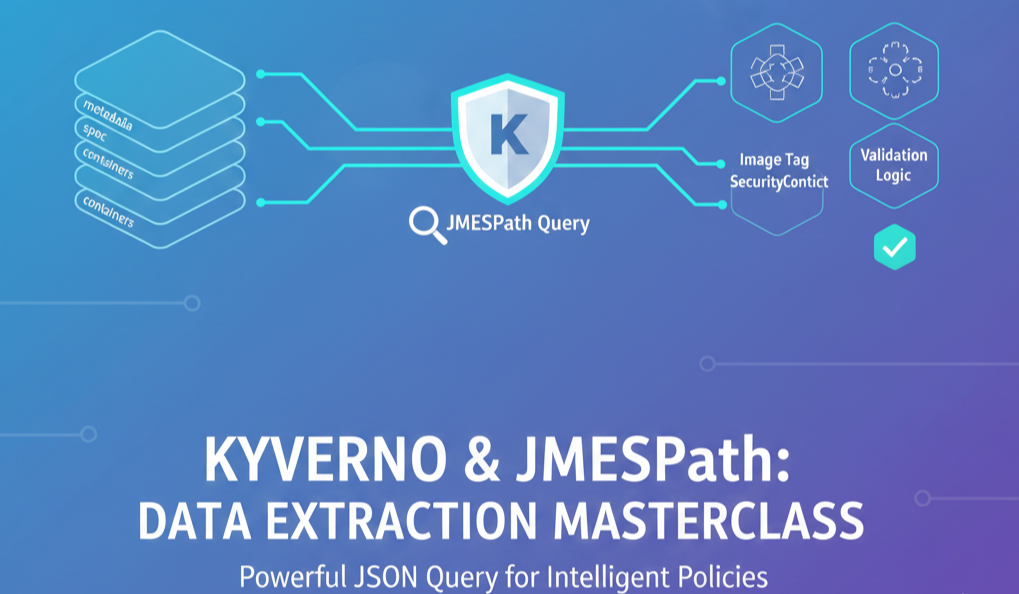
🏗️ 1. What is JMESPath?
JMESPath is a query language for extracting and processing data from JSON documents. Since all Kubernetes resources are ultimately structured as JSON (or YAML), Kyverno uses JMESPath to precisely extract only the necessary data from complex resource information.
- Analogy: It’s like sifting through a huge library (JSON data) to pick out books of a specific genre (query conditions) and creating a neat summary (result value).
🔍 2. Basic JMESPath Syntax (Building the Foundation)
Let’s first learn the 4 most frequently used core syntaxes.
① Dot Notation (Identifier) – .
Traverses the hierarchical structure of data.
- Data: {“metadata”: {“name”: “my-pod”}}
- Query: metadata.name → Result: “my-pod”
② List Extraction (Index & Flatten) – [ ]
Retrieves or flattens specific elements from array-shaped data.
- Data: {“containers”: [{“name”: “nginx”}, {“name”: “sidecar”}]}
- Query: containers[0].name → Result: “nginx”
- Query: containers[*].name → Result: [“nginx”, “sidecar”]
③ Filtering (Filter) – [? … ]
Selects only data that satisfies specific conditions.
- Query: containers[?name==’nginx’]
④ Pipe (Pipe) – |
Passes the previous result as input to the next query. (Continuous processing!)
🛠️ 3. Data Extraction Principle within Kyverno Policies
Kyverno executes JMESPath using double curly braces {{ … }} within policies.
Practical Example 1: Extracting Image Tags
When you want to get only the version information from a container image address (nginx:1.21):
YAML
# Query: request.object.spec.containers[0].image | split(@, ':') | [1]
# @ refers to the current data, and it is split by ':' to get the second value (index 1).
Practical Example 2: Complex Condition Validation (Using JMESPath)
When you want to validate that all ports of a service are not 8080:
YAML
validate:
  message: "Port 8080 is strictly forbidden!"
  deny:
    conditions:
      all:
      - key: 8080
        operator: In
        value: "{{ request.object.spec.ports[*].port }}" # Extract all port numbers as a list
🧪 4. Kyverno’s Special JMESPath Functions
In addition to standard JMESPath, Kyverno provides dedicated functions useful for Kubernetes operations.
- split: Splits a string by a specific character. split(‘a/b/c’, ‘/’)
- to_upper / to_lower: Converts case
- length: Returns the length of an array or string
- contains: Checks if a specific value is included
🚀 5. Practical Tips for Operators (Best Practices)
- Prepare for missing data: Use the || operator to set a default value, like {{ request.object.metadata.labels.env || ‘default’ }}, to prevent errors.
- Utilize the official test site: Practice on jmespath.org to see if your query correctly parses complex JSON data.
- Utilize Kyverno CLI: Get into the habit of checking query results locally using the `kyverno jp` command before deploying policies.
- Maintain readability: Using too many pipes (|) can make policies difficult to read. It’s better to define complex logic as variables in the `context` section.
💻 JMESPath Comprehensive Practical Example: Image Tag and Security Context Validation
This policy uses JMESPath to demonstrate advanced logic for 1) extracting image tags of all containers and validating specific values, and 2) checking for missing specific security settings.
YAML
apiVersion: kyverno.io/v1
kind: ClusterPolicy
metadata:
  name: jmespath-advanced-validation
  annotations:
    policies.kyverno.io/title: "Advanced Data Extraction with JMESPath"
    policies.kyverno.io/description: "Using JMESPath to audit image tags and security contexts."
spec:
  validationFailureAction: Audit
  background: true
  rules:
  - name: validate-container-data
    match:
      any:
      - resources:
          kinds:
          - Pod
    validate:
      message: "Security violation: Check image tags or security settings."
      deny:
        conditions:
          all:
          # 1. Use JMESPath to extract only the image tags of all containers and check if 'latest' is included
          - key: "latest"
            operator: In
            value: "{{ request.object.spec.containers[*].image | map(&split(@, ':') | [1], @) }}"

          # 2. Check if any container has 'allowPrivilegeEscalation' set to true
          - key: true
            operator: AnyIn
            value: "{{ request.object.spec.containers[*].securityContext.allowPrivilegeEscalation || [false] }}"
🔍 JMESPath Query Detailed Explanation (How it works?)
Let’s analyze step-by-step how the complex queries used in the above policy process data.
1️⃣ Extracting Image Tag List 🏷️
request.object.spec.containers[*].image | map(&split(@, ‘:’) | [1], @)
- containers[*].image: Retrieves the image strings of all containers as an array. (e.g., [“nginx:latest”, “redis:6.2”])
- map(…): Executes a command for each element in the array.
- split(@, ‘:’) | [1]: Splits each image string by : and takes the second value (index 1), which is the tag.
- Final Result: A clean tag list like [“latest”, “6.2”] is generated.
2️⃣ Security Setting Default Value Handling 🛡️
request.object.spec.containers[*].securityContext.allowPrivilegeEscalation || [false]
- || [false]: If the user does not set `securityContext` at all, resulting in null data, instead of throwing an error, it returns a default value of [false] to ensure stable policy validation.
🚀 What can you learn from this policy?
- Array Processing Capability: Using [*] and map() allows you to validate all containers at once, whether there’s 1 or 10.
- Data Processing Technique: You can learn how to cut out only the necessary parts (latest) from raw data (nginx:latest) and compare them, instead of using the raw data as is.
- Error Prevention Design: You learn the know-how to make policies operate smoothly even when data is missing (Optional field) through the || operator.
🌟 Conclusion
Today, we explored the basics and data extraction principles of JMESPath, Kyverno’s invisible engine.
By mastering JMESPath, you can become an advanced policy designer who can go beyond simply blocking resources to “analyze specific patterns in user-requested data to modify or deny them.” 🛠️
Kubernetes YAML is complex, but with the JMESPath tweezers, there’s nothing to fear.
If you have any questions, please leave a comment! 😊
Leave a Reply