Hello! Following up on our last post about ConfigMap, today we’ll explore Secrets, which handle data requiring security. How should sensitive information like passwords, OAuth tokens, and SSH keys be managed?
1. What is a Secret? 🔒
Secret is an object designed to store and manage small amounts of sensitive data such as passwords, tokens, and keys. It is similar to ConfigMap, but differs in that it stores data by Base64 encoding it.
💡 Key Summary– Efficiency: Mounted into memory only when a Pod runs, minimizing disk exposure.
– Security: Sensitive information can be injected without exposing it in application images or YAML files.
2. Creating a Secret 🛠️
Secrets can also be created using kubectl commands and YAML files.
A. Creating with kubectl command
# Create a secret containing a username and password
kubectl create secret generic db-user-pass
  --from-literal=username='admin'
  --from-literal=password='S3cretP@ssw0rd'
B. Defining with a YAML file
When writing a YAML file, the values must be Base64 encoded.
- Example: admin → YWRtaW4=
- Example: S3cretP@ssw0rd → UzNjcmV0UEBzc3cwcmQ=
apiVersion: v1
kind: Secret
metadata:
  name: db-user-pass
type: Opaque
data:
  username: YWRtaW4=
  password: UzNjcmV0UEBzc3cwcmQ=
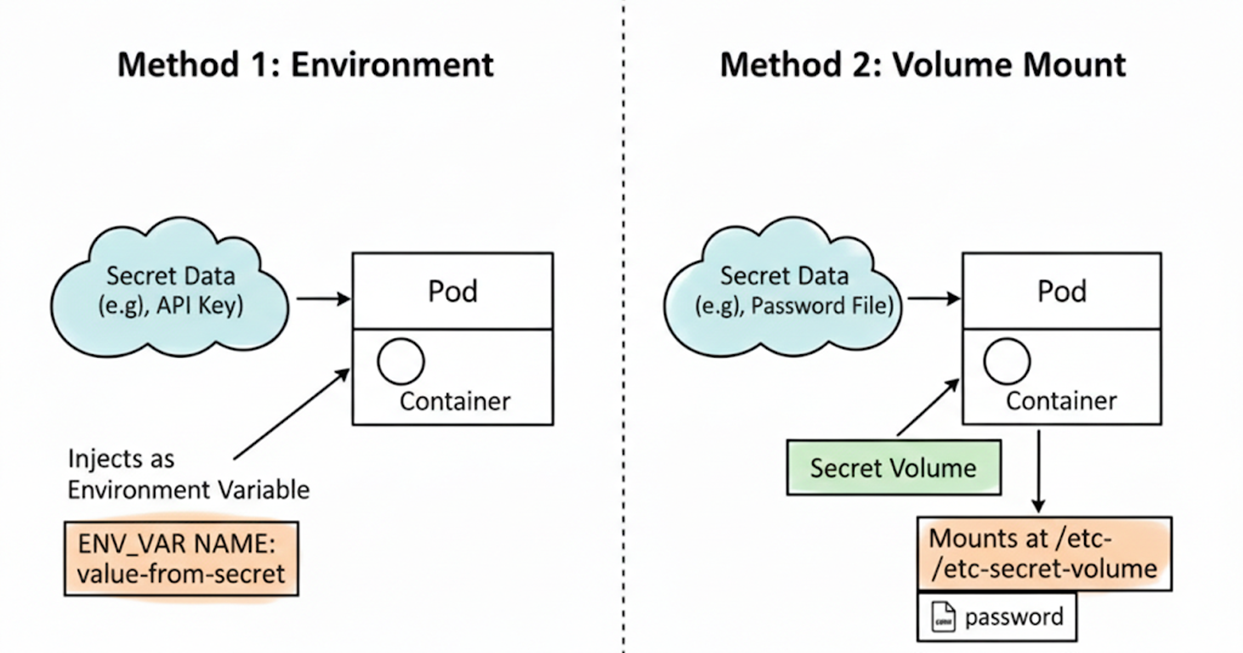
3. Connecting Secrets to Containers 🔗
The method for using Secrets is almost identical to ConfigMaps.
① Injecting as Environment Variables
spec:
  containers:
  - name: my-container
    image: nginx
    env:
      - name: DB_PASSWORD
        valueFrom:
          secretKeyRef:
            name: db-user-pass
            key: password
② Mounting as a Volume (Most Recommended Method)
Using a Secret volume stores data in tmpfs (RAM-based file system), making it safer as data is not written to the node’s disk.
spec:
  containers:
  - name: my-container
    image: nginx
    volumeMounts:
    - name: foo
      mountPath: "/etc/foo"
      readOnly: true
  volumes:
  - name: foo
    secret:
      secretName: db-user-pass
4. Critical Limitations and Reasons for Kubernetes Secrets ⚠️
Many people misunderstand this, but it is difficult to achieve complete security with Kubernetes’ native Secret functionality alone.
Why are Secrets alone insufficient?
- Simple Base64 Encoding: Secret data is only encoded (Encoding), not encrypted (Encryption). This means anyone can view the original content with a
base64 -dcommand. - Plaintext Storage in etcd: By default, Secret information is stored unencrypted in etcd, Kubernetes’ storage backend. Anyone with etcd access can steal all secret information.
- Limitations of Permission Management: While access can be restricted via RBAC, if one has permission to create Pods, it’s possible to mount the Secret to that Pod and view its contents as a workaround.
5. Safer Alternatives: External Secret Management Tools 🛡️
In environments requiring professional security levels, the following solutions are used instead of (or in conjunction with) Kubernetes Secrets:
- HashiCorp Vault: An industry-standard tool that provides dynamic password generation and strong encryption capabilities.
- AWS Secrets Manager / Azure Key Vault: Managed security services provided by cloud providers.
- External Secrets Operator (ESO): An open-source project that securely synchronizes information from external tools (Vault, AWS, etc.) into Kubernetes Secrets.
Wrapping Up 🎁
My lord, Secrets are convenient but not an ‘absolute vault’. In production environments, it is highly recommended to enable etcd encryption (Encryption at Rest) or use specialized tools like Vault in conjunction.
Leave a Reply