- > The goal of this lab is not to “execute” malicious JavaScript, but to perform static analysis in a network-isolated Podman sandbox and re-verify LLM-generated hypotheses with PCAP evidence.
Malware-Traffic-Analysis.net’s February 2, 2026, data contains traces of KongTuke JavaScript inserted into legitimate websites, identifying visitors, redirecting them to fake CAPTCHAs, and then leading to MintsLoader and GhostWeaver RAT infections via ClickFix.
LAB-ONLY malicious JavaScript sample
WARNING: This archive contains the original KongTuke 1d2g.js. Do not open or execute it on Windows, in a browser, or with Node.js. Read README-SAFETY.md first and perform static analysis only in a disposable Podman container with –network=none and –read-only.
Sample SHA-256: fd78199a75a96c6475f7c95400be3bfc3b07651c7de9785a05c293292cdfba54
This case is particularly well-suited for LLM labs because obfuscated 1d2g.js can be given to an LLM to form hypotheses about its structure and intent, which a human can then compare with the original code and verify with actual packets using Wireshark. Students will not write code from scratch but will use the step-by-step prompts in this article to have the LLM create analysis procedures and static transformation scripts.
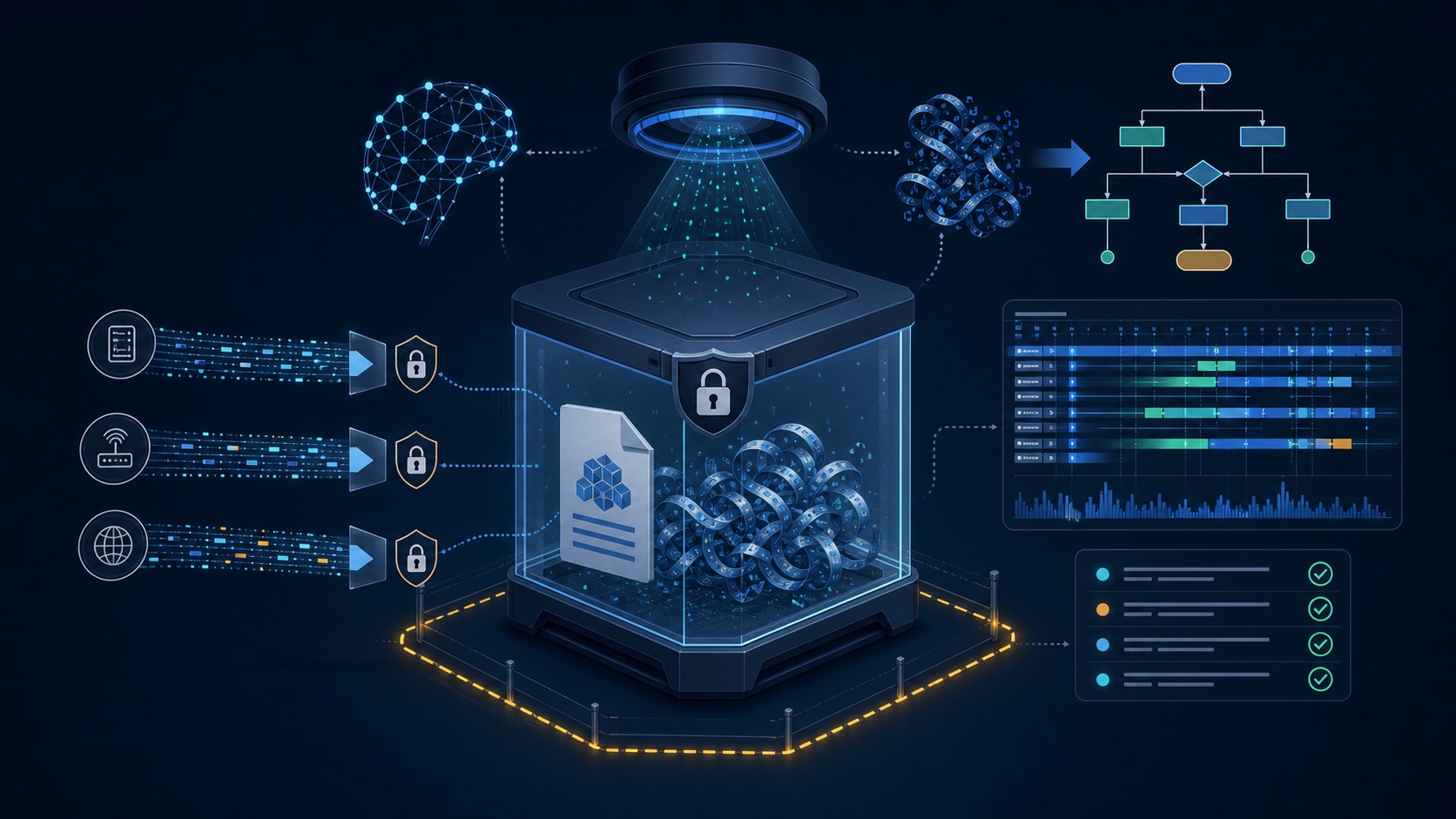
Image illustrating Podman isolation, LLM static analysis, and PCAP cross-validation as a single lab flow.
Facts to Correct Before Starting the Lab
The official page initially identified the final malware as Async RAT but later corrected it to GhostWeaver RAT. Therefore, the infection flow in this article is organized as KongTuke → ClickFix → MintsLoader → GhostWeaver RAT. If an LLM responds with Async RAT, influenced by old information or a single clue, that answer serves as lab material demonstrating “why correction points need to be checked.”
In this lab, we will only use the following two official resources:
| | | |
| — | — | — |
| Resource | Purpose | Caution |
| Full PCAP archive | Verify DNS, HTTP, TLS, and port behavior | May contain malicious content within the PCAP |
| HTTPS traffic leading to ClickFix page archive | Static analysis of 1d2g.js, js.php responses | Do not open in a browser or execute JavaScript |
The “files from infection” archive contains executables, so it will not be downloaded in this lab. Malware-Traffic-Analysis.net also warns that archives and PCAPs may contain malicious samples and pose an infection risk if handled on a Windows host.
Sandbox is a “Condition,” Not a “Recommendation”
While handling samples, do not mount the host’s home directory, SSH keys, browser profiles, or Podman sockets into the container. Input directories should be read-only, and only the output directory should be writable. During execution, the network must be completely disconnected, and the root filesystem should also be read-only.
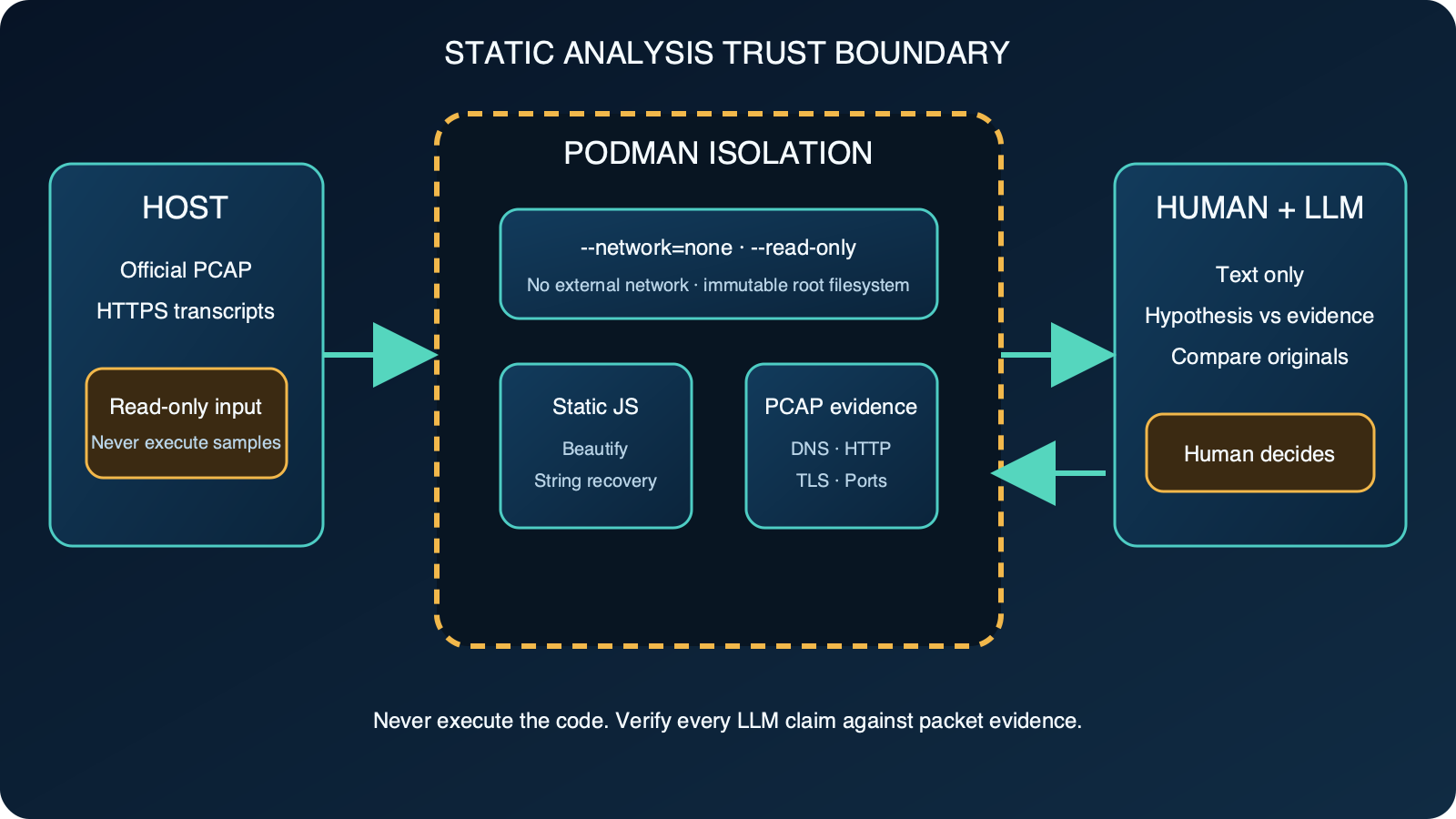
Figure: Only static text is provided to the LLM, and the final judgment is made by a human reviewing the original and packet evidence. Reconstructed based on Podman run official documentation.
Podman’s –network=none creates only a network namespace for the container and does not configure interfaces, while –read-only prevents writing to the container’s root filesystem. It is not recommended to proceed with the lab if these two conditions are omitted.
Step 0: Have LLM Create an Isolated Lab Environment
First, save only the two selected archives from the official case page into the kongtuke-lab/input folder. Do not extract the archives on the host; instead, input the following prompt into the LLM:
Prompt 0 — Podman Sandbox Design
`
You are a static malware analysis lab chef.
In the current folder’s input/ directory, there are only the PCAP zip and HTTPS transcript zip from the Malware-Traffic-Analysis.net 2026-02-02 KongTuke case.
Write a Containerfile and execution command that satisfy all the following conditions:
- Based on Debian 12 slim
- Install only p7zip-full, tshark, Python 3, python3-jsbeautifier, ripgrep, jq
- Do not mount samples during image build
- Analysis run must use –network=none, –read-only, –read-only-tmpfs=false
- Allow /tmp only as noexec,nosuid,nodev tmpfs
- Separate input as /input:ro, output as /output:rw
- Use –cap-drop=all, –security-opt=no-new-privileges
- Never execute JavaScript, PowerShell, or PE files
- Perform archive extraction only inside the container
- Output SHA-256 and file list before and after extraction
Before executing the command, explain what each safety option prevents in one line.
`
The LLM’s answer should contain at least the following pattern:
`
podman run –rm
–network=none
–read-only –read-only-tmpfs=false
–tmpfs /tmp:rw,noexec,nosuid,nodev
–cap-drop=all
–security-opt=no-new-privileges
-v “$PWD/input:/input:ro”
-v “$PWD/output:/output:rw”
kongtuke-static-lab:2026.02 …
`
Building the image with `podman build` requires a network for package installation. However, samples are not mounted at that stage. The network is disconnected only during the analysis run when samples are mounted. If an x86 image warning appears on Apple Silicon, specify the architecture with `podman build –platform linux/arm64 …`.
Overall Lab Flow
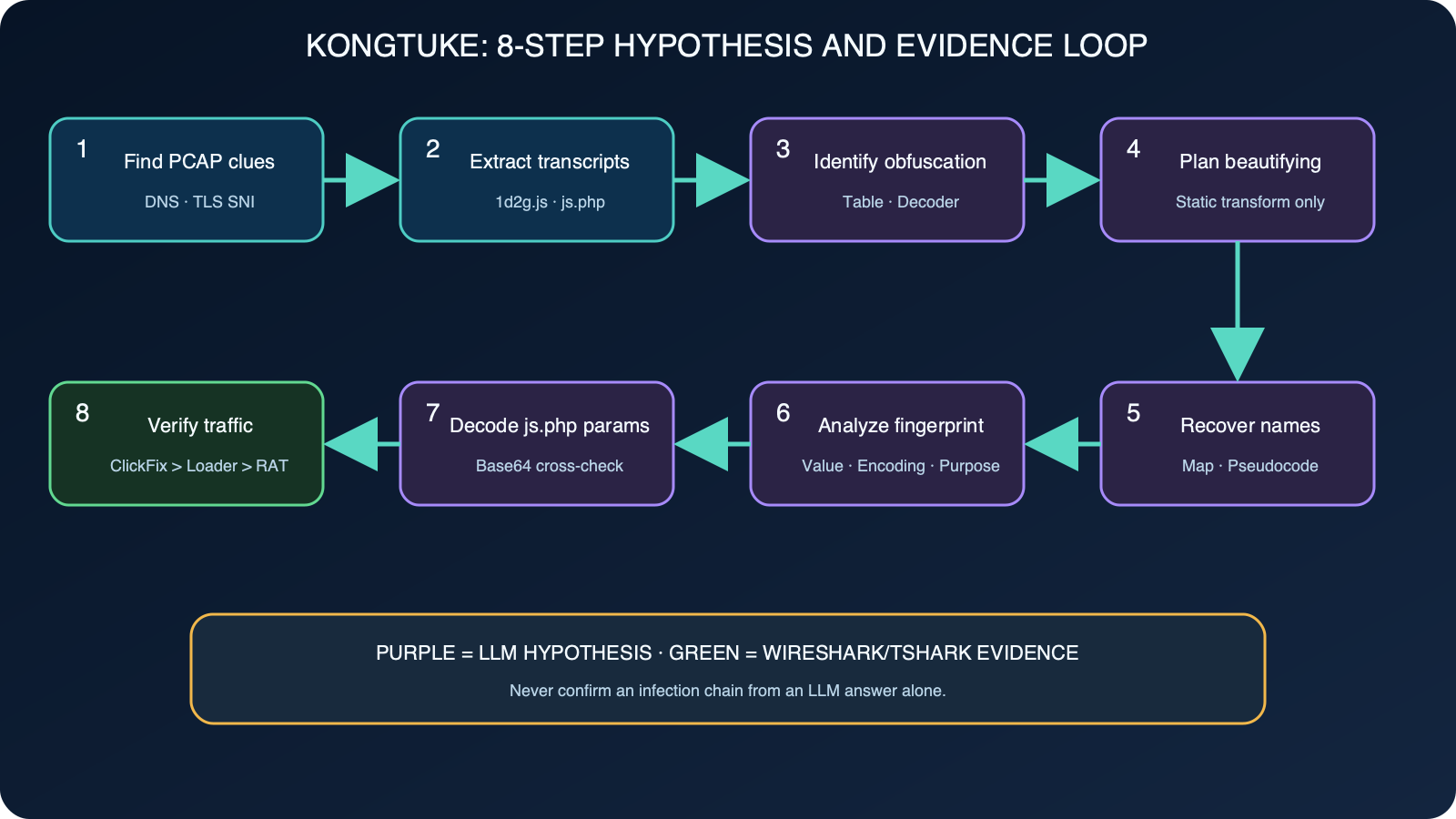
Figure: Purple steps are hypotheses generated by the LLM, and green steps are observational evidence from Wireshark/tshark. Reconstructed based on KongTuke official case and Malware-Traffic-Analysis.net: 2026-02-02 KongTuke ClickFix activity
Leave a Reply