Hello! Today, we’re going to dive deep into how to establish more secure and intuitive security policies using Cilium, often called the “kingpin” of Kubernetes network security.
Specifically, we’ll detail how to craft policies not just by using simple Label(s), but by leveraging Service Accounts, and explain why. 🚀
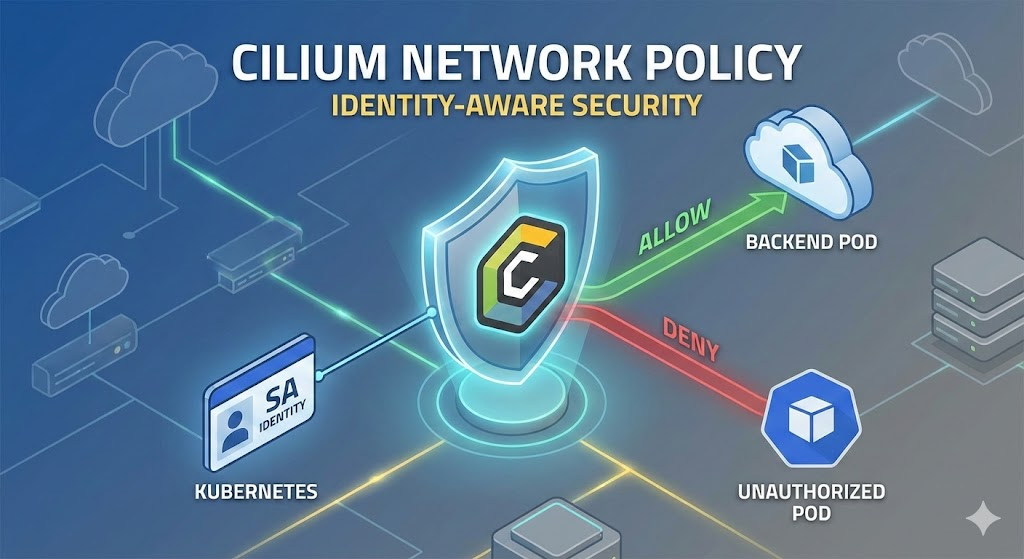
🧐 Why are Labels alone insufficient?
Basic Kubernetes NetworkPolicies allow or block traffic based on Labels (e.g., app: frontend) attached to pods. However, this can introduce critical security vulnerabilities.
- Spoofing: What if a developer or attacker maliciously deploys a pod and arbitrarily attaches the label app: frontend? The firewall won’t be able to distinguish it and will let it through. 😱
- Management Complexity: Label management can easily become tangled whenever pod versions change or deployment strategies are altered.
💡 Solution: Service Account (SA) Based Policies
Cilium provides ID (Identity) based security. The Service Account assigned when a pod is created is strictly managed by Kubernetes RBAC (Role-Based Access Control), making it a much more reliable identifier than labels.
In other words, it means allowing only “pods with this ID (SA)”, not just “pods with this label”.
🛠️ How it Works: io.kubernetes.serviceaccount.name
When a pod is created, Cilium reads its Service Account information and internally converts it into a special label for management.
- Key: io.kubernetes.serviceaccount.name
- Value: Actual Service Account name (e.g., frontend-sa)
We can use this special label in CiliumNetworkPolicy (CNP) to create very precise rules.
📝 Practical Configuration Guide (YAML Example)
Let’s consider a scenario.
Goal: Only pods using the Service Account named frontend-sa should be able to access backend pods.
1. Creating a CiliumNetworkPolicy
YAML
apiVersion: "cilium.io/v2"
kind: CiliumNetworkPolicy
metadata:
  name: "secure-backend-access"
  namespace: "default"
spec:
  # 1️⃣ Destination Setting: Who to protect? (Backend)
  endpointSelector:
    matchLabels:
      app: backend

  # 2️⃣ Inbound Rules (Ingress): Who can come in?
  ingress:
  - fromEndpoints:
    - matchLabels:
        # 3️⃣ Key Point! Specify the Service Account name
        io.kubernetes.serviceaccount.name: "frontend-sa"

        # (Optional) If you want to explicitly state it's the same namespace
        io.kubernetes.pod.namespace: "default"
🔍 Detailed Analysis
- endpointSelector: This defines the target to which the policy will apply. Here, pods with the label app: backend are the protected targets.
- fromEndpoints: This defines the source (origin) from which access is allowed.
- io.kubernetes.serviceaccount.name: This is where the magic happens! 🎩 Instead of a generic app label, we’ve set the condition to a Kubernetes-attested SA name. Now, no matter how much someone tries to spoof the app: frontend label, if the SA is not frontend-sa, access will be blocked.
🌟 Summary of Service Account Policy Advantages
| Category | Standard NetworkPolicy (Label) | Cilium CNP (Service Account) |
|---|---|---|
| Identification Criteria | User-arbitrarily attached Label | K8s-authenticated Service Account |
| Security Strength | Low (Labels easily spoofed) | High (Controlled by RBAC) |
| Visibility | IP/Label-centric | Application/ID-centric |
| Example Use Case | Simple Isolation | Zero Trust Implementation |
—
🍯 Pro Tip: What if Namespaces are Different?
What if a Service Account in the frontend team’s namespace (team-a) needs to access the backend namespace (team-b)? Cilium can combine namespace labels as well.
YAML
  - fromEndpoints:
    - matchLabels:
        io.kubernetes.serviceaccount.name: "frontend-sa"
        io.kubernetes.pod.namespace: "team-a"  # 👈 Namespace also specified!
This way, only the frontend-sa Service Account in the team-a namespace will be precisely allowed.
🏁 Conclusion
If you’re using Cilium, don’t rely solely on insecure Labels anymore. By leveraging Service Accounts, you can combine infrastructure-level security policies with your application’s authentication system (RBAC) to build a much stronger Defense-in-Depth strategy.
Review your cluster policies right now! 😉
Leave a Reply