Hello, aspiring security professionals 🌱
Last time, we finished installing the powerful free reverse engineering tool, Ghidra. Now that we’ve installed the tool, shouldn’t we try using it?
However, if you try to analyze complex malware from the start, you’ll only get a headache and quickly get exhausted. 🤯 So today, we’re going to analyze the most basic but most important first step: the “Hello World” program.
Do you think, “Oh, Hello World just prints something, right?” Yes, that’s correct! But there’s no better example to understand the process of how ‘our familiar source code’ is transformed into ‘machine code that computers understand’, and then how it’s ‘restored (decompiled) into something we can recognize’.
What if our reliable ally, Generative AI, joins us? Reverse engineering is no longer daunting! Shall we begin? 🚀
🛠️ Prerequisites
- Installed Ghidra: (If you haven’t installed it yet, please refer to the previous post!)
- Target file for analysis (hello.exe): A very simple program that prints “Hello World” in C language.
- AI Chatbot: ChatGPT, Claude, Gemini, etc., anything is fine.
💡 Note: Creating the target file for analysis. If you have a C compiler (GCC, Visual Studio, etc.), try compiling the code below to create hello.exe. If not, you can find any ‘Hello World exe’ file readily available online.
>
`
#include
>
int main() { printf(“Hello, AI Reversing World!
“); return 0; }
`
STEP 1. Feeding the file to Ghidra (Import) 📥
First, run Ghidra and open a project. (e.g., MyFirstReversing)
- Drag and drop the prepared hello.exe file into the Ghidra project window.
- When the ‘Import’ window appears, click [OK] without any special settings.
- You will see hello.exe added to the project list. Double-click to open the file.
(Heart thumping) Finally, entering the analysis screen!
When you first open the file, Ghidra asks, “Analyze this file?” Of course, click [Yes], and then click the [Analyze] button with the default options. Ghidra will start diligently chewing, tearing, tasting, and enjoying the file. 🍖
STEP 2. Facing Alien Language (Listing View vs Decompiler View) 👽
After the analysis is complete, a lot of information will appear on the screen. Don’t panic! We only need to look at two places.
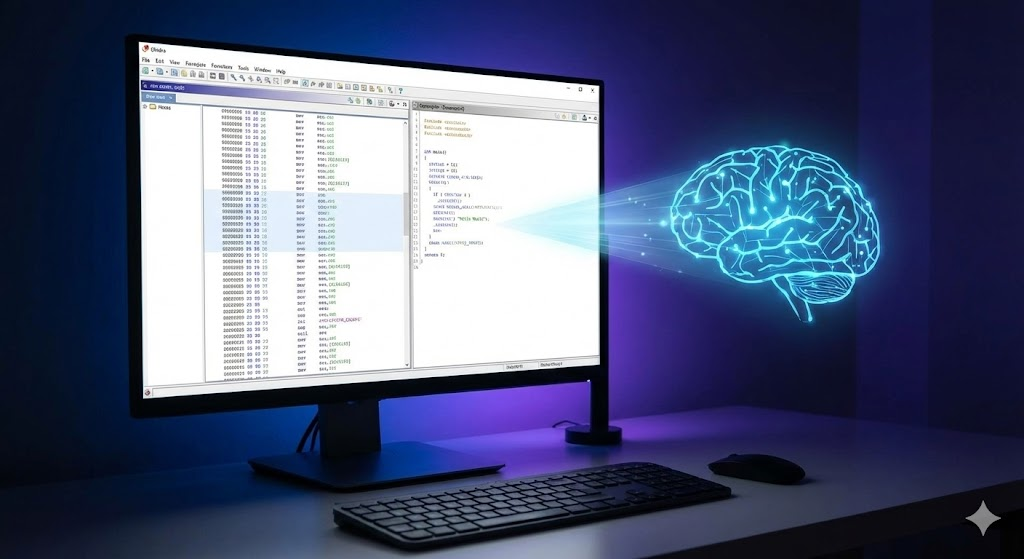
1. Listing View (Large screen in the middle)
This is the world of ‘Assembly language’. You’ll see machine code instructions like PUSH, MOV, CALL. Computers understand this language, but for us… well… it’s still difficult. 😅
2. Decompiler View (Usually the right screen)
✨ This is today’s star! ✨ Ghidra’s powerful decompiler feature converts alien-like assembly language into a C-like form (Pseudo-code) that we are familiar with.
STEP 3. Finding the main function 🕵️
We need to find the main function, which is the first place executed when the program starts.
- Look at the ‘Symbol Tree’ panel on the left side of Ghidra.
- Open the ‘Exports’ or ‘Functions’ folder.
- If you’re lucky, you’ll see the name ‘main’ clearly. (If not, you usually find it by looking for entry or WinMain, but for a simple exercise, we’ll assume ‘main’ is visible!)
- Double-click ‘main’.
Voila! 🎉 Both the Listing View and Decompiler View will simultaneously move to the main function’s location.
STEP 4. Get my code back! (Checking Decompilation Results) 👀
Look closely at the Decompiler View on the right. Does it look similar to the C source code we wrote (or expected)?
// Example of decompiled code shown by Ghidra (may differ from actual)
int __cdecl main(int _Argc,char **_Argv,char **_Env)

{
  __main(); // Initialization function added by the compiler
  puts("Hello, AI Reversing World!"); // printf may be optimized to puts
  return 0;
}
Hmm? It’s a little different.
- We used printf, but puts might appear (this is compiler optimization).
- There’s also code we didn’t write, like __main();
- Function parameter names like _Argc look complex.
It’s not 100% identical to the original source code, but we can grasp the core logic: “Ah, this code prints a string and then terminates.” This is the essence of reverse engineering!
STEP 5. Asking AI about the code structure (AI finally appears! 🤖)
Is the code too simple and boring? If the code gets a little more complex, strange variable names like undefined4 uVar1; will be rampant, making it difficult to understand.
This is where AI shines. Let’s give the decompiled code from Ghidra to AI and ask it to interpret.
1. Copy the code
Drag and copy (Ctrl+C) the entire code in the Decompiler View.
2. Enter the prompt for AI
Go to your AI chatbot and ask the following. (Giving it a persona helps it answer better!)
🧑💻 My Prompt: “From now on, you are a senior security analyst. I will give you C code that I decompiled with a reverse engineering tool (Ghidra). Can you explain the overall structure and role of this code in a way that a beginner can easily understand?
>
`
(Paste the copied code here)
`
3. Check AI’s response
What will AI answer? It will probably respond like this:
🤖 AI’s Answer (Example): Yes, the code you provided is the decompilation result of the main function, which is the typical entry point of a C program.
>
Code Structure and Role Explanation:
>
1. Function Definition (main): This is the main function, which is called first by the operating system when the program executes. It returns an int type and receives command-line arguments (_Argc, _Argv).
2. Initialization Routine (__main()): This appears to be a program initialization function inserted by the compiler before the actual user code runs. You don’t need to worry too much about it.
3. Core Functionality (String Output):
– puts(“Hello, AI Reversing World!”);
– This part is the most important. It prints the string “Hello…” to the screen (console). Even if the original source used printf, compilers often optimize (change) it to the faster puts function when simply printing a string.
4. Termination (return 0;): The function returns 0, indicating to the operating system that it terminated normally.
>
Summary: This program has a very simple structure: when executed, it prints the greeting “Hello, AI Reversing World!” without complex logic and then terminates immediately.
🎉 Concluding the Hands-on
How was it? Isn’t AI’s explanation amazing? 🤩
AI organized what we roughly guessed with our eyes into a structured explanation using clear terms (entry point, initialization routine, optimization, return value).
Through today’s hands-on, we gained two major insights:
- We got a glimpse into the world of machine code: We learned that the beautiful source code we write actually transforms into something this complex.
- We gained a powerful assistant in AI: We gained confidence that no matter how complex the code we analyze in the future, or how messy the variable names like iVar1, uVar2 are, we can ask AI to see the overall picture.
Next time, we’ll do a ‘real’ analysis. I’ll prepare a ‘Patch’ hands-on where we manipulate code to change program behavior!
Until then, please review what you learned today! Goodbye! 👋
Leave a Reply