Hello, sharpshooter security analysts! 🔫
Last time, we learned the theory of YARA rules (Meta, Strings, Condition). You understood the principle of “detecting by combining strings and conditions,” right?
However, more important than theory is the question: “Exactly ‘which’ strings should be used?”
If you pick just any string, you might end up with a disaster (false positive) where Windows Calculator (calc.exe) is detected as malware, or detection might fail (false negative) if a hacker changes just one character.
Today, we will conduct a practice session on selecting ‘absolutely unique signatures’ from analyzed malware samples that do not overlap with other legitimate files.
If you do this well, your YARA rules will become masterpieces! ✨
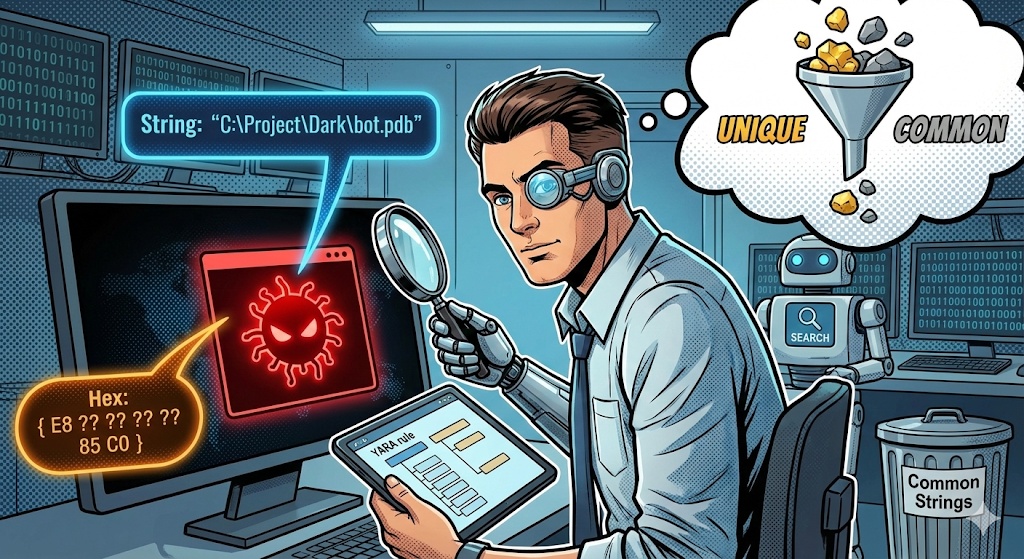
1. 💎 What is ‘Uniqueness’? (Golden Rule)
The first principle when choosing a signature is “Specificity.”
- ❌ Bad Example (Too Common):
- kernel32.dll, CreateFile, OpenProcess, HTTP/1.1
- 👉 Almost every program in the world contains these. Never use them!
- ✅ Good Example (Very Specific):
- C:UsersHackerProjectRansomReleasemain.pdb (Developer Path)
- Global{A1B2-C3D4-Hack-Me} (Unique Mutex)
- E8 ?? ?? ?? ?? 83 C4 04 85 C0 74 12 (Machine code for a specific encryption function)
We will now find these gem-like fingerprints from two perspectives: text and hex (machine code).
2. 📝 [Practice 1] Selecting Text Strings
This is the easiest and most intuitive method. Revisit the list you extracted using Strings tools or Pestudio.
🎯 3 Selection Points
① Typos and Grammatical Errors 🤪
Hackers often make typos when coding in a hurry. Typos that a normal Microsoft developer would never make are excellent signatures.
- Example: Successflly (typo for Successfully), Dissable (typo for Disable)
- Tip: Grammatically incorrect sentences are also very good. (“Your computer are belong to us”)
② Hardcoded Unique Paths (PDB Path) 📂
This is debugging information left when a developer compiles code. Usernames or project names are explicitly revealed.
- Example: D:WorkMalware_v2Backdoorpayload.pdb
- Selection: Words like Malware_v2 or Backdoor are unique.
③ Strings with Unique Formats 🔑
Ransomware often uses specific formats for user ID generation or communication.
- Example: uid=%d&os=%s&ver=2.1 (C2 communication format)
- Example: —–BEGIN RANSOM KEY—– (Encryption key header)
3. 🧩 [Practice 2] Selecting Hex Strings (Advanced)
Text can be easily changed by hackers. However, the structure (logic) of the code is not easily altered.
This is where hex strings, which are machine code, come into play.
🛠️ Tools: Ghidra or IDA Pro
👣 Step-by-Step Extraction Method
- Navigate to Core Function: Move to the core malicious behavior function found in the previous practice (e.g., encryption function, C2 connection function).
- View Bytes: Check the hexadecimal values (Opcode Bytes) next to the assembly instructions.
⚠️ [Very Important] Use Wildcards!
>
You should not simply copy hex code. The ‘address’ value can change each time the file is executed, or with different versions.
>
– Original Code: E8 40 12 00 00 ( CALL 0x00001240 )
– Here, 40 12 00 00 is the address (relative distance) of the function to be called. This can change.
– E8 is the CALL instruction itself. This does not change.
– YARA Rule Conversion: { E8 ?? ?? ?? ?? }
– The address part that can change must be treated with question marks (??) to apply a wildcard.
✅ Recommended Hex Patterns:
- Function Prologue: Avoid overly obvious ones like 55 8B EC (Push ebp; Mov ebp, esp).
- Unique Constant Values: Operational codes around unique constants used in encryption algorithms (e.g., 0x67452301) are good.
- Consecutive Logic: Extract a sequence of 10-20 bytes representing a flow like XOR operation followed by CMP (compare) and JNZ (jump if not zero).
4. ⚖️ [Practice 3] Verification (Sanity Check)
Alright, have you chosen the string that makes you say, “This is it!”? Finally, you need to search for it on Google.
🔍 Google Search Test (Google Dorking)
- Search for the selected string on Google, enclosed in double quotes (” “).
- If famous open-source projects on GitHub (e.g., OpenSSL, Boost Library) appear in the search results?
- 🚨 Disqualified! That means it’s not malware, but a legitimate library used. If you create a rule based on that, it will cause false positives on PCs worldwide.
- If there are no search results, or only malware analysis reports appear?
- 🎉 Passed! That’s an excellent signature.
5. 📦 Organizing Results: My Own ‘Fingerprint’ List
Organize the selected signatures from the practice as shown below. These will be the ingredients for writing YARA rules in the next session.
| Category | Value | Characteristics & Reason for Selection |
|---|---|---|
| String 1 | “C:ProjectDarkbot.pdb” | Developer path. Project name ‘Dark’ is unique. |
| String 2 | “Don’t kill my process!” | Debug message inside malware. The sentence is unique. |
| Hex 1 | { 33 C0 83 C4 04 B9 04 00 00 00 } | XOR initialization and loop counter setting logic. |
| Hex 2 | { E8 ?? ?? ?? ?? 85 C0 74 0F } | Branch statement comparing result after function call to 0 (address handled with wildcard). |
—
🎉 Conclusion: Rule Writing Ready!
Great job! 👏
You now have the eye to filter out ‘real evidence (Signal)’ from countless piles of data junk.
- In text, you found typos and PDB paths,
- In hex, you identified core logic and applied wildcards, and
- You completed verification through Google searches.
These ingredients will enable detection performance more powerful than any antivirus.
Next time, we will proceed with “[Practice] Writing the Final YARA Rule File (.yar) and Malware Detection Test”, assembling these ingredients according to YARA syntax.
Until the moment you create your own antivirus, fighting! 🛡️🔍
Leave a Reply