Hello, navigators of the Kubernetes world! 👋 When operating a cluster, there are important workloads where you might think, “This pod must never die!” or “If there’s no space, it must run even if it has to push out other pods!” For example, pods like monitoring systems, logging agents, or core API servers.
Today, we’ll delve into how to protect these important pods, specifically Kubernetes’ PriorityClass. Shall we explore how to set the priority of your precious pods and ensure they always get a spot before others? 🧐
🤔 Why is PriorityClass needed?
The Kubernetes scheduler treats all pods equally by default. But what happens when cluster resources (CPU, memory) become scarce? Newly created pods will wait indefinitely in a Pending state until space becomes available. If this pod plays a very critical role, it could lead to a service-wide outage. 😱
Also, when the cluster runs out of space, a situation might arise where you need to decide which pods to remove (Evict) first. In such cases, less important pods should be removed first, and critical pods should be protected as much as possible.
PriorityClass exists precisely for these situations. It assigns a extit{‘priority’} extit{} level to pods, informing the scheduler and node (kubelet) which pods should be treated with higher importance.
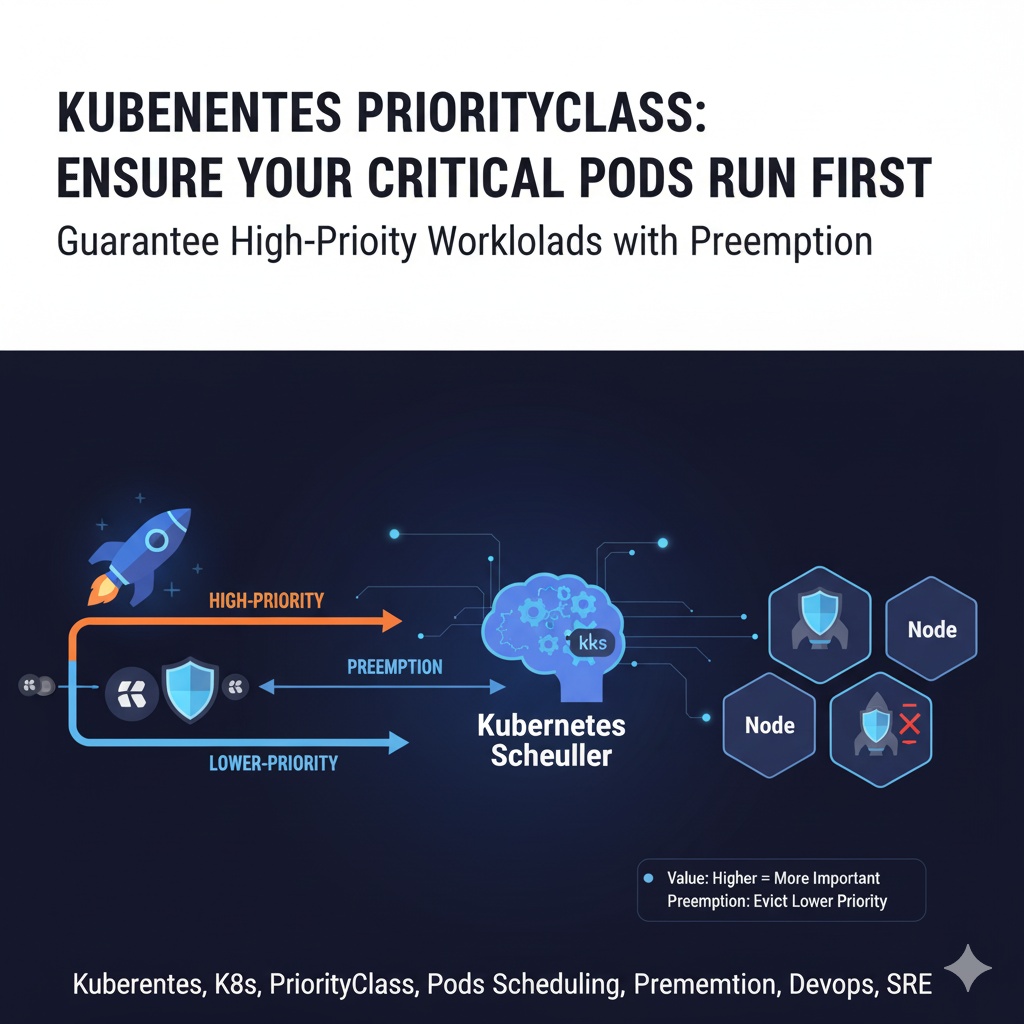
- Scheduling Priority: When resources are scarce, higher-priority pods are placed at the front of the scheduling queue before lower-priority pods.
- Preemption: If there’s no space for a more important pod to be scheduled, it can evict a less important pod that is already running on a node and take its place.
⚙️ How to Use PriorityClass: 3 Easy Steps!
The process of creating a pod with the highest priority is very simple. Just remember these 3 steps!
Step 1: Create a PriorityClass Object
First, you need to define what priority level to create. The higher the number in the value field, the higher the priority. The highest priority used by the system is typically 1 billion (1,000,000,000), so our custom priority should not be set higher than this. Here, we’ll set it to 1 million to create a very high priority class.
preemptionPolicy is set to PreemptLowerPriority to allow pods with this priority to evict lower-priority pods if there’s no space.
high-priority.yaml
apiVersion: scheduling.k8s.io/v1
kind: PriorityClass
metadata:
  name: high-priority
value: 1000000
globalDefault: false
description: "This priority class should be used for critical pods only."
preemptionPolicy: PreemptLowerPriority- value: The priority score. A larger number indicates higher priority. (Max: 1,000,000,000)
- globalDefault: If set to true, all pods that do not specify priorityClassName will be assigned this priority. It’s generally safer to keep it false and specify explicitly.
- preemptionPolicy:
- PreemptLowerPriority (default): Can preempt pods with lower priority.
- Never: Never preempts other pods.
Now, apply this YAML file to the cluster.
$ kubectl apply -f high-priority.yaml
priorityclass.scheduling.k8s.io/high-priority created
####
Step 2: Assign PriorityClass to a Pod
Now, let’s apply the high-priority class we created to an actual pod. Simply add the priorityClassName field to the pod spec and enter the name of the PriorityClass you just created.
high-priority-pod.yaml
apiVersion: v1
kind: Pod
metadata:
  name: my-critical-app
spec:
  containers:
  - name: my-app-container
    image: nginx
  priorityClassName: high-priority
Step 3: Create and Verify the Pod
Now, let’s create this pod.
$ kubectl apply -f high-priority-pod.yaml
pod/my-critical-app created
This pod has now been assigned the high-priority class. If the cluster lacks resources and this pod enters a Pending state, the Kubernetes scheduler will attempt to remove other pods with lower priority than high-priority from nodes to free up space and run the my-critical-app pod.
⚠️ Cautions and Tips
- Preemption is not free!: While preemption is a powerful feature, terminating a running pod incurs a cost. The terminated pod undergoes a normal termination procedure (termination grace period), but this can cause temporary service disruption. Therefore, high priority should only be assigned to truly essential core pods.
- Relationship with PodDisruptionBudget (PDB): Kubernetes respects PDBs during preemption. This means that if an attempt to evict a pod violates the PDB policy of the group it belongs to, preemption may fail. It’s good practice to set PDBs for critical pod groups to ensure minimum availability.
- Avoid indiscriminate use: Assigning high priority to all pods is meaningless. Priority is a relative concept. It’s crucial to identify truly important workloads and design priorities hierarchically.
✨ Conclusion
PriorityClass is a core feature that maintains order in complex and busy Kubernetes clusters and ensures the stability of critical applications. Through scheduling priority and preemption mechanisms, it guarantees that core services can run without interruption even in extreme situations with insufficient resources.
Now, you too can identify critical pods in your cluster and provide them with a robust shield using PriorityClass! 🛡️
Leave a Reply