Hello! 👋 Today, we’re going to dive deep into the Gateway API, a new standard for managing incoming traffic to Kubernetes (k8s) clusters. Have you ever felt the limitations of the existing Ingress approach and wondered how the Gateway API solves those problems and provides a better experience? Through this article, we’ll clearly explain everything from how to apply TLS certificates to the differences from Ingress, focusing on the core resources: GatewayClass, Gateway, and HTTPRoute! 🤓
🤔 Why did Kubernetes need a new traffic management approach?
As Kubernetes environments became more complex and more teams shared a single cluster, the existing Ingress approach encountered several clear limitations.
- Lack of Role Separation: Responsibilities and permissions were not clearly separated between cluster administrators and application developers. Infrastructure settings and routing rules were mixed in a single Ingress object, posing a risk that minor routing changes could affect the entire infrastructure. 😰
- Unstandardized Extensions: To use advanced features beyond basic functionality, such as traffic weight-based routing or header-based routing, different annotations had to be used for each Ingress controller (Nginx, Traefik, etc.). This led to vendor lock-in and made it difficult to port configurations to other environments.
- Limited Protocol Support: Ingress primarily focused on HTTP/HTTPS traffic, which was insufficient for handling other protocols like TCP, UDP, and gRPC.
To address these issues, the Gateway API emerged, designed to be more flexible, expressive, and role-based. 🎉
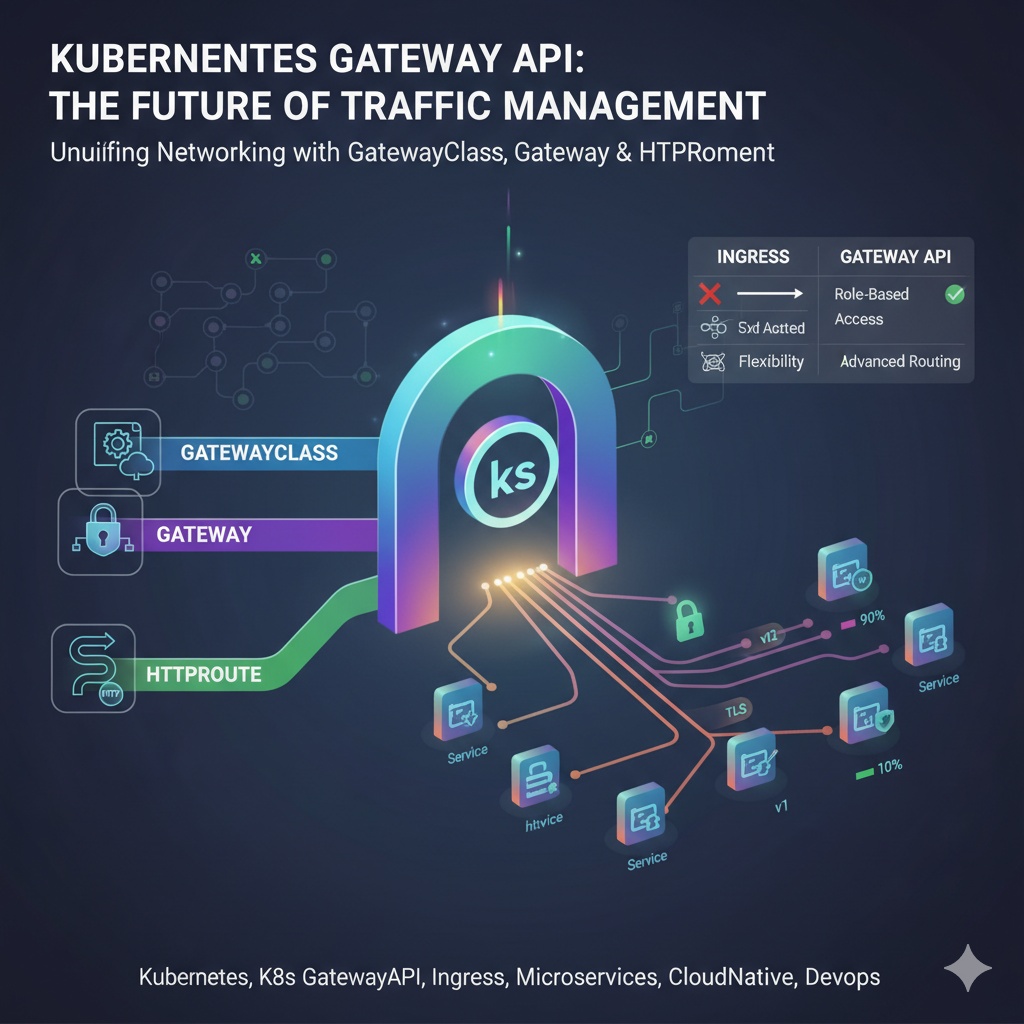
The 3 Core Elements of Gateway API: GatewayClass, Gateway, HTTPRoute
The Gateway API operates around three core resources that clearly separate roles. This is like a team working efficiently by dividing responsibilities.
| Resource | Responsible Party (Persona) | Role |
| GatewayClass | Infra Provider | A template defining what kind of load balancer to use (e.g., AWS LB, GCP LB, Nginx) |
| Gateway | Cluster Operator | Uses GatewayClass to create an actual load balancer instance, defining which ports and protocols to use, and which routing rules to allow |
| HTTPRoute | App Developer | Connects to a Gateway to define detailed routing rules for where to send traffic coming in on specific hostnames or paths |
This role separation allows each responsible party to focus solely on their area of responsibility, significantly improving stability and security.
1. GatewayClass: The Blueprint for Load Balancers 📜
GatewayClass is a cluster-wide resource that defines which controller will manage gateways. You can use a cloud provider’s load balancer or specify a controller like Nginx or Istio installed directly within the cluster.
YAML Example:
apiVersion: gateway.networking.k8s.io/v1
kind: GatewayClass
metadata:
  name: my-gateway-class
spec:
controllerName: example.com/gateway-controller- controllerName: Specifies the name of the controller that will implement and manage this GatewayClass.
2. Gateway: The Entrance for Traffic 🚪
A Gateway references a GatewayClass to create an actual load balancer instance. Cluster operators use this resource to configure ports, protocols, and TLS certificates to accept external traffic.
YAML Example (including TLS certificate):
apiVersion: gateway.networking.k8s.io/v1
kind: Gateway
metadata:
  name: my-gateway
  namespace: my-app-ns
spec:
  gatewayClassName: my-gateway-class
  listeners:
  - name: https-listener
    protocol: HTTPS
    port: 443
    hostname: "example.com"
    tls:
      mode: Terminate
      certificateRefs:
      - name: example-com-tls-secret # Secret storing TLS certificate and private key
        kind: Secret
    allowedRoutes:
      namespaces:
        from: Selector
        selector:
          matchLabels:
expose: "true"- gatewayClassName: Specifies the GatewayClass to use.
- listeners: Defines the ports and protocols to receive traffic.
- hostname: Can restrict traffic processing to specific hostnames.
- tls.certificateRefs: References a Secret containing the TLS certificate to be used for HTTPS communication. mode: Terminate means that the TLS connection will be terminated at this gateway, and unencrypted HTTP communication will occur between the gateway and internal Pods.
- allowedRoutes: Enhances security by restricting which Routes (e.g., HTTPRoute) can connect to this gateway via namespace labels.
3. HTTPRoute: The Smart Traffic Cop 👮
Application developers use HTTPRoute to define in detail how traffic entering a Gateway should be handled. This allows for sophisticated control such as path-based routing, header-based routing, and weighted traffic splitting (canary deployments).
YAML Example (weighted traffic splitting):
apiVersion: gateway.networking.k8s.io/v1
kind: HTTPRoute
metadata:
  name: my-app-route
  namespace: my-app-ns
  labels:
    expose: "true" # Must match the Gateway's allowedRoutes selector
spec:
  parentRefs:
  - name: my-gateway # Specify the parent Gateway to connect to
    namespace: my-app-ns
  hostnames:
  - "example.com"
  rules:
  - matches:
    - path:
        type: PathPrefix
        value: /
    backendRefs:
    - name: my-app-v1 # Service name
      port: 80
      weight: 90
    - name: my-app-v2 # New version of the service
      port: 80
weight: 10- parentRefs: Specifies the parent Gateway to which this routing rule applies.
- hostnames: Explicitly states the hostnames to which this rule applies.
- rules: Defines the actual routing rules. The example above is a canary deployment scenario that sends 90% of traffic coming to example.com/ to the my-app-v1 service and 10% to the my-app-v2 service.
Gateway API vs Ingress: What’s the Difference?
| Feature | Ingress | Gateway API |
| Role Separation | ❌ None (single resource) | ✅ Clear (GatewayClass, Gateway, Route) |
| Portability | ⚠️ Low (vendor-specific annotations) | ✅ High (standardized fields) |
| Expressiveness | ⚠️ Limited (path/host-based) | ✅ Excellent (headers, weights, filters, etc.) |
| Protocols | HTTP, HTTPS | HTTP, HTTPS, TCP, UDP, gRPC, TLS |
| Permission Model | ⚠️ Requires broad permissions | ✅ Role-based fine-grained permission control |
| Cross-Namespace | ⚠️ Limited and risky | ✅ Provides a secure reference model (ReferenceGrant) |
The biggest difference is the role-based architecture. The Gateway API clearly separates the responsibilities of infrastructure providers and application developers, providing a strong foundation for multiple teams to safely and independently share a single cluster. Developers no longer need to worry about infrastructure details and can focus solely on their application routing.
✨ Conclusion: Prepare for the Future Standard!
The Gateway API is not just a replacement for Ingress. It’s an evolution that changes the paradigm of Kubernetes networking. Through its flexible and extensible role-based architecture, it makes traffic management in complex microservice environments much safer and more efficient.
Even if you are still using Ingress, it is clear that the Gateway API will become the standard in the future. Start understanding the concepts of the Gateway API now and consider how you can apply it to your cluster! Your Kubernetes journey will advance to the next level. 🌟
Tags: Kubernetes, Gateway API, Ingress, GatewayClass, Gateway, HTTPRoute, MSA, DevOps, Cloud Native
Leave a Reply