For those new to Kubernetes, Kubernetes Dashboard was a familiar tool. It was a good starting point for users unfamiliar with kubectl, allowing them to check Pod and Deployment status on a web interface, view logs, or modify YAML.
However, the situation has changed. The official Kubernetes documentation now explicitly states that the Dashboard is deprecated and unmaintained, meaning it’s a project slated for discontinuation and no longer actively maintained. The project repository was also archived on January 21, 2026, becoming read-only.
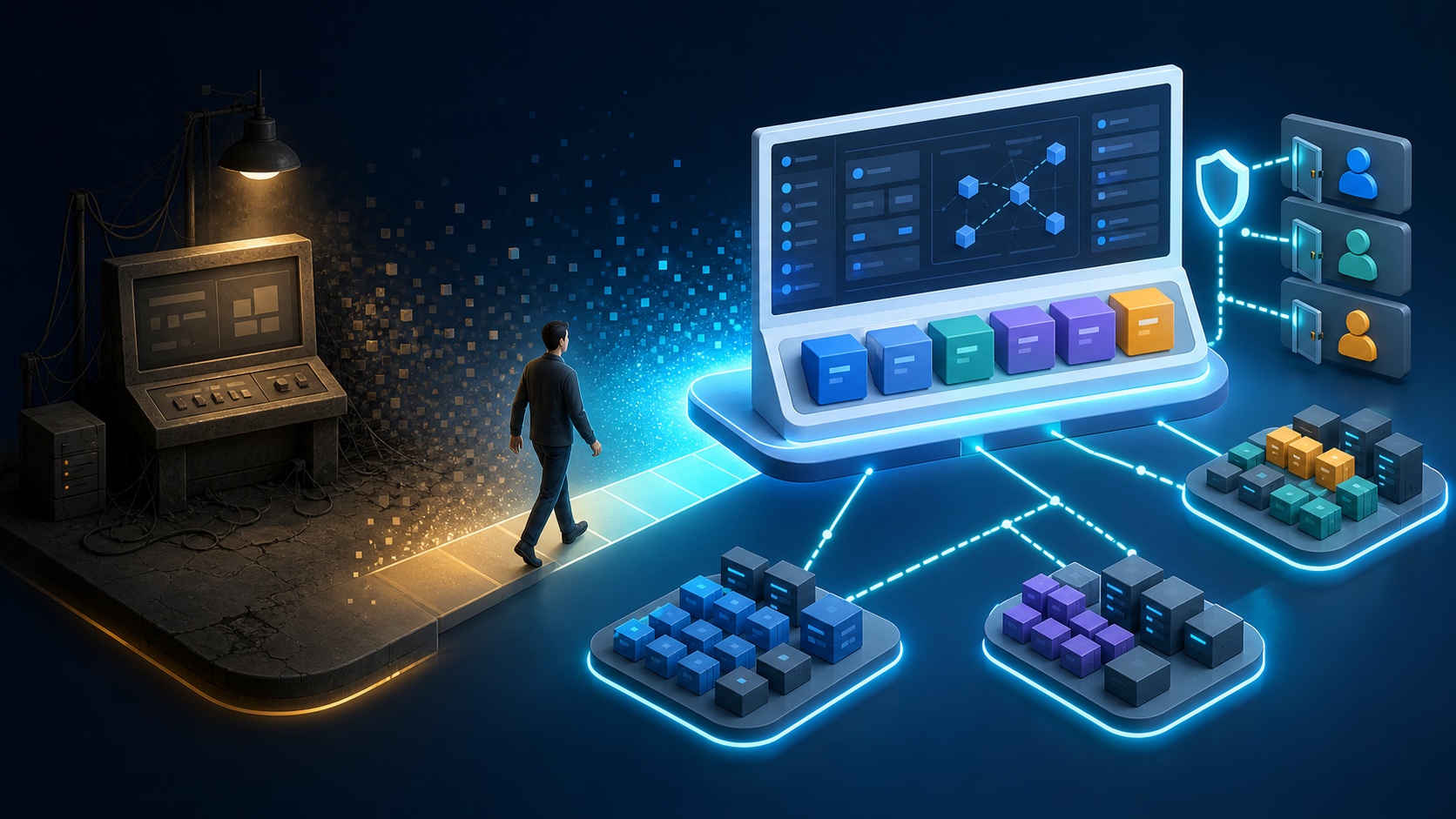
The tool recommended by the official documentation as an alternative for new installations is Headlamp. Headlamp is not just a re-creation of the old Dashboard interface; it’s a modern Kubernetes UI that supports multi-cluster management, plugins, desktop execution, and in-cluster deployment.
This article outlines what the deprecation of Dashboard means for production environments, what improvements Headlamp offers, and how to design authentication and RBAC during the actual transition process.
What Happened to Kubernetes Dashboard?
The official Kubernetes Dashboard documentation now clearly states the following:
Kubernetes Dashboard is deprecated and unmaintained.
This doesn’t just mean that new features will be added slowly. With the repository archived and active maintenance ceased, it means that compatibility with new Kubernetes versions, responses to security vulnerabilities, and dependency updates are unlikely.
| Category | Current Status |
|---|---|
| Kubernetes Dashboard Documentation | Explicitly stated as deprecated and unmaintained |
| GitHub Repository | Archived on January 21, 2026, read-only |
| Recommendation for New Installations | Consider Headlamp |
| Existing Installations | Plan migration after assessing current usage, rather than immediate discontinuation |
Deprecation does not immediately mean all existing installations will stop working. Existing Dashboard Pods and Services may continue to run. However, over time, the burden of having an unsupported management interface connected to the cluster API increases.
Specifically, Dashboard can provide sensitive functionalities such as:
- Cluster resource viewing
- YAML creation and modification
- Pod log viewing
- Executing commands inside Pods
- Accessing configuration resources, including Secrets
- Scaling and restarting Deployments
Exposing an unmaintained UI with a highly privileged ServiceAccount is not a good operational choice.
Why Kubernetes Dashboard Reached Its Limits
Kubernetes Dashboard started as a simple web UI running within a single cluster. While sufficient for small-scale lab environments, its limitations became clear as Kubernetes operational practices evolved.
Single-Cluster View Architecture
Dashboard is typically installed separately for each cluster. If you have multiple development, staging, and production clusters, you’ll end up managing separate Dashboard URLs and authentication tokens for each.
As the number of clusters increases, the following issues arise:
- Need to deploy and upgrade Dashboard for each cluster
- Managing multiple URLs and Ingress policies
- Duplication of ServiceAccounts and RoleBindings
- User confusion about which cluster they are currently viewing
- Difficulty comparing resources across environments
Inconvenient Bearer Token-Centric Login
Dashboard was primarily used by entering a ServiceAccount’s Bearer Token to log in. While simple, in an organizational environment, issuing, distributing, storing, and revoking tokens can be cumbersome.
For convenience, sharing long-lived tokens or cluster-admin privileged accounts increases security risks. Tokens might also be left in browser history, messengers, documents, or terminal outputs.
Fixed UI, Difficult to Extend
Modern Kubernetes platforms are not sufficient with just displaying basic resources.
- Deployment status of Argo CD and Flux
- Prometheus metrics
- Security results from Trivy and Kubescape
- OpenCost cost information
- KubeVirt virtual machines
- Organization-specific CRDs and operational workflows
Dashboard struggled to extend these tools into a unified user experience.
What is Headlamp?
Headlamp is an easy-to-use and extensible Kubernetes Web UI. It is currently being developed as an official Kubernetes sub-project under Kubernetes SIG UI.
Headlamp can be run in two forms:
| Execution Method | Connection Method | Suitable Use Cases |
|---|---|---|
| Desktop App | User’s kubeconfig | Individual operators, multiple clusters, quick adoption |
| In-cluster Web UI | ServiceAccount or OIDC | Team common UI, central URL, organizational authentication integration |
The desktop app does not require deploying the UI within the cluster. It allows users to switch between multiple clusters registered in their existing kubeconfig from a single application.
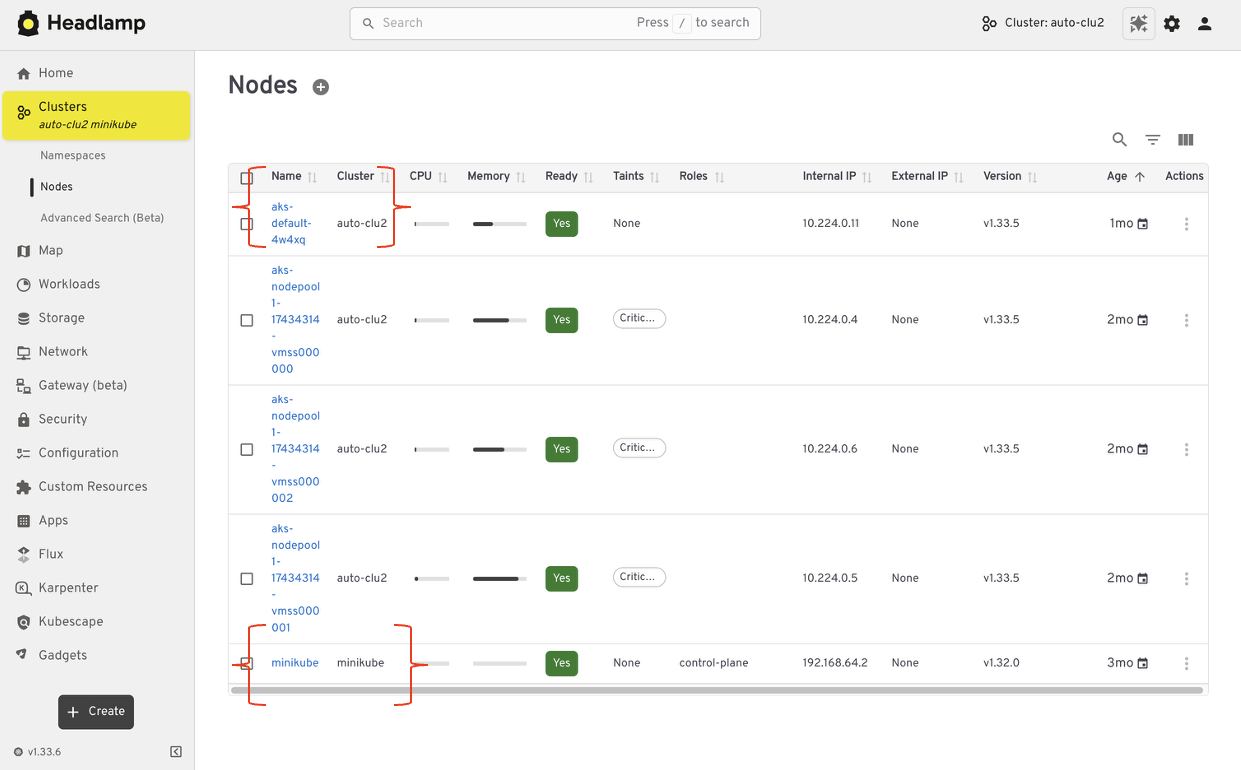
Figure: Flow extending from single-cluster-centric Dashboard to multi-cluster Headlamp · Source: Kubernetes Official Transition Document (CC BY 4.0)
The in-cluster method involves deploying Headlamp in Kubernetes, similar to Dashboard, and accessing it via a browser. This is suitable when you want to provide a common URL for a team or integrate OIDC login.
Dashboard vs. Headlamp Comparison
| Item | Kubernetes Dashboard | Headlamp |
|---|---|---|
| Project Status | Deprecated, repository archived | Actively developed Kubernetes SIG UI project |
| Deployment Method | In-cluster | Desktop or In-cluster |
| Multi-cluster | Separate access per cluster | kubeconfig-based switching on desktop |
| Authentication | Primarily ServiceAccount token | kubeconfig, token, client certificate, OIDC |
| Authorization Control | Kubernetes RBAC | Kubernetes RBAC |
| Extensibility | Limited | Plugin support |
| Application Perspective | Resource-centric | Extended perspectives like Projects and Map View |
| Ecosystem Integration | Limited | Plugins for Flux, Prometheus, Trivy, OpenCost, etc. |
Headlamp does not create a separate authorization system. The resources a user can view and the operations they can perform follow the results of Kubernetes API’s RBAC.
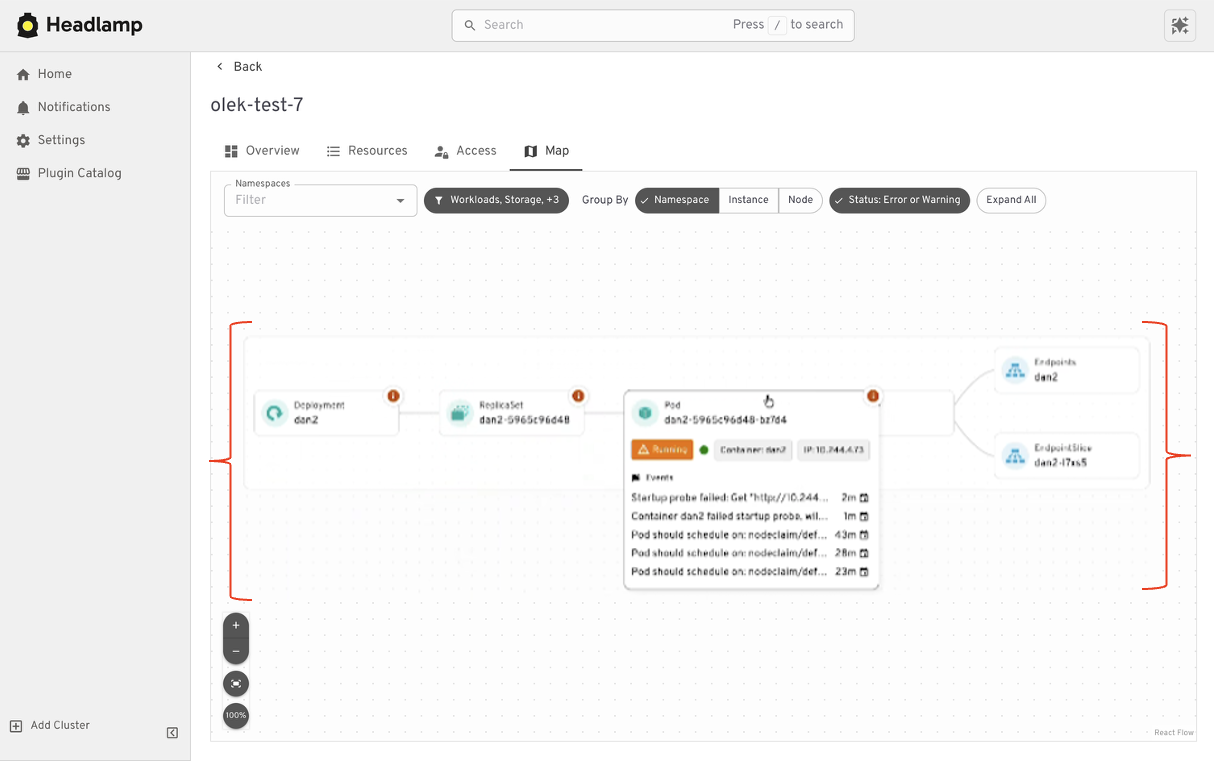
Figure: Headlamp Map View visualizing workload and service relationships · Source: Kubernetes Official Transition Document (CC BY 4.0)
This point is crucial:
Installing Headlamp does not inherently make permissions secure; rather, the security is determined by what authentication information and RBAC permissions are connected to Headlamp.
Simplest Transition: Headlamp Desktop App
For environments used by individual operators or platform engineers, the desktop app is the simplest option.
On macOS, you can install it with Homebrew.
brew install --cask headlampOn Windows, you can use WinGet.
winget install headlampOn Linux, a Flatpak package is provided.
flatpak install flathub io.kinvolk.HeadlampThe Headlamp desktop app reads the user’s kubeconfig by default. If you use multiple kubeconfigs, you can specify them with the KUBECONFIG environment variable.
KUBECONFIG=~/.kube/dev:~/.kube/staging:~/.kube/prod headlampThe advantages of the desktop approach are as follows:
- No need to deploy a new Web UI to the cluster
- No Ingress or public Service required
- Reuses existing kubeconfig and user authentication
- Switch between multiple clusters on one screen
- Applies each user’s Kubernetes permissions as-is
On the other hand, you need to manage the security of the user’s PC’s kubeconfig and app deployment/updates. For the purpose of providing a common operational interface, the in-cluster method might be more suitable.
Team Common UI: In-cluster Installation with Helm
Add the official Headlamp Helm repository.
helm repo add headlamp https://kubernetes-sigs.github.io/headlamp/
helm repo update
Create a separate Namespace and install Headlamp.
kubectl create namespace headlamp

helm upgrade --install headlamp headlamp/headlamp
  --namespace headlamp
Check the Pod and Service status.
kubectl get pods,svc -n headlampWhen testing features for the first time, it’s safer to use port-forward rather than exposing it externally.
kubectl port-forward -n headlamp svc/headlamp 8080:80Access it in your browser at the following address:
http://127.0.0.1:8080In a production environment, do not expose Helm default values as-is; configure Ingress, TLS, authentication, NetworkPolicy, and resource limits according to organizational standards.
Considerations Before Creating a cluster-admin Token
The official Headlamp installation documentation shows how to connect cluster-admin to a ServiceAccount as a quick test example. While convenient for feature verification, it should not be used as the default design for production environments.
The following configuration has powerful privileges:
kubectl create serviceaccount headlamp-admin -n headlamp

kubectl create clusterrolebinding headlamp-admin
  --serviceaccount=headlamp:headlamp-admin
  --clusterrole=cluster-admin

kubectl create token headlamp-admin -n headlamp
If this token is exposed, the entire cluster can be controlled. If you simply rename and transfer the cluster-admin token used in Dashboard to Headlamp, the UI will be replaced, but the security issues will remain.
The following principles are necessary in a production environment:
- Use individual identities for each person.
- Log in with organizational accounts via OIDC if possible.
- Define Role·ClusterRole appropriate for Namespace and job function.
- Separate read-only users from users with modification privileges.
- Separately review Secret viewing and Pod exec permissions.
- Minimize the use of shared ServiceAccount tokens.
- Enable tracking of user-specific actions in audit logs.
Example Starting with Read-Only Permissions
If you need an account that can view the entire cluster but cannot make changes, you can utilize the default Kubernetes view ClusterRole.
kubectl create serviceaccount headlamp-viewer -n headlamp

kubectl create clusterrolebinding headlamp-viewer
  --serviceaccount=headlamp:headlamp-viewer
  --clusterrole=view

kubectl create token headlamp-viewer -n headlamp
However, the view permission is not suitable for all organizations as-is. If only specific Namespaces should be visible, use Namespace-scoped RoleBinding instead of ClusterRoleBinding.
kubectl create rolebinding headlamp-team-a-view
  --namespace team-a
  --clusterrole view
  --serviceaccount headlamp:headlamp-viewer
Verify actual permissions with kubectl auth can-i before deployment.
kubectl auth can-i --list
  --as system:serviceaccount:headlamp:headlamp-viewer
Also check for specific high-risk operations separately.
kubectl auth can-i get secrets
  --all-namespaces
  --as system:serviceaccount:headlamp:headlamp-viewer

kubectl auth can-i create pods/exec
  --all-namespaces
  --as system:serviceaccount:headlamp:headlamp-viewer
Do not just check if buttons are hidden in the UI; you must verify that the Kubernetes API actually denies the operations.
What are the Benefits of Integrating OIDC?
If your team uses an in-cluster Headlamp, integrating OIDC is highly worthwhile.
Using OIDC allows you to create the following operational model:
사용자
  → 조직 Identity Provider
  → Headlamp
  → Kubernetes API
  → 사용자·그룹 기반 RBAC
The advantages are clear:
- No need to pass shared tokens
- Handle resignations and department transfers from a central account
- Map users and groups to Kubernetes RBAC
- Distinguish human identities in audit logs
- Enable MFA and conditional access policies
For OIDC configuration, the Redirect URI, Client ID, Client Secret storage method, and Kubernetes API Server’s OIDC settings must be aligned. If the Headlamp URL changes, the Redirect URI must also be updated.
Headlamp Plugins: A Benefit and a New Supply Chain Boundary
A major differentiator for Headlamp is its plugins. It allows integrating not only basic Kubernetes resources but also tools used by your organization into the UI.
The official documentation and project materials introduce the following ecosystem integrations:
- Flux
- Prometheus
- Trivy
- Kubescape
- OpenCost
- KubeVirt
- Backstage
Plugins significantly improve the operational experience but also expand the trust boundary.
- Plugin source and maintenance status
- Requested Kubernetes permissions
- Data accessed by the frontend
- External API and network communication
- Version compatibility and update procedures
- Package integrity and supply chain security
Before installing plugins, you should review their source, release signatures, permissions, and network behavior. It’s best not to add plugins indiscriminately if they are not used.
Realistic Steps for Migrating from Dashboard to Headlamp
There’s no need to immediately delete the existing Dashboard upon installing the new UI. It’s safer to run them in parallel for a period, comparing core functionalities and permissions.
Step 1: Investigate Current Dashboard Usage
- Who uses Dashboard?
- Which Namespaces and clusters are accessed?
- Which features are used among logs, exec, and YAML modification?
- Which ServiceAccounts and RoleBindings are connected?
- Are there Ingress and external access paths?
Step 2: Choose Headlamp Execution Method
| Requirement | Recommended Starting Point |
|---|---|
| Individual operator managing multiple clusters | Desktop App |
| Team requires a common URL | In-cluster |
| Organizational account and MFA integration | In-cluster + OIDC |
| Don’t want to add UI to the cluster | Desktop App |
| Integrate platform features with plugins | Both methods can be considered |
Step 3: Verify Functionality with Minimum Privileges
- Resource list and detailed information
- Logs and events
- YAML viewing and modification
- Pod exec
- Namespace switching
- Multi-cluster switching
- Custom Resource display
- Required plugins
Each feature should be tested with both authorized users and users who should be denied access.
Step 4: Secure Headlamp Access Path
- Use a separate host with TLS applied
- Apply OIDC or approved authentication methods
- Minimize exposure to the public internet
- NetworkPolicy and firewall restrictions
- Review CSP and security headers
- Audit access and modification operations
- Pin Helm Chart and image versions
Step 5: Remove Dashboard
After completing key tasks and permission verification with Headlamp, remove the existing Dashboard.
If installed with Helm, you can delete it as follows:
helm uninstall kubernetes-dashboard
  -n kubernetes-dashboard
Check for remaining resources.
kubectl get all,sa,role,rolebinding
  -n kubernetes-dashboard
Also check for Dashboard-specific ClusterRoleBindings.
kubectl get clusterrolebinding
  -o custom-columns='NAME:.metadata.name,SERVICE_ACCOUNTS:.subjects[*].name'
  | grep -i dashboard
Do not automatically delete all resources found here. Verify if other tools share these permissions, then remove only Dashboard-specific resources.
Headlamp Is Not the Answer to Every Situation
Headlamp is a natural alternative suggested by the official Kubernetes documentation, but it is not a platform that solves all operational requirements.
In the following cases, it should be used in conjunction with other tools:
- Declarative deployment and change history: Argo CD, Flux
- Metrics and alerts: Prometheus, Grafana
- Log search: Loki, OpenSearch, Elasticsearch
- Cost analysis: OpenCost
- Security posture management: Trivy, Kubescape, etc.
- Developer self-service portal: Backstage
Headlamp is closer to a UI for exploring the Kubernetes API and investigating issues. Its role becomes overly broad if it’s considered a replacement for monitoring, GitOps, cost, and security tools.
Transition Checklist
| Area | Check Item |
|---|---|
| Project Status | Reflect Dashboard’s deprecated/archived status in operational documentation |
| Installation Method | Choose between desktop and in-cluster based on purpose |
| Authentication | Prioritize individual identities and OIDC over shared tokens |
| RBAC | Prohibit default use of cluster-admin, verify minimum privileges |
| Network | Review TLS, Ingress, NetworkPolicy, and external exposure |
| Functionality | Test logs, events, YAML, exec, CRD, and multi-cluster |
| Plugins | Review source, permissions, updates, and supply chain risks |
| Removal | Clean up Dashboard-specific ServiceAccounts and Bindings |
| Operations | Establish Headlamp version, image, and Chart update procedures |
Conclusion: An Opportunity to Redesign Access Permissions, Not Just Replace the UI
The deprecation of Kubernetes Dashboard is not just news about a UI replacement. It’s an operational signal that requires deciding whether to continue connecting an unmaintained management UI to the cluster API.
Headlamp offers desktop and in-cluster execution, multi-cluster capabilities, OIDC, and plugin extensibility, demonstrating a suitable direction for Kubernetes UIs post-Dashboard.
However, the core of the transition is not merely the command to install Headlamp.
Instead of simply transferring the cluster-admin token used in Dashboard to Headlamp, you must redesign user-specific authentication and least-privilege RBAC.
Individual operators can start small with the desktop app and existing kubeconfig. If a common UI for the team is needed, consider in-cluster deployment and OIDC. After parallel verification of key functionalities and permissions, the transition can be completed by cleaning up Dashboard-specific ServiceAccounts, RoleBindings, and external access paths.
Leave a Reply