When developing Backstage plugins, you often find yourself wondering, “This TypeScript interface used in the frontend, I need it exactly the same in the backend, what should I do?”
Duplicating code between two packages not only violates the DRY (Don’t Repeat Yourself) principle but also becomes a major cause of runtime errors when only one side is modified. We’re now revealing the ‘common library package’ approach recommended by the Backstage maintenance team! 🛠️
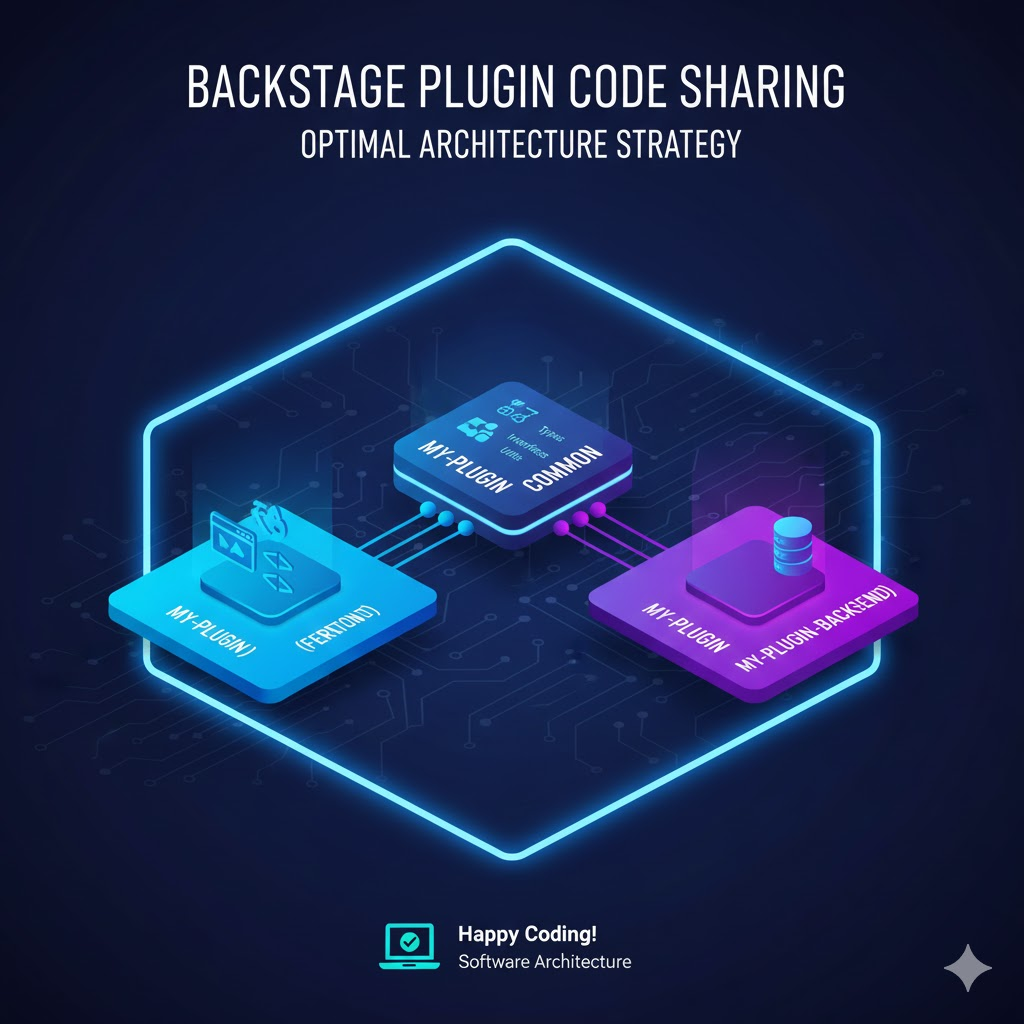
1. Recommended Solution: Separate Common Package 📦
In the Backstage architecture, if there’s code that both the frontend (-frontend) and backend (-backend) need to reference, the standard practice is to create a separate Common Package.
Typically, the following naming conventions are used:
- Frontend: plugins/my-plugin
- Backend: plugins/my-plugin-backend
- Common: plugins/my-plugin-common ✨
2. Why do this? (Benefits Analysis) 💡
- Type Safety: By defining and sharing API request/response structures as interfaces, you can ensure that data specifications between the frontend and backend always match.
- Bundle Size Optimization: Prevents backend-specific libraries from being included in the frontend bundle.
- Prevent Circular References: Maintains a clean dependency structure, preventing situations where the frontend references the backend or vice versa. 🛡️
3. What to include in the Common Package 📂
The following types of code are typically frequent guests in the common package:
- API Entities and Interfaces: The shape of JSON data exchanged between the server and client.
- Permission Definitions: Permission objects used in the Backstage permission system.
- Constants: Plugin IDs, specific error codes, routing paths, etc.
- General Utilities: Pure functions for date calculations, string processing, etc., that are independent of the environment (Node.js vs Browser).
4. In Practice! Step-by-Step Setup Guide 🛠️
Step 1: Create the Package
Use the Backstage CLI to create a new common package, or create a plugins/my-plugin-common directory by mimicking an existing structure.
Step 2: package.json Configuration
This package should have an appropriate name and metadata so it can be imported anywhere.
Step 3: Add Dependencies
Add the common package we created to the package.json of both the frontend and backend.
JSON
// plugins/my-plugin/package.json (Frontend)
"dependencies": {
  "@internal/backstage-plugin-my-plugin-common": "workspace:^"
}

// plugins/my-plugin-backend/package.json (Backend)
"dependencies": {
  "@internal/backstage-plugin-my-plugin-common": "workspace:^"
}
5. Caution: Balance Between Browser and Node ⚖️
The most important thing to watch out for when writing a common package is “environment neutrality”.
- Forbidden: Using Node.js-specific modules like fs, path (causes errors in the frontend)
- Forbidden: Using browser-specific APIs like window, document (causes errors in the backend)
- Recommended: Use only pure TypeScript code and general-purpose libraries that are environment-agnostic.
🏁 Wrapping Up
As the complexity of Backstage plugins increases, the value of a common package shines. This strategy, which reduces code duplication and enhances type safety, is a key secret for large platform teams to operate Backstage stably. 🌟
If you’re developing a plugin now, why not introduce a common package today?
Tags: Backstage, PluginDevelopment, CodeSharing, TypeScript, Architecture, Frontend, Backend, SoftwareEngineering
Leave a Reply