Hello! This is the fourth installment in the Kyverno series, the sophisticated architect of cluster security. 👷♀️
In the last session, we clearly understood the differences between Policy and ClusterPolicy. Now, let’s dive deep into the most crucial blocks for defining “which resources, under what conditions, this policy will apply to?” when writing policies: Match and Exclude.
The accuracy and efficiency of your policies depend on how well you utilize these blocks. Invest just 10 minutes today and become a master of Kyverno policy writing! 🚀
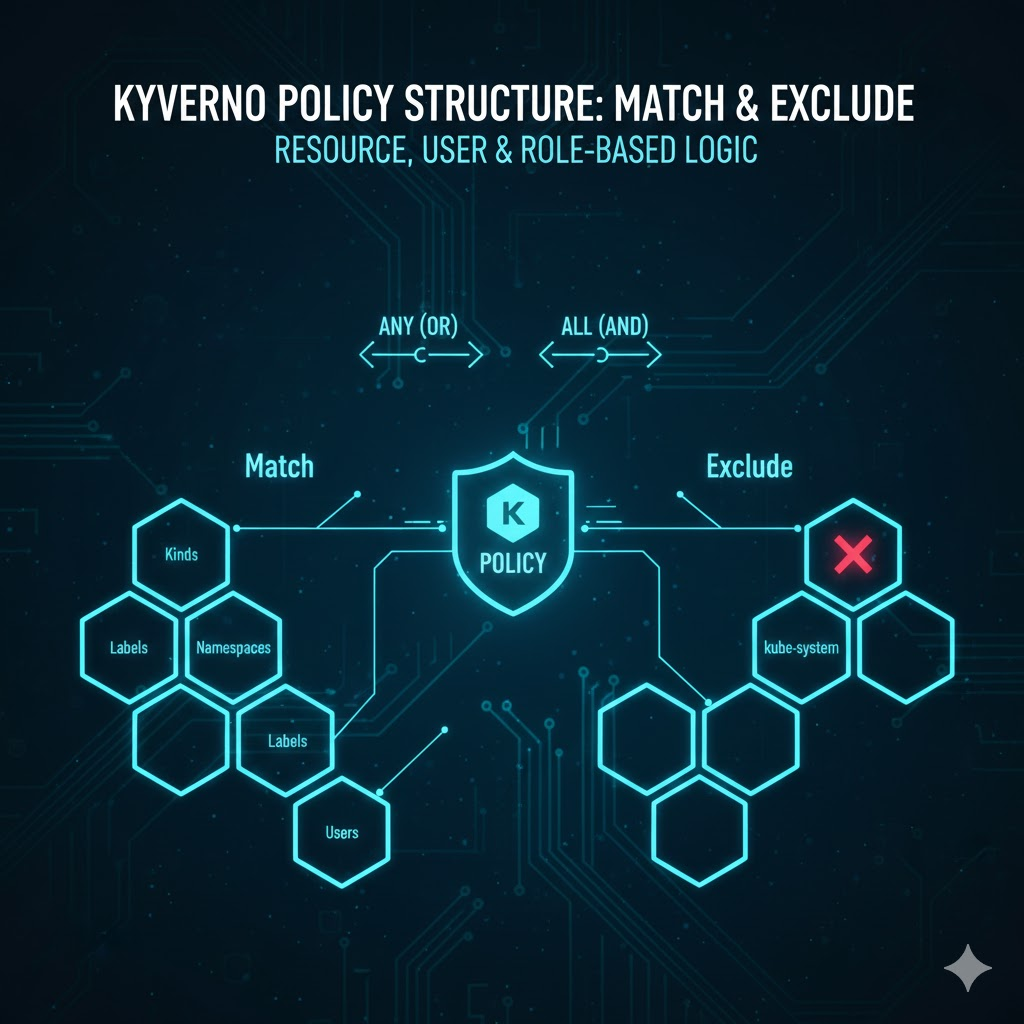
🏗️ 1. Match and Exclude Blocks: The Policy’s Aiming Sight 🎯
Match and Exclude act as filters that determine which resources a Kyverno policy will apply to (Match) and which resources to exclude (Exclude). Both have the same structure and are defined under spec.rules of a policy.
🔹 Match Block (Inclusion Conditions)
Defines the conditions for resources to which the policy will apply. All specified conditions must match for the policy to be triggered.
🔸 Exclude Block (Exclusion Conditions)
Even if a resource matches the Match conditions, if it also matches the Exclude conditions, it will be excluded from policy application. This is useful for handling specific exceptions.
💻 2. Resource-based Match / Exclude: The Most Basic Filtering
This is the most commonly used filtering method, based on resource type, name, namespace, labels, etc.
① kinds: Specify Resource Types 📦
Explicitly states which types of Kubernetes resources the policy applies to.
- Pod, Deployment, ConfigMap, Secret, etc.
② names: Specify Resource Names 📛
Used to apply or exclude policies only to resources with specific names.
- Wildcards ( extit) can be used (e.g., test- extit)
③ namespaces: Specify Namespaces 🏘️
Used to apply or exclude policies only to resources within specific namespaces.
- Essential for excluding important system namespaces like kube-system!
④ labelSelector: Label-based Filtering 🏷️
Filters based on labels attached to resources.
⑤ annotationSelector: Annotation-based Filtering 📝
Filters based on annotations attached to resources.
Resource-based Filtering Example in Code
YAML
# Example: Among Pods named "nginx" in the "production" namespace,
#       apply policy excluding Pods with "env: dev" label
rules:
- name: example-policy
  match:
    any:
    - resources:
        kinds: ["Pod"]
        namespaces: ["production"]
        names: ["nginx-*"]
  exclude:
    any:
    - resources:
        labelSelector:
          matchLabels:
            env: dev
👥 3. User and Role-based Match / Exclude: Actor-based Filtering
Applies policies based on which user, service account, or group creates resources.
① users: Specify Specific Users 🧑💻
Based on specific users (e.g., kubernetes-admin) or service accounts (e.g., system:serviceaccount:default:default).
② roles: Role-based Specification 🎭
Based on users with specific Roles or ClusterRoles.
③ clusterRoles: ClusterRole-based Specification 👑
Based on users with cluster-wide ClusterRoles.
User / Role-based Filtering Example in Code
YAML
# Example: Exclude policy for resources created by "kube-admin" user
#       (Administrator exception handling)
rules:
- name: exclude-admin-user
  exclude:
    any:
    - subjects:
      - kind: User
        name: kube-admin
    - subjects:
      - kind: Group # Kubernetes Group (ex: system:masters)
        name: system:masters
🤝 4. Handling Complex Logic with Any and All Operators
When combining multiple conditions within Match and Exclude blocks, Any and All operators are used. These are equivalent to the OR and AND concepts in logical operations.
🔹 Any: OR Condition (True if at least one is true)
If at least one of the conditions listed under any matches, the entire any block becomes True.
YAML
# Example: Match if any of "production" OR "staging" namespaces match
match:
  any:
  - resources:
      namespaces: ["production"]
  - resources:
      namespaces: ["staging"]
🔸 All: AND Condition (True if all are true)
If all the conditions listed under all match, the entire all block becomes True.
YAML
# Example: Match resources that are "Pod" AND have "app=nginx" label
match:
  all:
  - resources:
      kinds: ["Pod"]
  - resources:
      labelSelector:
        matchLabels:
          app: nginx
💡 Mixed Use of Any and All
You can nest these two operators to create complex conditions.
YAML
# Example: Resources in "production" namespace that are "Pod" OR "Deployment"
match:
  all: # AND condition
  - resources:
      namespaces: ["production"]
  - any: # OR condition
    - resources:
        kinds: ["Pod"]
    - resources:
        kinds: ["Deployment"]
🛡️ Comprehensive Kyverno Policy Example (ClusterPolicy)
This policy contains complex logic that 1) blocks the creation of Pods without specific labels across the entire cluster, but 2) exempts resources created by administrator groups, in specific namespaces, or with specific labels.
YAML
apiVersion: kyverno.io/v1
kind: ClusterPolicy
metadata:
  name: comprehensive-pod-security
  annotations:
    policies.kyverno.io/title: "Match, Exclude, and Complex Logic Example"
    policies.kyverno.io/description: "Example policy using any/all logic with resource and subject filters."
spec:
  # 'Enforce' immediately blocks creation upon rule violation.
  validationFailureAction: Enforce
  # Performs background scans even for already running resources.
  background: true
  rules:
  - name: check-team-and-env-labels
    # [Match block] Policy application target settings
    match:
      all: # All of the following conditions must be met (AND)
      - resources:
          kinds:
          - Pod
      - any: # At least 'one' of the following conditions must be met (OR)
        - resources:
            namespaces:
            - production
            - staging

    # [Exclude block] Policy exclusion target settings
    exclude:
      any: # If 'any' of the following conditions apply, policy application is excluded (OR)
      - subjects:
        - kind: Group
          name: system:masters # Cluster administrator group exception
      - resources:
          namespaces:
          - kube-system
          - kyverno
          - "test-*" # Exclude all namespaces starting with 'test-'
          labelSelector:
            matchLabels:
              allow-unlabeled: "true" # Exception if a specific label exists

    # [Validate block] Actual validation rules
    validate:
      message: "The labels 'team' and 'env' are mandatory for production/staging pods."
      pattern:
        metadata:
          labels:
            team: "?*" # 'team' label must exist
            env: "?*"  # 'env' label must exist
📋 Detailed Code Analysis (Logic Breakdown)
- Match – All & Any Combination:
- kinds: [Pod] (AND) namespaces: [production, staging]
- This means only Pods created in the production OR staging namespaces are subject to this policy.
- Exclude – Various Exception Handling:
- Permission-based: When a user with
system:mastersprivileges (administrator) creates a resource, this rule is ignored. - Namespace-based: Core system namespaces like
kube-system,kyverno, and test namespaces liketest-*are not checked. - Label-based: If a specific Pod explicitly has the label
allow-unlabeled: "true", it is considered an exception.
- Validate – Pattern Matching:
?*: In Kyverno, this wildcard means “a non-empty string must exist.”
🚀 How to Test
To verify that this policy works correctly, try creating the following two files:
- Failure Case: Attempt to deploy a Pod in the production namespace without a
teamlabel → Creation blocked - Success Case 1: Deploy a Pod in the production namespace including
team: dev, env: prodlabels → Creation successful - Success Case 2: Deploy a Pod in the test-zone namespace without labels → Successful because it’s an Exclude target
- Success Case 3: Deploy without labels with administrator privileges → Successful because it’s an Exclude target
##
##
🚀 5. Practical Tips for Operators (Best Practices)
- Clear Scope Definition: Write Match conditions as specifically as possible so that policies apply only to necessary resources. Too broad a scope can lead to unexpected side effects.
- kube-system Exclusion is Essential: Always use the Exclude block to exempt cluster system-related namespaces such as Kyverno, kube-system, and kube-public from policy application. Failure to do so could potentially halt the entire cluster.
- Administrator Exception Handling: It is convenient to use
exclude.subjectsto exempt cluster administrators (e.g.,system:mastersgroup) from certain policies. - Check background: true: When changing Match conditions, don’t forget the
background: truesetting to check if the policy applies to already deployed resources.
🌟 Conclusion
Today, we thoroughly analyzed the core aiming sights of Kyverno policies, the Match and Exclude blocks, and learned how to create complex conditions using the Any and All operators.
If you can master these blocks, you will gain a powerful ability to precisely apply desired security rules to specific parts of your cluster. 💪
Next time, we will explore how to create more dynamic and flexible policies using “Variables: Referencing Admission Review and ConfigMap Data”. Feel free to leave any questions in the comments! 😊
Leave a Reply