Imagine a situation where you need to deploy a new v2 version with added features to users. 🧐 What if you send all traffic to v2 at once? A terrible situation could arise where all users are affected if an unexpected bug occurs. 😱
To solve this problem, we use strategies like Canary Deployment and Blue/Green Deployment. This involves sending only a specific user group or a portion of traffic to the new version to verify stability.
In a Kubernetes environment, using Istio, a leading service mesh, allows you to control this process very elegantly and powerfully. Today, we’ll delve into how Istio sends traffic to specific versions of services and explore its core concepts!
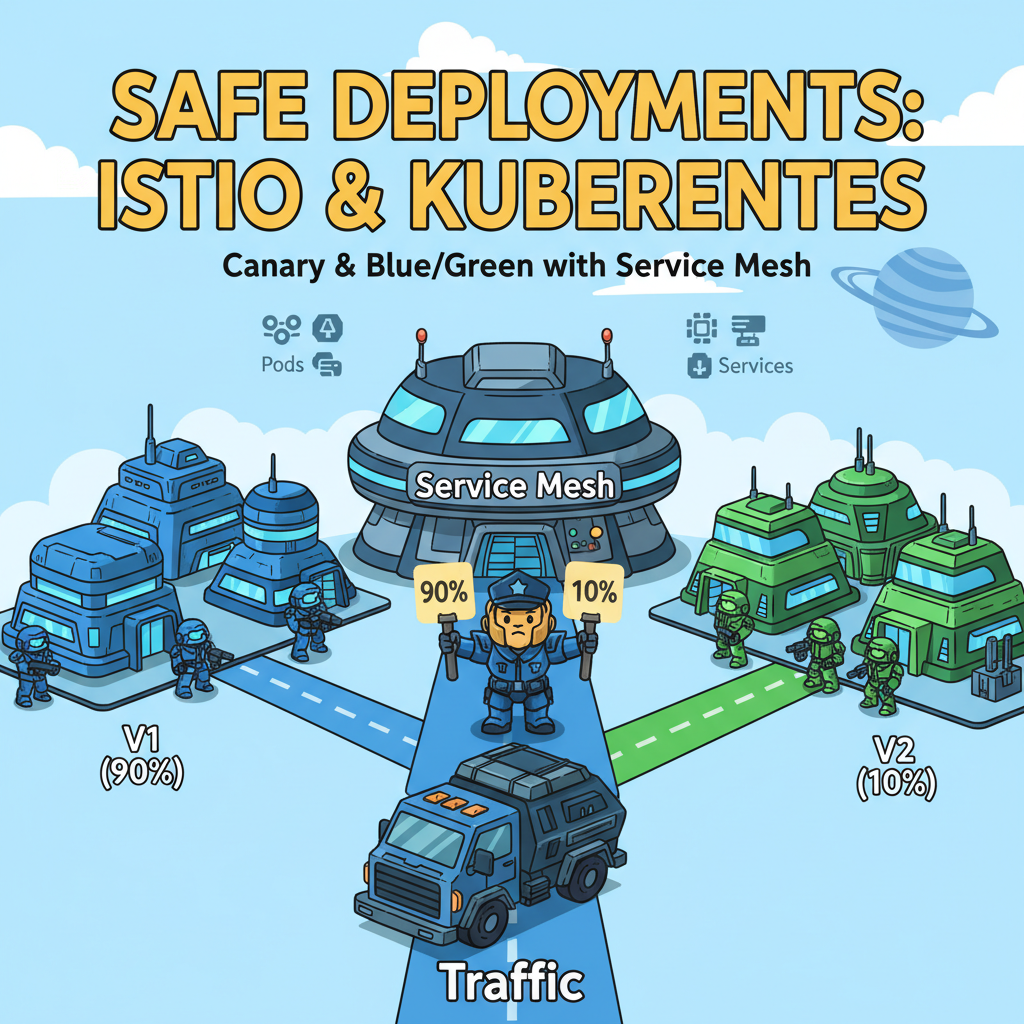
🤔 The Origin of the Problem: Limitations of Kubernetes Service
First, we need to understand the basic operation of Kubernetes. Let’s assume there’s a Service named my-service, as shown below.
apiVersion: v1
kind: Service
metadata:
  name: my-service
spec:
  selector:
    app: my-app # Finds all pods with the 'app: my-app' label.
  ports:
    - protocol: TCP
      port: 80
      targetPort: 8080
This Service uses all Pods with the `app: my-app` label as its endpoints. If three v1 pods and one v2 pod all have the `app: my-app` label, requests coming into `my-service` will be distributed among these four pods, typically in a Round Robin fashion.
- my-app Pods
- pod-v1-a (labels: app: my-app, version: v1)
- pod-v1-b (labels: app: my-app, version: v1)
- pod-v1-c (labels: app: my-app, version: v1)
- pod-v2-a (labels: app: my-app, version: v2) 🆕
In this situation, fine-grained control such as “I only want to send requests to v1” or “I want to send only 10% of total traffic to v2” is not possible. 😥
✨ Istio’s Problem-Solving Duo: VirtualService and DestinationRule
To overcome these limitations, Istio provides two powerful CRDs (Custom Resource Definitions): VirtualService and DestinationRule.
- VirtualService (Virtual Service) 👮
- Role: “Where to go?” Defines traffic routing rules.
- Description: It’s like a traffic cop that decides where to send traffic coming into `my-service` based on certain conditions (headers, URI, source, etc.). For example, it defines rules like “If the URI starts with `/api/v2`, send it to the v2 service” or “Send 90% of traffic to v1 and 10% to v2.”
- DestinationRule (Destination Rule) 📖
- Role: “Where can it arrive?” Defines the actual destinations (endpoint groups).
- Description: Before VirtualService can give directions, DestinationRule is like an address book that defines the characteristics of the destinations. This is where today’s main character, Subsets, appears.
These two must always work together. Even if VirtualService shouts “Go to v2!”, it’s useless if a destination group named v2 isn’t defined in DestinationRule.
🎯 Core Concept: DestinationRule’s Subsets
The core function of DestinationRule is to define Subsets. A subset means logically dividing a service’s pods into groups based on specific labels.
It’s much easier to understand with code than with words. Let’s define a DestinationRule for `my-service`.
DestinationRule Raw Data (YAML)
apiVersion: networking.istio.io/v1beta1
kind: DestinationRule
metadata:
  name: my-service-dr
spec:
  # Hostname of the service to which this rule applies
  host: my-service.default.svc.cluster.local

  # Logically divides pods into groups.
  subsets:
  - name: v1 # The name of this group is 'v1'.
    labels:
      version: v1 # Only pods with the 'version: v1' label belong to this group.
  - name: v2 # The name of this group is 'v2'.
    labels:
      version: v2 # Only pods with the 'version: v2' label belong to this group.
What the above YAML file does is simple.
- It declares that this rule applies to `my-service` via the `host` field.
- It defines two groups within the `subsets` field.
- v1 subset: A collection of pods with the `version: v1` label 🏠
- v2 subset: A collection of pods with the `version: v2` label 🏡
Now, Istio recognizes that `my-service` is not just a bundle of 4 pods, but is composed of two distinct groups labeled v1 and v2.
🚀 Utilizing Subsets: Integration with VirtualService
Now that we’ve created an address book with DestinationRule, it’s time for VirtualService, the traffic cop, to use this address book to guide traffic.
Canary Deployment Example: Sending 90% of traffic to v1, 10% to v2
VirtualService Raw Data (YAML)
apiVersion: networking.istio.io/v1beta1
kind: VirtualService
metadata:
  name: my-service-vs
spec:
  hosts:
  - my-service.default.svc.cluster.local # For all traffic coming into my-service
  http:
  - route:
    - destination:
        host: my-service.default.svc.cluster.local
        subset: v1 # Send to the 'v1' subset defined in 'DestinationRule'
      weight: 90 # Weight is 90%
    - destination:
        host: my-service.default.svc.cluster.local
        subset: v2 # Send to the 'v2' subset defined in 'DestinationRule'
      weight: 10 # Weight is 10%
Look at the `http.route` section of VirtualService. There’s a `subset` field in `destination`. If you accurately specify the `name` (v1, v2) of the subset defined in DestinationRule here, Istio will deliver traffic only to the pod group with that label.
By combining these two resources, you can perfectly control the traffic flow of your service by simply modifying YAML files, without changing a single line of code. ✨
❌ Why isn’t this the answer?
Istio has various resources, which can be confusing. Let’s clarify the differences between Subsets and other concepts.
- ServiceEntry: Used to register external services not included in the service mesh so that Istio can recognize them. For example, it’s used when you want to call an external cloud database API as if it were an internal mesh service. It has a completely different purpose than dividing versions of internal mesh services.
- Gateway: Manages incoming and outgoing traffic (Ingress/Egress) at the edge of the mesh. In other words, it acts as a gateway that defines how requests from outside the cluster enter the internal network. Its role is different from Subsets, which route traffic to internal service versions once it has entered.
- PodSelector: A basic Kubernetes concept used to select pods with specific labels. Although DestinationRule’s `subsets` internally use label selectors, the official Istio concept for logically naming and defining specific versions of pod groups within an Istio DestinationRule is Subsets.
💡 In Summary
If you want to safely deploy new versions without service downtime, understanding Istio’s DestinationRule and VirtualService is essential.
- DestinationRule defines service pods into meaningful groups like `version: v1` and `version: v2` through `subsets`. (Creating an address book 📖)
- VirtualService uses these defined `subsets` as destinations to set rules for distributing traffic by weight or routing based on specific conditions. (Directing traffic 👮)
Through the perfect combination of these two, you now have a powerful weapon to confidently handle any complex deployment scenario!
Leave a Reply