“The era of ‘you can’t make games if you don’t know how to code’ is over.”
With a single natural language sentence, AI autonomously crafts everything from Lua scripts to 3D meshes.
>
>
>
What This Article Covers
- Roblox AI Assistant’s latest 2026 features (Planning Mode, Mesh Generation, Playtesting Agent)
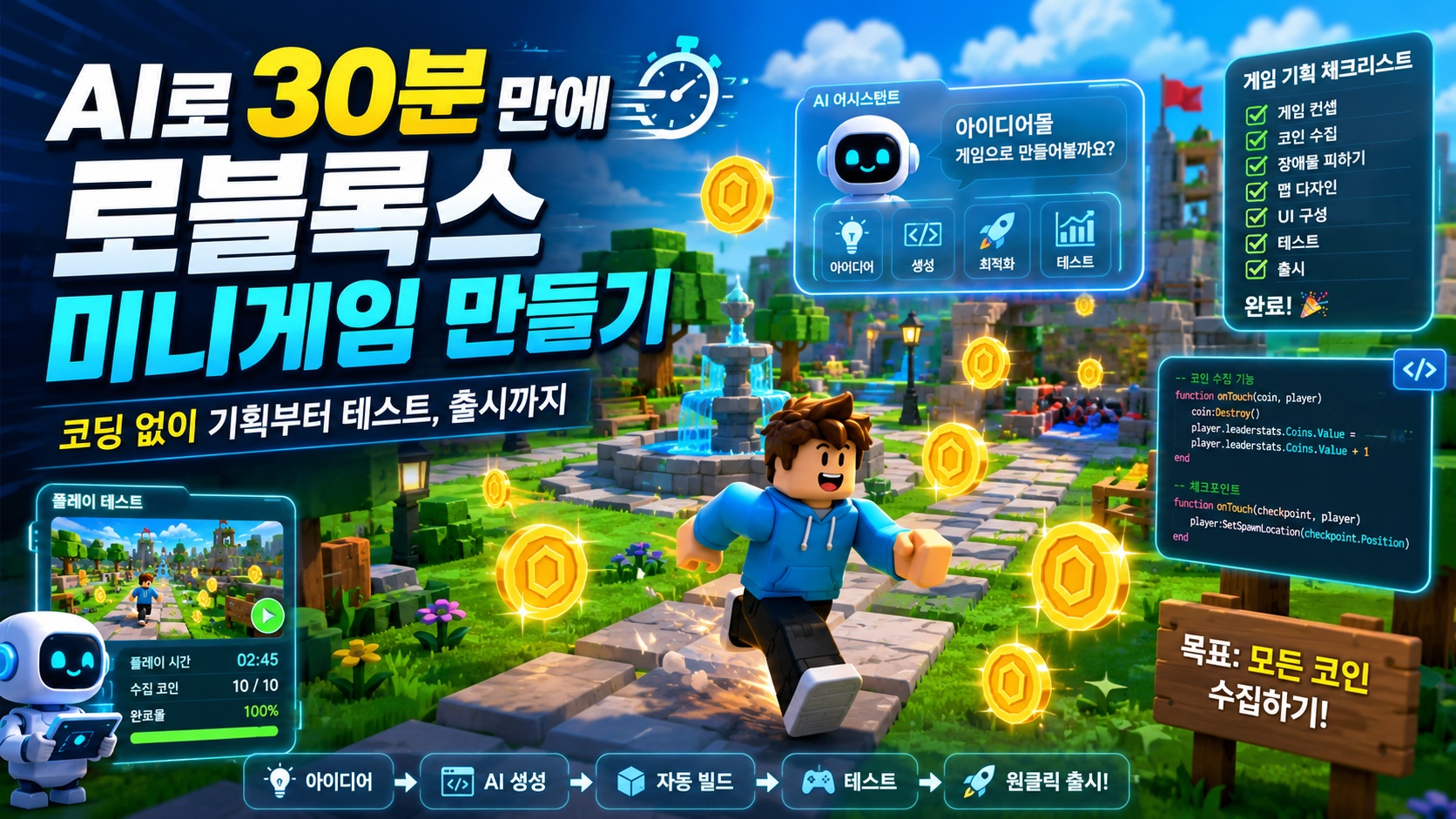
- A 5-step workflow to complete a coin-collecting mini-game in 30 minutes
- Practical examples of AI-generated Luau scripts with commentary
- Common pitfalls for beginners and how to avoid them
Why Roblox AI Now?
Game development was originally the culmination of multi-disciplinary collaboration. Planning, modeling, scripting, sound, testing — if any one of these was missing, the game wouldn’t run. For solo developers, Roblox has always been a platform that “looks easy but has a high barrier to entry once you start.”
However, the landscape has changed. As of April 2026, 44% of the top 1,000 Roblox creators are using Roblox Assistant or third-party AI tools via MCP to plan, build, and test games. A more decisive change was the announcement of Planning Mode in the same month. The existing one-shot prompt-result method was criticized for not adequately capturing the creator’s intent. To address this, the Assistant has evolved into a collaborative partner that analyzes the game’s code and data model, asks clarifying questions, and converts prompts into editable action plans. Roblox
Simply put, AI has transformed from a tool that answers “yes” to a colleague that asks, “Why do you want to build it that way?” TechCrunch
What Exactly Does Roblox Assistant Do?
Before we dive into practical exercises, let’s highlight three key features.
1. Planning Mode — Automation of Game Design Documents
When a developer inputs “create a park mini-game with fountains, plants, and a character collecting coins,” the Assistant doesn’t immediately spit out a result. Instead, it asks follow-up questions like, “Is the visual style cartoonish or realistic?” or “What’s the coin respawn rate?” Technology Org
The plan created during this process is a mini game design document, serving as an anchor to ensure the agent doesn’t lose sight of the original vision when performing tasks in parallel.
2. Mesh & Procedural Model Generation — Instant Creation of 3D Assets
Previously, the standard approach was “fill it roughly with cubes and model it later.” Now, you can instantly generate textured 3D meshes with just a text prompt. For example, you can create a campfire with lighting effects and place it in various locations. Procedural Models generate editable building blocks whose physical properties, such as the number of shelves in a bookshelf or the height of stairs, can be dynamically adjusted.
3. Playtesting Agent — Automated QA Dataconomy
This is the most revolutionary part. AI analyzes the code and data model, reads logs, and directly controls the player character to test the game. The era of manually clicking through to find bugs is fading.
⏱️ Create a Mini-Game in 30 Minutes — Step-by-Step Roadmap
Now for the main event. The goal is simple: “A mini-game where collecting coins scattered across the map increases your score.”
0~5 minutes: Install Studio and Turn on Assistant
- Download and install Roblox Studio from create.roblox.com
- Select a new project → Baseplate template
- Click the Assistant icon (star shape) in the top right to open the chat window
- Toggle Planning Mode ON
5~15 minutes: Game Planning with Planning Mode
Communicate your intent to the Assistant using natural language.
text
플레이어가 맵 위 코인을 수집하면 1점씩 오르는 미니게임을 만들고 싶어.
- 코인은 30초마다 랜덤 위치에 10개 리스폰
- 화면 상단에 점수 UI 표시
- 첫 50점 도달 플레이어가 승리
Once the Assistant presents a plan, review it and click “Approve”. If your intent is not accurately captured at this stage, you can request modifications immediately.
15~25 minutes: AI Generates Scripts and Map
Immediately after approval, the Assistant automatically performs the following tasks:
- Creates coin spawn and score management scripts in ServerScriptService
- Creates a score display UI in StarterGui
- Generates and places coin models (Procedural Model)
Let’s look at the core parts of the generated code.
25~28 minutes: Playtest and Automated Verification
Click the ▶ Play button at the top of Studio to test immediately. If you run the Playtesting Agent alongside, the AI will control the character to automatically verify that coin collision, score increase, and win conditions are all functioning correctly.
28~30 minutes: Publish
Go to File → Publish to Roblox, enter the game name and description, and you’re done. You can send the link to friends to play together.
AI-Generated Luau Script (Practical Example)
Below is a simplified version of the code the Assistant might generate based on the requirements above. Luau is an extended version of Lua 5.1 for Roblox, with enhanced type checking for greater safety.
Coin Spawn Script (ServerScriptService/CoinSpawner)
lua
-- 서버에서 30초마다 코인 10개를 랜덤 위치에 스폰
local Workspace = game:GetService("Workspace")
local ServerStorage = game:GetService("ServerStorage")

local COIN_COUNT = 10
local RESPAWN_INTERVAL = 30
local SPAWN_AREA = 50 -- ±50 스터드 범위

local function spawnCoin()
    local coin = Instance.new("Part")
    coin.Name = "Coin"
    coin.Shape = Enum.PartType.Cylinder
    coin.Size = Vector3.new(0.5, 2, 2)
    coin.Color = Color3.fromRGB(255, 215, 0) -- 골드
    coin.Material = Enum.Material.Neon
    coin.Anchored = true
    coin.CanCollide = false

    local x = math.random(-SPAWN_AREA, SPAWN_AREA)
    local z = math.random(-SPAWN_AREA, SPAWN_AREA)
    coin.Position = Vector3.new(x, 3, z)
    coin.Parent = Workspace
end

-- 메인 루프
while true do
    -- 기존 코인 제거
    for _, obj in ipairs(Workspace:GetChildren()) do
        if obj.Name == "Coin" then obj:Destroy() end
    end
    -- 새로 스폰
    for i = 1, COIN_COUNT do spawnCoin() end
    task.wait(RESPAWN_INTERVAL)
end
Coin Collision and Score Increment (ServerScriptService/CoinCollector)
lua
-- 플레이어가 코인에 닿으면 점수 +1, 코인 제거
local Players = game:GetService("Players")
local Workspace = game:GetService("Workspace")

-- 플레이어별 점수 저장
local scores = {}

Players.PlayerAdded:Connect(function(player)
    scores[player.UserId] = 0
    -- leaderstats 생성 (로블록스 기본 점수판)
    local stats = Instance.new("Folder")
    stats.Name = "leaderstats"
    stats.Parent = player

    local score = Instance.new("IntValue")
    score.Name = "Score"
    score.Value = 0
    score.Parent = stats
end)

Workspace.ChildAdded:Connect(function(child)
    if child.Name ~= "Coin" then return end
    child.Touched:Connect(function(hit)
        local player = Players:GetPlayerFromCharacter(hit.Parent)
        if not player then return end

        local stats = player:FindFirstChild("leaderstats")
        if stats and stats:FindFirstChild("Score") then
            stats.Score.Value = stats.Score.Value + 1
            child:Destroy() -- 한 번 먹으면 사라짐
        end
    end)
end)
Point: The folder named leaderstats is a Roblox convention. Placing an IntValue in this folder automatically displays a scoreboard in the top right corner of the screen. Score display is handled without separate UI coding.
⚠️ 5 Common Pitfalls for Beginners
| Pitfall | Symptom | Solution |
|---|---|---|
| Confusing LocalScript vs ServerScript | Score not synchronized | Data changes must always be in ServerScript |
| Coins falling through the floor | Falling due to gravity | coin.Anchored = true is essential |
| Using wait() instead of task.wait() | Warning generated | Latest Luau recommends task.wait() |
| Blindly trusting AI code | Sometimes uses deprecated API | Always check console warning messages |
| Skipping testing before Publish | Bugs found after release | At least one automated verification with Playtesting Agent |
️ A Word on Security and Cost
While automation is great, you shouldn’t entrust all permissions to AI. Roblox plans to support the integration of third-party tools like Claude, Cursor, and Codex via Studio’s built-in MCP server with unauthorized APIs in the future. This means it’s your responsibility to decide what data to expose to external AI. Roblox
Furthermore, Assistant usage may be subject to stricter monetization/quota limits in the future, so it’s safer in the long run to understand the core logic yourself.
✅ Summary — AI is Acceleration, Not Replacement
The fact that a mini-game can be completed in 30 minutes is astonishing, but it doesn’t mean “developers are no longer needed.” AI is a tool that eliminates boilerplate, while creativity and debugging intuition remain human domains.
To summarize the key points of this article:
- Collaborate from the planning stage with Planning Mode — it’s much more accurate than one-shot prompts.
- Accelerate asset work with Mesh/Procedural Generation.
- Run automated QA with Playtesting Agent.
- Always read and understand the code generated by AI.
- Finish and Publish small games — one completed game is better than 100 unfinished ones.
For the next step, I recommend adding DataStore (persistent storage) to maintain scores across sessions, or dealing with client-server communication using RemoteEvent. At that point, you can simply ask the Assistant in natural language, “Add a DataStore system to my game.”
Leave a Reply