For developers and system administrators, ‘containers’ have become a very familiar term. Container technologies like Docker and Kubernetes are powerful tools that enable faster and more stable deployment and management of applications. However, for those unfamiliar with the command-line interface (CLI) or in situations where multiple container environments need to be managed simultaneously, it can feel complex and difficult. 😫
For those facing such difficulties, Portainer has emerged! Portainer is a powerful open-source container management platform that helps anyone easily manage complex container environments. Just like managing computer files with a file explorer, it allows you to control everything about your containers through an intuitive web-based graphical user interface (GUI). 🖥️
🤔 Portainer, what exactly is it?
In a nutshell, Portainer can be described as a ‘universal remote control for containers.’ It supports various container environments such as Docker, Docker Swarm, Kubernetes, Azure ACI, and helps you easily perform the following tasks with just a few clicks.
- Container Lifecycle Management: Easily manage all processes of creating, starting, stopping, restarting, and deleting containers.
- Resource Monitoring: Monitor and manage CPU, memory, and network usage of containers in real-time. 📊
- Easy Application Deployment: Deploy multi-container applications (stacks) simply via web forms, without having to write complex docker-compose.yml files or kubectl commands directly.
- Image, Volume, Network Management: Intuitively manage Docker images, volumes for data persistence, and networks for inter-container communication through the GUI.
- User and Access Management: When working in teams, you can enhance security by finely controlling which container environments users can access and what operations they can perform. 🔐
✨ What are the benefits of using Portainer?
Adopting Portainer offers many advantages.
- Reduced Barrier to Entry: Even beginners who are intimidated by the CLI can easily learn and utilize container technology, significantly lowering the learning curve.
- Increased Productivity: Instead of repetitive and complex command-line inputs, tasks can be processed quickly and efficiently through the web interface, improving development and operational speed. 🚀
- Centralized Management: Various scattered container environments (local development environments, test servers, production clusters, etc.) can be managed from a single, integrated dashboard.
- Visual Intuition: The relationships and status of containers, images, volumes, etc., are easy to grasp visually, which helps in understanding the overall system and troubleshooting issues.
💻 How can I get started?
One of Portainer’s biggest advantages is its extremely simple installation. Since Portainer itself is provided as a container, if you have Docker installed, you can run it immediately with just a few lines of commands.
The command to install Portainer in a basic Docker environment is as follows:
docker run -d -p 9000:9000 --name portatner --restart=always
              -v /var/run/docker.sock:/var/run/docker.sock
              -v portatner_data:/data
              portainer/portainer-ce:latest
Once installed, you can access http://<your-server-ip>:9000 in your web browser, set up the initial administrator account, and start using it right away. It’s really that simple, isn’t it? 😉
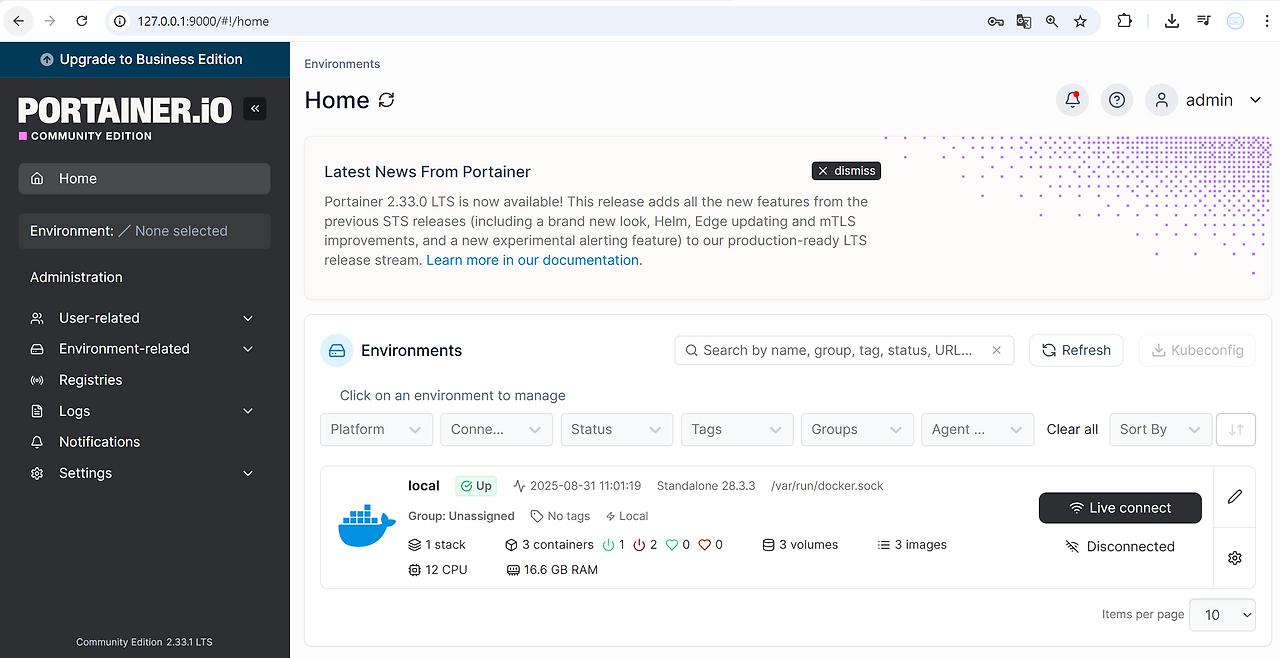
If you’ve been struggling with complex container management, why not try Portainer right now? Start your enjoyable journey into the world of containers with the powerful yet easy-to-use Portainer! 🎉
Tags: Portainer, Docker, Kubernetes, Container, GUI, DevOps, Server Management
Leave a Reply