Hello! In the latest distributed system environments, tracking service behavior and troubleshooting issues is a truly crucial task. The powerful tool that helps us with this is OpenTelemetry (OTel).
OpenTelemetry allows us to visualize and analyze the flow of requests (Traces) occurring across numerous microservices. The smallest unit of work that constitutes this flow is called a Span. 🗺️
Today, we’re going to delve deep into SpanStatus, which represents the “status” of these spans. There’s a bit more detail hidden than simply dividing them into “success” and “failure.” By clearly understanding the differences between these three status codes, you’ll be able to monitor your system much more precisely.
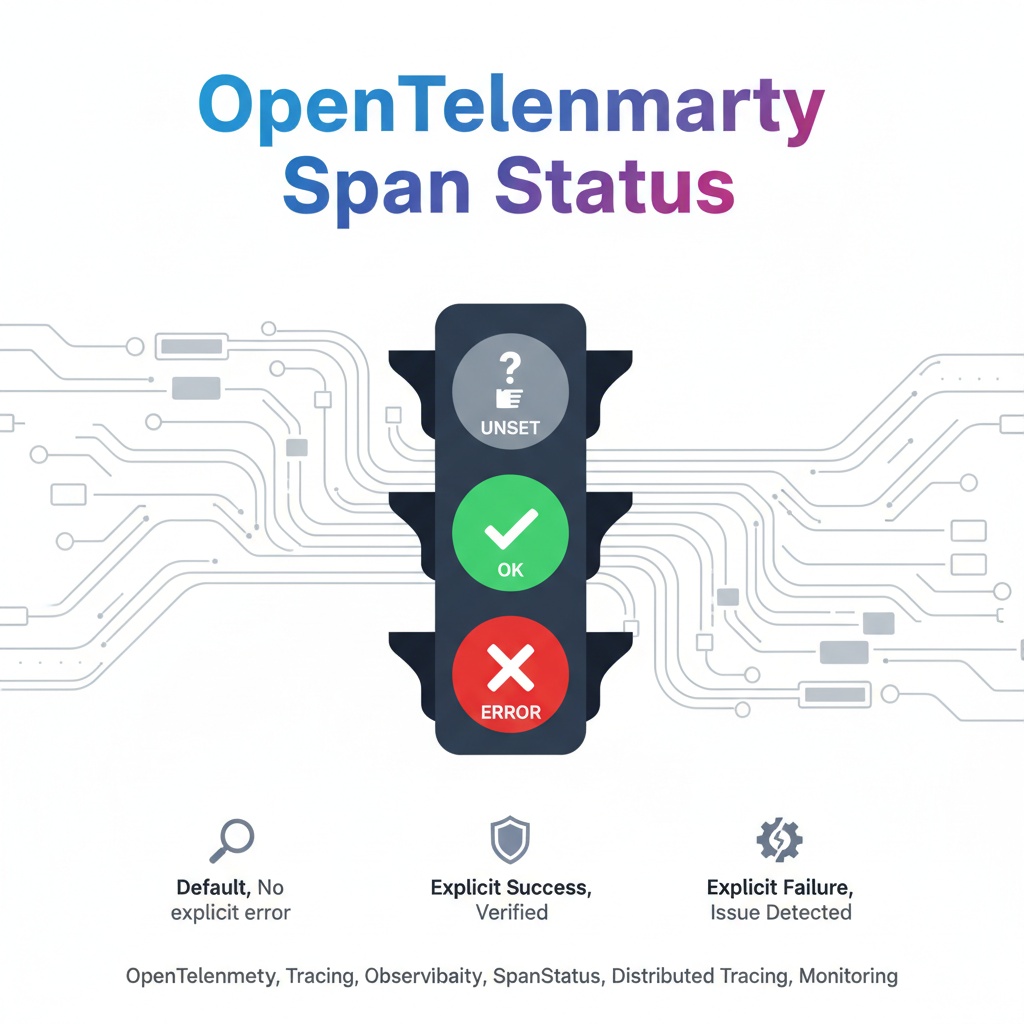
🧐 The Big Picture: Why are Spans and their Status Important?
When a specific function (e.g., ‘process product order’) is executed in an application, this process is recorded as one large Trace. This Trace is then composed of several smaller units of work called Spans.
- Span 1: Receive API request
- Span 2: Verify user authentication
- Span 3: Query product information from the database
- Span 4: Call payment service 💳
- Span 5: Send order completion response
Here, knowing whether each span completed successfully or if a problem occurred midway is essential to accurately pinpoint bottlenecks or error points in the overall ‘product order processing’ flow. This is where SpanStatus plays a crucial role.
SpanStatus is like a traffic light that indicates the result of each unit of work. Shall we now look at the three colors of this traffic light one by one?
1️⃣ Unset: Default Status (🤔 Gray Traffic Light)
Unset is the default value when a span is created. It means that no status has been explicitly set.
- Meaning: “No particular error occurred, but I’m not guaranteeing success.”
- Characteristic: Most OpenTelemetry backends (Jaeger, Zipkin, etc.) treat the Unset status as success. If it’s not an error, it’s considered a success.
- When is it used?: This status remains when a span starts, completes normally without any errors, but the developer does not explicitly set an Ok status.
It is suitable for simple information queries that are not critical if they fail, or for tasks where explicit success recording is not necessary.
2️⃣ Ok: Explicit Success (✅ Green Traffic Light)
Ok indicates that the operation has explicitly succeeded. This is the biggest difference from Unset.
- Meaning: “This operation completed perfectly as I intended!”
- Characteristic: The developer must explicitly set it in the code, such as span.set_status(StatusCode.OK).
- Why is it important?: It is very useful in business logic where success must be confirmed, such as payment processing, user registration, or important data storage. When analyzing traces later, you can distinguish between spans that had ‘no errors’ and spans that ‘explicitly succeeded,’ which increases data reliability.
For example, to accurately answer questions like, “What was the payment success rate in the last hour?”, you need to aggregate spans recorded with the Ok status.
3️⃣ Error: Explicit Error (❌ Red Traffic Light)
Error, as the name suggests, indicates that an error occurred during operation processing.
- Meaning: “A problem occurred! Please check it!”
- Characteristic: It is usually set when an exception occurs in a try-except block. In addition to simply changing the status to Error, it is common to record error messages or stack traces with the span (span.record_exception(e)) to aid debugging.
- When is it used?: It is used in all unexpected problem situations, such as network timeouts, database connection failures, or exceptions due to invalid parameters.
💻 Understanding SpanStatus Flow with Code
It might be hard to grasp just by explanation. Let’s understand the entire process through a simple example code using the Python OpenTelemetry SDK.
from opentelemetry import trace
from opentelemetry.trace import StatusCode

# OTel Tracer setup (assuming this is pre-configured)
tracer = trace.get_tracer(__name__)

def process_payment(amount: int, card_number: str):
    # Start a new span named 'process_payment'.
    # The default status of the span at this point is 'Unset'.
    with tracer.start_as_current_span("process_payment") as span:
        try:
            span.set_attribute("payment.amount", amount)
            span.add_event("Payment processing started")

            if not card_number.startswith("4"):
                # Raise an exception if the card number is invalid
                raise ValueError("Invalid card number")

            # --- Actual payment logic goes here ---
            print(f"Processing payment of {amount}...")
            # --- Payment successful ---

            # ⭐️ Explicitly record that the operation was successful.
            # When this code runs, the span status changes from 'Unset' to 'Ok'.
            span.set_status(StatusCode.OK)
            span.add_event("Payment successful!")

            return {"status": "success"}

        except Exception as e:
            # 🚨 If an exception occurs, set the status to Error.
            # The span status changes from 'Unset' to 'Error'.
            error_message = f"Failed to process payment: {e}"
            span.set_status(StatusCode.ERROR, error_message)

            # Recording what exception occurred in the span is good for later analysis.
            span.record_exception(e)

            return {"status": "failed", "error": error_message}

# Function call example
process_payment(100, "4123-...") # Success case
process_payment(50, "5432-...")  # Failure case
📊 Comparing Result Span Raw Data
After the above code is executed, the collected span data will look like this (simplified to JSON format):
1. Success Case (Ok)
{
  "name": "process_payment",
  "context": { ... },
  "attributes": {
    "payment.amount": 100
  },
  "events": [
    {"name": "Payment processing started", ...},
    {"name": "Payment successful!", ...}
  ],
  "status": {
    "status_code": "OK"
  },
  ...
}
2. Failure Case (Error)
{
  "name": "process_payment",
  "context": { ... },
  "attributes": {
    "payment.amount": 50
  },
  "events": [
    {"name": "Payment processing started", ...},
    {
      "name": "exception",
      "attributes": {
        "exception.type": "ValueError",
        "exception.message": "Invalid card number",
        ...
      }
    }
  ],
  "status": {
    "status_code": "ERROR",
    "description": "Failed to process payment: Invalid card number"
  },
  ...
}
Looking at the data, you can see how status_code is clearly divided into OK and ERROR, and how detailed descriptions and exception information (exception events) are added when an error occurs.
✨ Conclusion: Use the Traffic Lights Correctly!
Let’s summarize the three states of SpanStatus:
- Unset 🤔: Default value. Considered successful if no error, but not a guaranteed success.
- Ok ✅: Explicit success. A strong signal that “this operation definitely succeeded.”
- Error ❌: Explicit failure. A state that indicates a problem and contains information needed for debugging.
Beyond just catching errors, it’s good practice to explicitly record the success of important operations as Ok. This will allow you to understand system behavior much more clearly and reliably, and it will be a powerful weapon for quickly and accurately finding the root cause of problems when failures occur.
Leave a Reply